Dear TMS user,
Please note that TMS (https://prod.fifatms.com) was upgraded to version 10.21 on Tuesday, 25 July 2023. In our continued efforts to support you and provide efficiency through TMS, the following updates have been implemented:
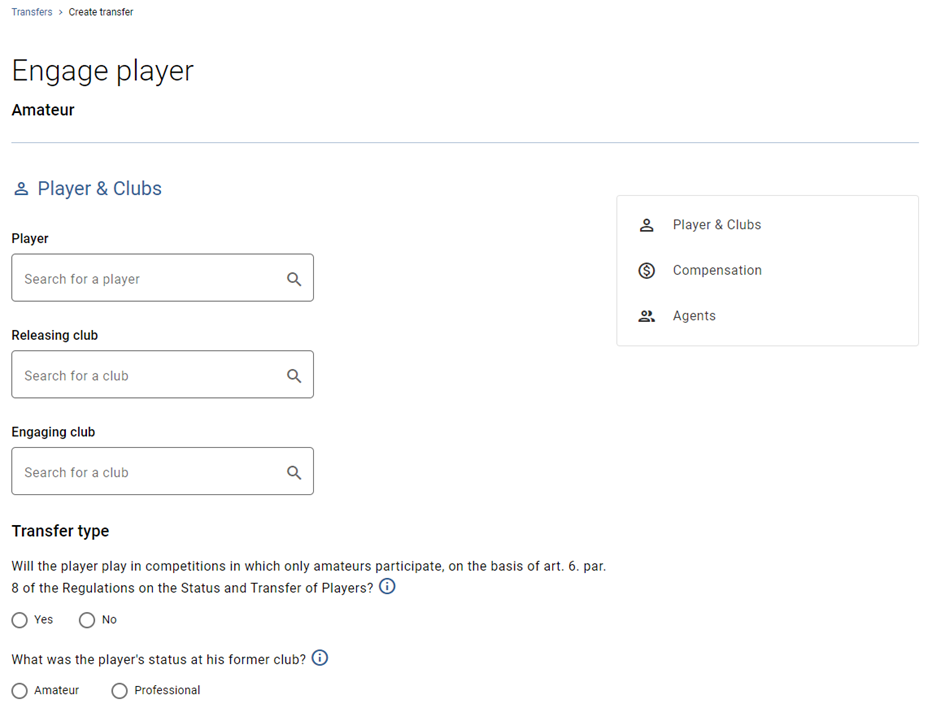
NEW DESIGN – amateur transfers
The procedure to engage an amateur player in TMS reflects the new, modern TMS design. Please note that the functionalities remain unchanged.
You can find more information about this topic in the online Help Centre:
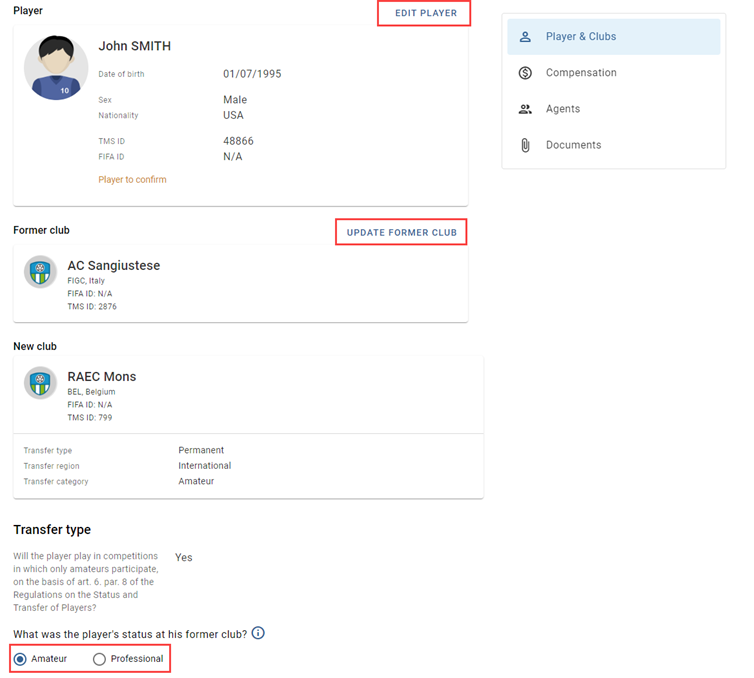
NEW – Update player’s former club and player's status with the former club in an amateur transfer
It is now possible to update the player’s former club and their status with their former club in amateur transfers when confirming the player’s details and delivering the ITC.
You can find more information about this topic in the online Help Centre:
International transfers > Player confirmation > Player confirmation
International transfers > ITC process > Response to an ITC request
UPDATE – removal of “player passport”
The “Player passports to upload” task has been removed from the association dashboard. Additionally, the ability to upload a player passport upon ITC delivery has been removed.
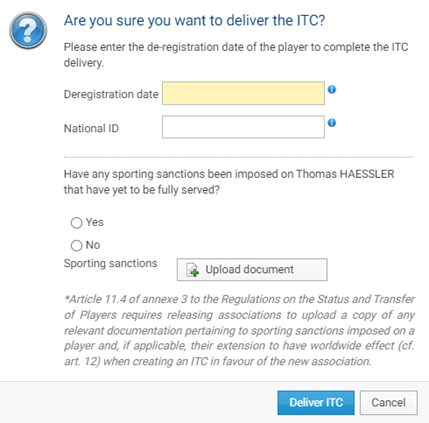
Reminder: For transfers completed before 16 November 2022, the former association must also upload the player passport. For the purposes of the Regulations on the Status and Transfer of Players (hereinafter the “Regulations”), the player passport is not the player’s travel identification document, but rather a document containing the player’s registration records since the age of 12 (cf. art. 7 of the Regulations).
You can find more information about this topic in the online Help Centre:
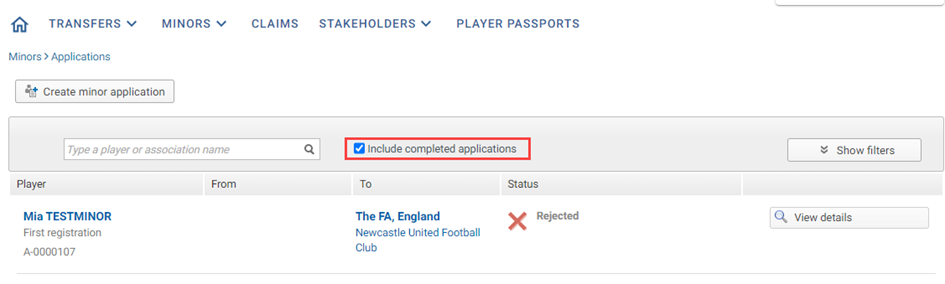
UPDATE – filter to unhide completed minor applications
By default, minor applications with the status “Cancelled”, “Not admissible”, “Accepted” or “Rejected” are hidden from the minor applications grid. To view minor applications with these statuses, select the new filter.
NEW DESIGN – player duplicates to resolve redesigned
The procedure to resolve a player duplicate and to assign a FIFA ID to players in TMS reflects the new, modern TMS design. Please note that the functionalities remain unchanged.
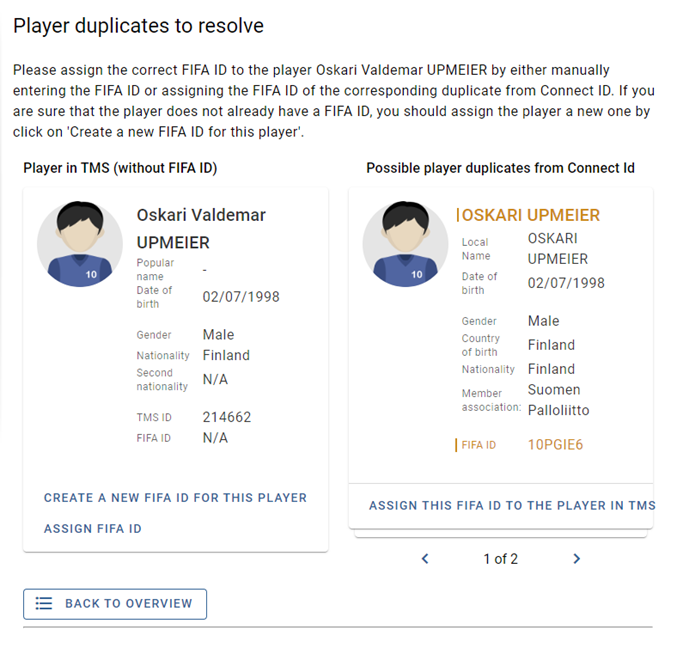
You can find more information about this topic in the online Help Centre:
Stakeholders > Player details > How to resolve a player duplicate in TMS
UPDATE – transfer ban now referred to as registration ban
Transfer bans are now referred to as registration bans, to align with the terminology in the FIFA Regulations on the Status and Transfer of Players and the FIFA Disciplinary Code. Please note that the registration ban (formerly “transfer ban”) functionality remains unchanged.

You can find more information about this topic in the online Help Centre:
Glossary > Stakeholders information > Registration ban
NEW – save domestic transfer declaration as draft
It is now possible to save manual domestic transfer declarations (DTDs) as draft, and return later to edit and confirm the DTD.
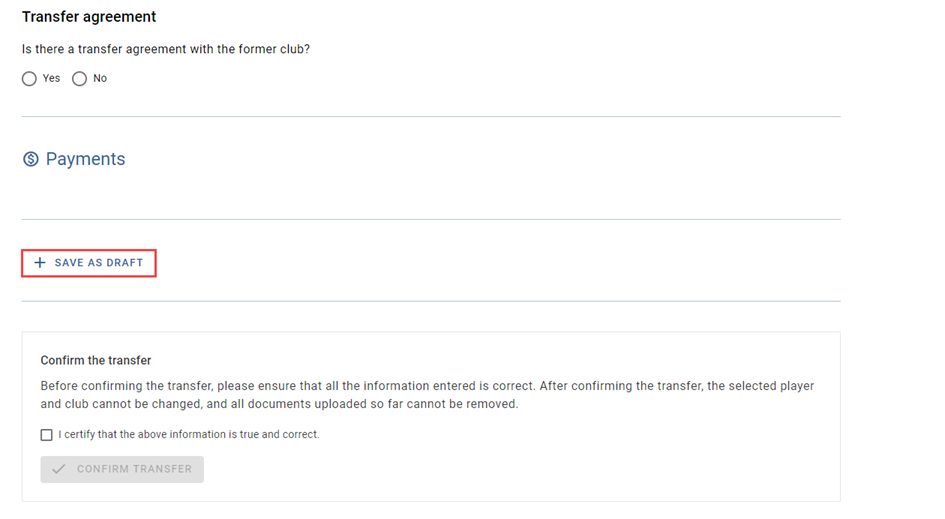
You can find more information about this topic in the online Help Centre:
UPDATE – separate upload of waiver for training compensation and solidarity contribution
When waiving its rights to training compensation and solidarity contribution, clubs must upload separate waivers to each of the relevant category.
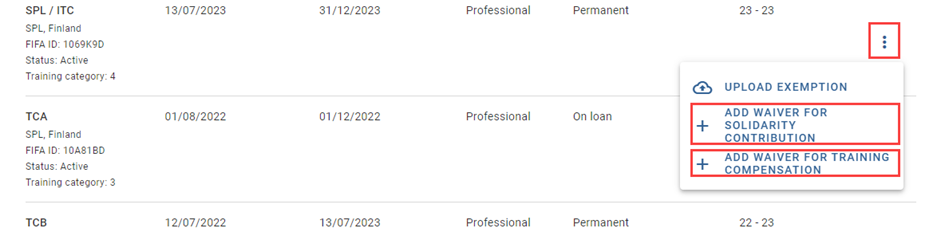
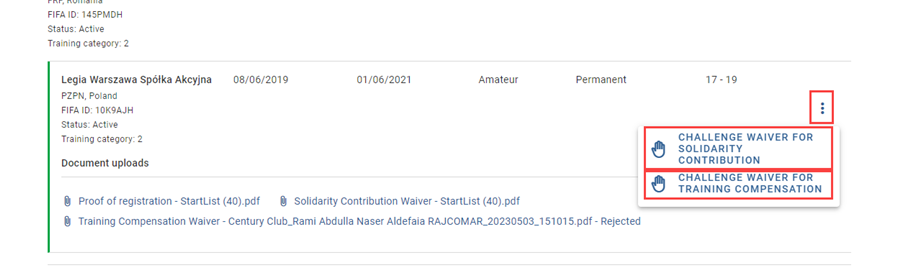
You can find more information about this topic in the online Help Centre:
Thank you for taking note of this important information, which we hope has been helpful and clear. Please contact the TMS Helpdesk at TMShelpdesk@fifa.org should you have any questions.
Kind regards,
TMS Helpdesk