Please note that TMS (https://prod.fifatms.com) was upgraded to version 11.02 today, Tuesday, 12 December 2023. In our continued efforts to support you and provide efficiency through TMS, the following new features and updates have been implemented.
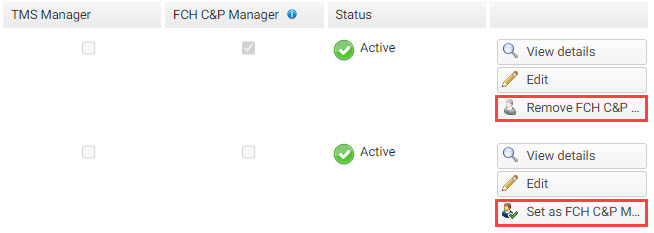
NEW – ability to define the FCH compliance and payment manager (FCH C&P manager)
Clubs and associations can now define a user other than their TMS manager as their point of contact for the FIFA Clearing House entity (FCH C&P manager). If no specific user has been set as the FCH C&P manager, the TMS manager will be the FCH C&P manager by default.
You can find more information about this topic in the online Help Centre:
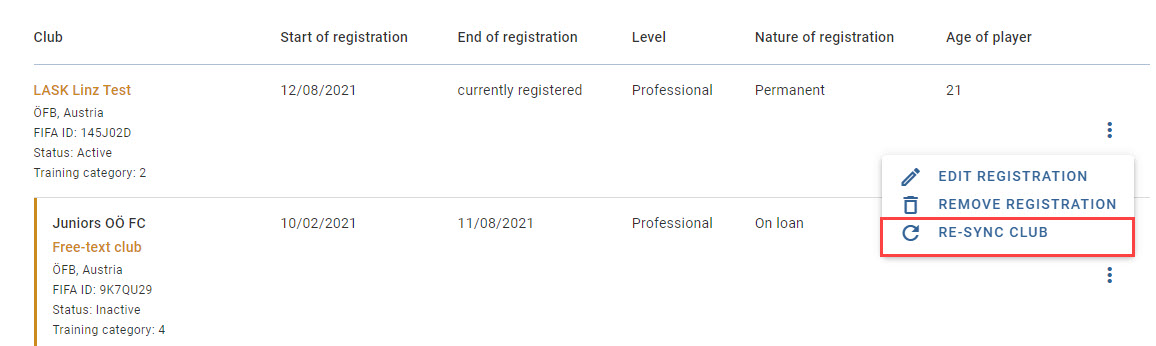
NEW – “Re-sync club” button displayed if changes are detected
If any of a club’s details have changed in TMS and that club is involved in an EPP review process, the club data will not be automatically updated in the EPP. The relevant association will have a new button available to re-synchronise the club data in the EPP.
You can find more information about this topic in the online Help Centre:
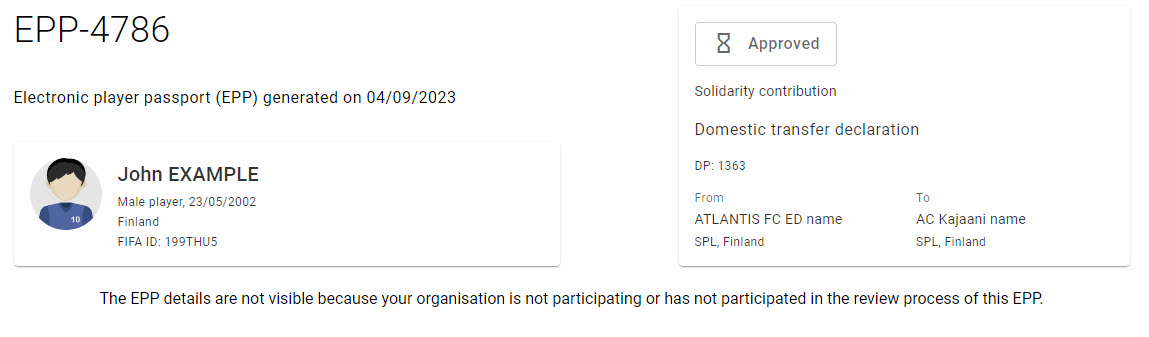
UPDATE – visibility of EPP details to non-participating organisations
Once an EPP is released for review, its details will only be visible to clubs and associations that are participating in the review process. Non-participating organisations will only see the basic EPP information (trigger information and player details).
You can find more information about this topic in the online Help Centre:
Thank you for taking note of this important information, which we hope has been helpful and clear. Should you have any questions, please contact the TMS Helpdesk at TMShelpdesk@fifa.org.
Sonia Gusella
Dear TMS user,
Please note that TMS (https://prod.fifatms.com) was upgraded to version 11.02 today, Tuesday, 12 December 2023. In our continued efforts to support you and provide efficiency through TMS, the following new features and updates have been implemented.
NEW – ability to define the FCH compliance and payment manager (FCH C&P manager)
Clubs and associations can now define a user other than their TMS manager as their point of contact for the FIFA Clearing House entity (FCH C&P manager). If no specific user has been set as the FCH C&P manager, the TMS manager will be the FCH C&P manager by default.
You can find more information about this topic in the online Help Centre:
Getting started with TMS > User management > Editing TMS user details
NEW – “Re-sync club” button displayed if changes are detected
If any of a club’s details have changed in TMS and that club is involved in an EPP review process, the club data will not be automatically updated in the EPP. The relevant association will have a new button available to re-synchronise the club data in the EPP.
You can find more information about this topic in the online Help Centre:
Electronic player passport (EPP) > Electronic player passport for associations > Re-sync club data in an electronic player passport
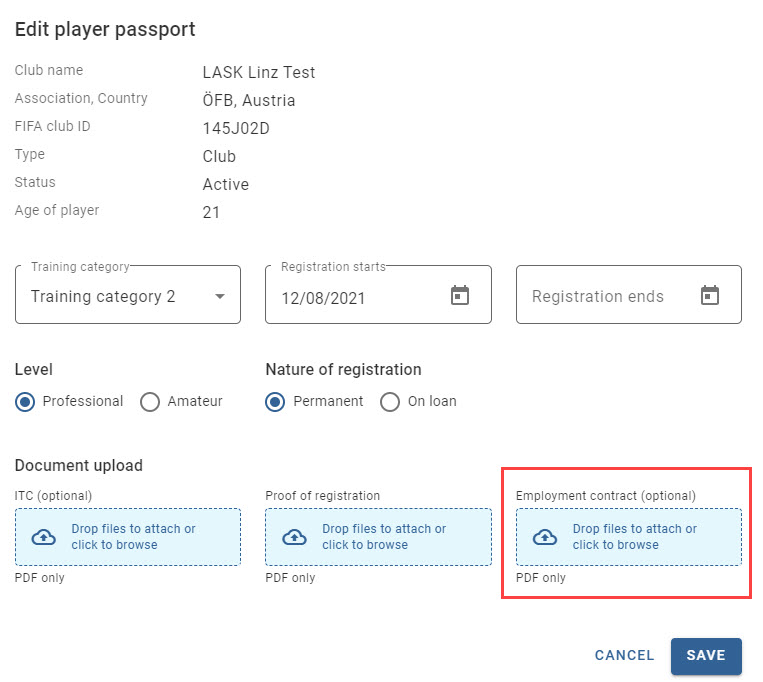
UPDATE – employment contract always optional when adding/editing an EPP registration
When editing a registration in an EPP or adding a registration to an EPP, the employment contract is now optional.
You can find more information about this topic in the online Help Centre:
Electronic player passport (EPP) > Electronic player passport for associations > Adding missing registration information to an electronic player passport
Electronic player passport (EPP) > Electronic player passport for associations > Editing registration information in an electronic player passport
UPDATE – visibility of EPP details to non-participating organisations
Once an EPP is released for review, its details will only be visible to clubs and associations that are participating in the review process. Non-participating organisations will only see the basic EPP information (trigger information and player details).
You can find more information about this topic in the online Help Centre:
Electronic player passport (EPP) > Navigating electronic player passports > Searching for and viewing an EPP
Thank you for taking note of this important information, which we hope has been helpful and clear. Should you have any questions, please contact the TMS Helpdesk at TMShelpdesk@fifa.org.
Kind regards,
TMS Helpdesk