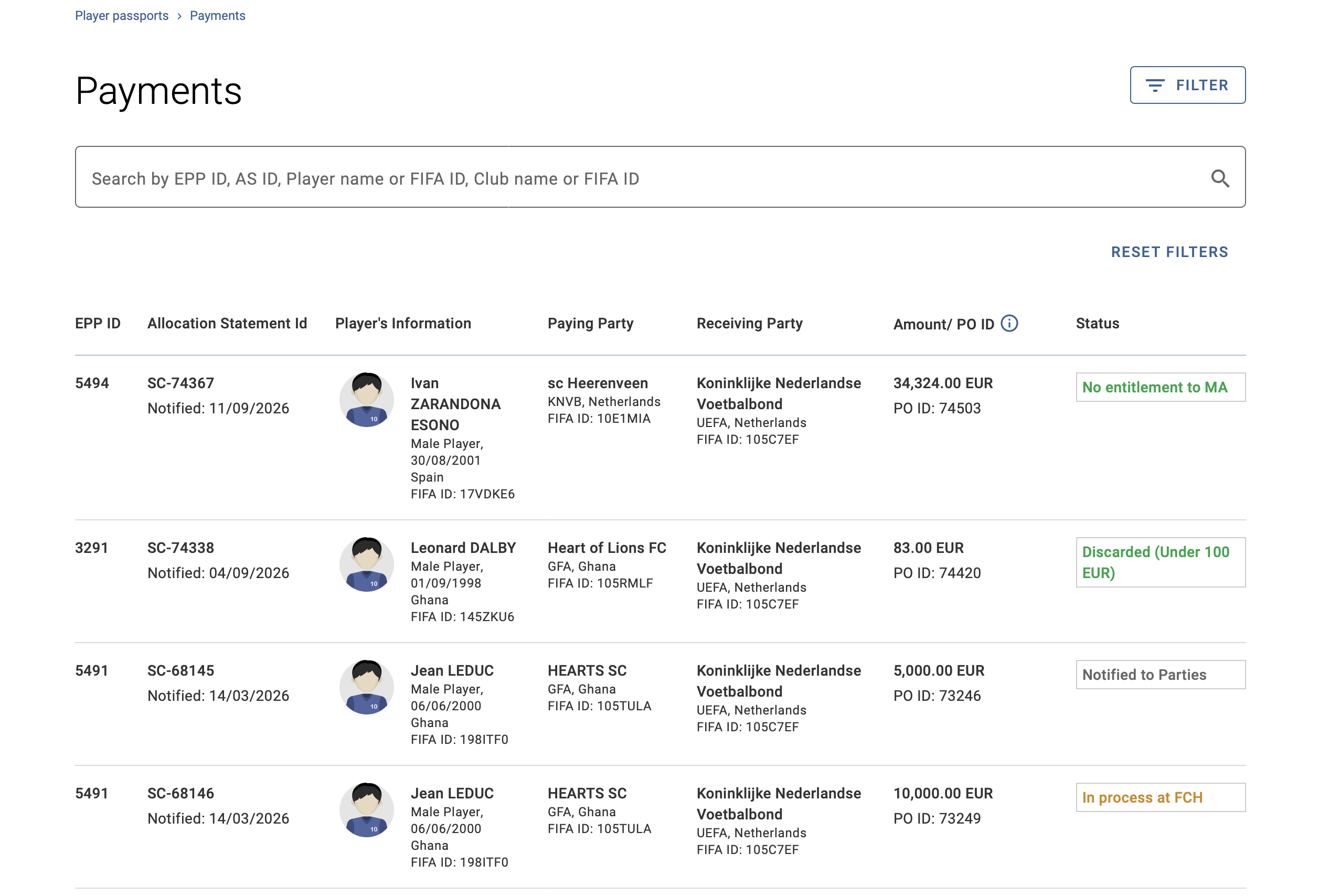
The “Payments” module provides organisations with an overview of payment orders, i.e. the individual payments listed within an allocation statement, and their statuses at the FIFA Clearing House (FCH).
Your organisation will only see payment orders in TMS that have been processed via the FCH Client Portal and in which:
- you are receiving payments through the FCH, i.e. the receiving party;
- you are making payments through the FCH, i.e. the paying party; or
- an entitlement calculated in the allocation statement has been discarded because it is less than 100 euros (or the equivalent in another currency) or because the Member Association to which it is due cannot process and receive the payment through the FCH.
Payment orders will only be visible in this module once the allocation statement has been notified by FIFA to the relevant parties in the EPP. The visibility of payment orders may change as the allocation statement progresses. The absence of a payment order does not indicate that no allocation statement has been generated in the EPP.
Payment order amount and ID
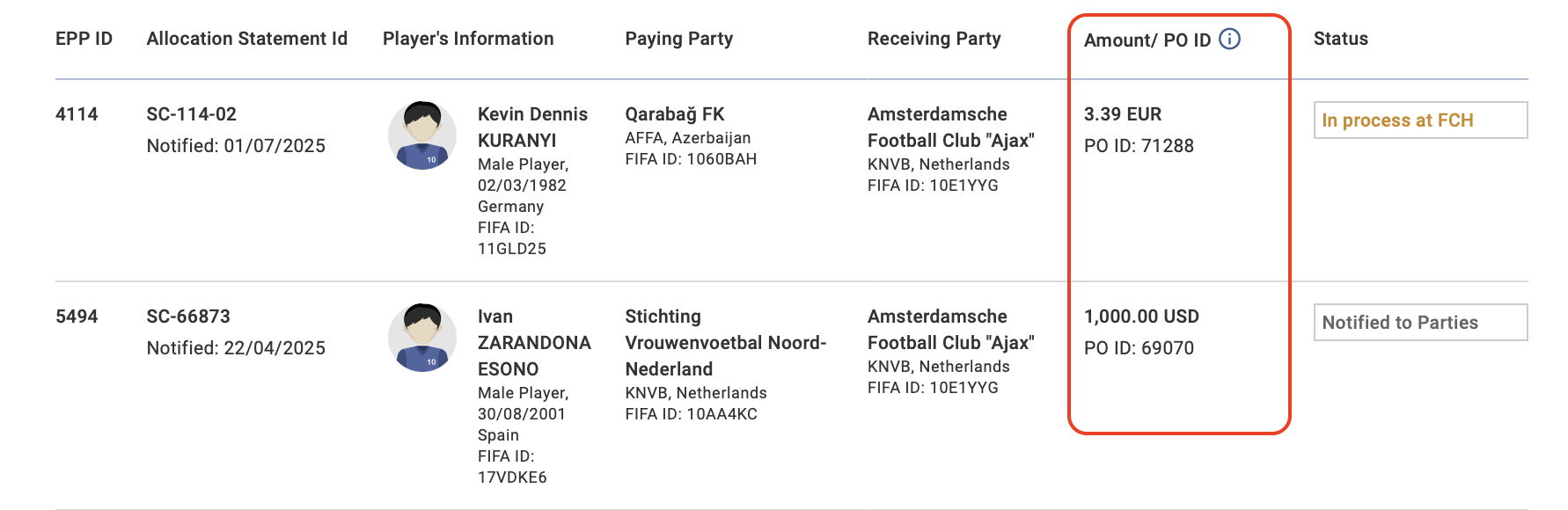
The payment order ID (PO ID) is a unique identifier assigned to each individual payment listed within an allocation statement. The same PO ID will be assigned to a transaction in TMS and in the FCH Client Portal.
The payment order amount is a dynamic field that updates to reflect the application of an administrative levy in the event of a compliance or payment failure by the new club.
Payment order status
You can track the progress of your payment orders at the FCH based on their status:
- Notified to parties: The allocation statement has been notified by FIFA to the relevant organisations via TMS. A copy of the allocation statement determination can be found in the “Messages” tab of the EPP.
- Sent to FCH: The allocation statement and its payment orders have been sent by FIFA to the FCH.
- In process at FCH: The receiving and/or paying party is in the process of completing the Compliance Assessment at the FCH.
- Payment complete: The FCH has received the training reward amounts from the paying party and distributed payments to the receiving party.
- Discarded (Under 100 EUR): The entitlement is below the applicable threshold of 100 euros (or the equivalent in another currency). The entitlement is therefore discarded, and no payment will be processed through the FCH.
- No entitlement to MA: An amount is due to the Member Association, but the Member Association cannot process and receive it through the FCH. The entitlement is therefore discarded, and no payment will be processed through the FCH.
The statuses of your payment orders are colour-coded to provide your organisation with a quick overview of whether any actions are required:
- Grey: No action required – for “Notified to parties” and “Sent to FCH”
- Orange: Action required – for “In process at FCH”
- Green: Final status – for “Payment complete”, “Discarded (Under 100 EUR)” and “No entitlement to MA”
Searching for payment orders

By default, payment orders are sorted in descending order by AS notification date. This means that payment orders from the most recently notified AS will appear first.
You may search for a payment order:
- Via search bar by EPP ID, AS ID, Player name or FIFA ID, Club name or FIFA ID
- Via filters based on the payment order status, Player gender, Training rewards type and Date of AS notification.
- Clubs may also filter based on whether they are the paying or receiving party. This filter is not available to Member Associations.