Table of contents
Search and filter users
Under “Stakeholders > Users”, clubs can view a list of their users, while Member Associations can view a list of their users and the users of their affiliated clubs.
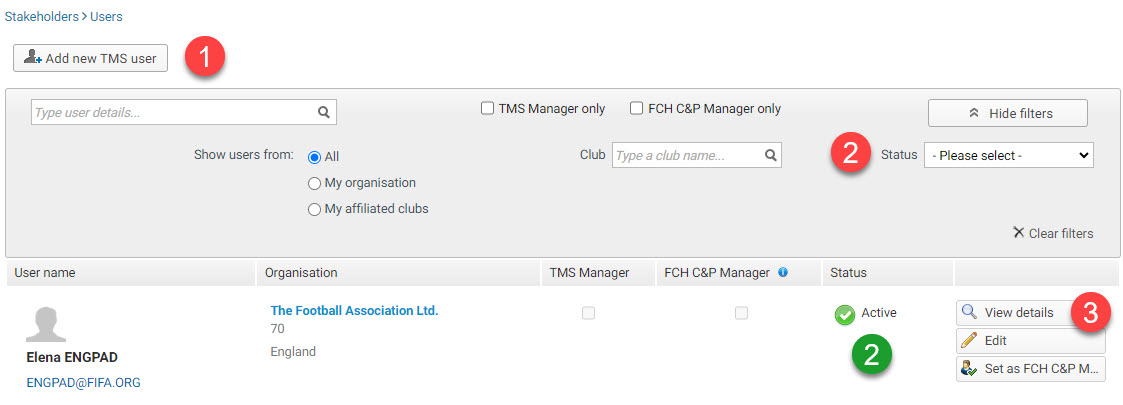
Users are classified by status and can be filtered as follows:
- Submitted: The new user activation request has been submitted and is being reviewed by FIFA.
- Awaiting completion: FIFA has reviewed the request and contacted the requester for additional documents or information.
- Active: The user has an active account and has access to TMS.
- Rejected: The new user activation request has been rejected by FIFA.
User responsibilities
The TMS manager is the organisation’s main point of contact for all matters related to TMS and receives communications and letters from FIFA.
The FIFA Clearing House compliance and payment manager (FCH C&P manager) is the point of contact for all matters related to the FIFA Clearing House entity. If no FCH C&P manager has been assigned, the TMS manager is the default point of contact for that entity.
View user details
To view the user’s details, click on “View details”.
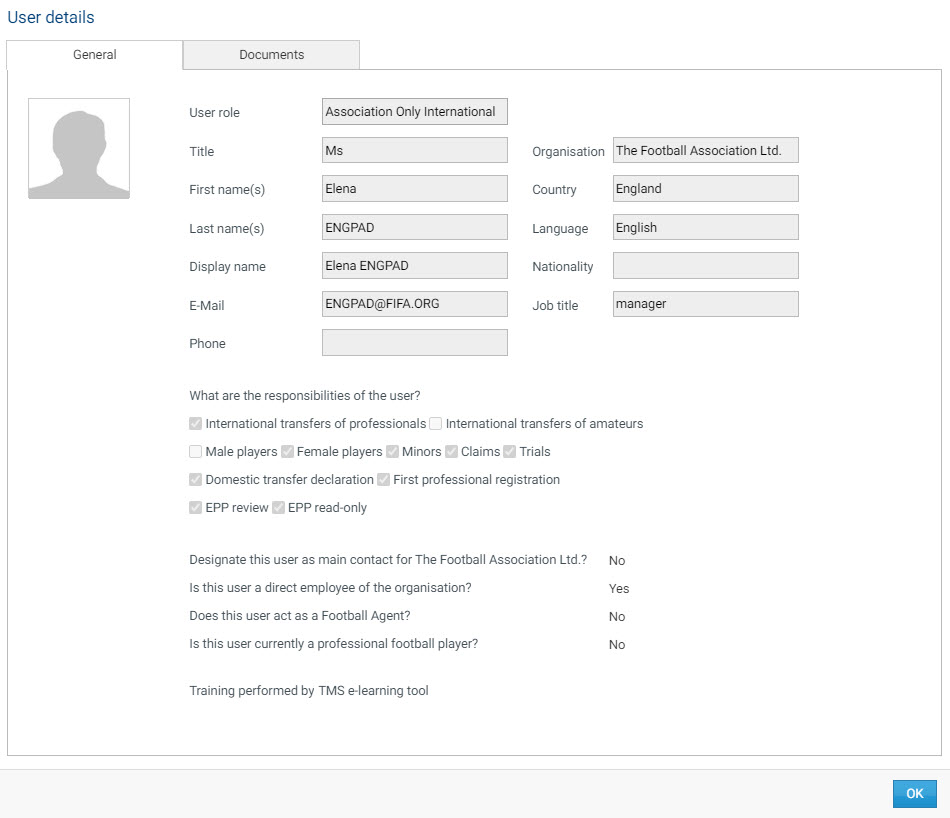
For more information on submitting new user requests, changing user details or responsibilities, or deactivating users, see the sections under “User management”.