Table of contents
Domestic transfer declarations (DTDs) and first registrations as a professional (FPRs) can be sent automatically to TMS through the integration of a Member Association’s National Registration System (NRS) and domestic transfer system with FIFA Connect ID.
Searching for and viewing a domestic transfer declaration (DTD)
To view a DTD, go to the Transfers > Domestic Declarations tab in TMS.
Once a DTD has been sent to TMS, it will appear as a new line in the “Domestic Declarations” tab.
You may search for a DTD:
- via the search bar by DTD ID, player name or FIFA ID, new or former club name or FIFA ID, or by the Member Association that declared the domestic transfer.
- via filters based on the DTD status, data source, existence of a related EPP, or whether any payments have been declared.
To view the details of the DTD, click anywhere on the line relating to the transfer.
Reading a DTD
“Summary” tab
- DTD reference number
- DTD status
- Player and club details
- Shortcuts (clicking on these options will navigate you to the other sections of the DTD)
- Payment plan
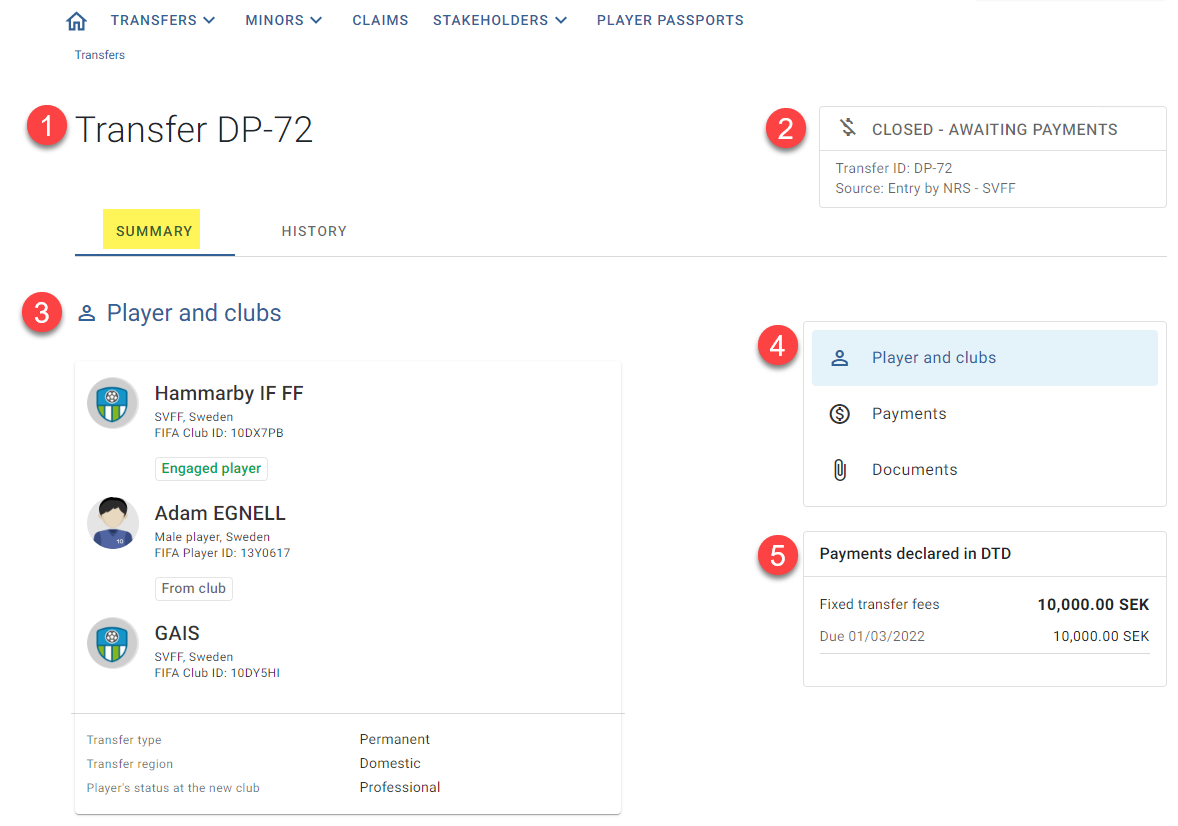
To view proofs of payment submitted automatically to TMS, go to the “Payments” section of the DTD. The payment details will be saved under the relevant payment type.
“History” tab
- DTD reference number
- DTD status
- Information about the generation of the DTD
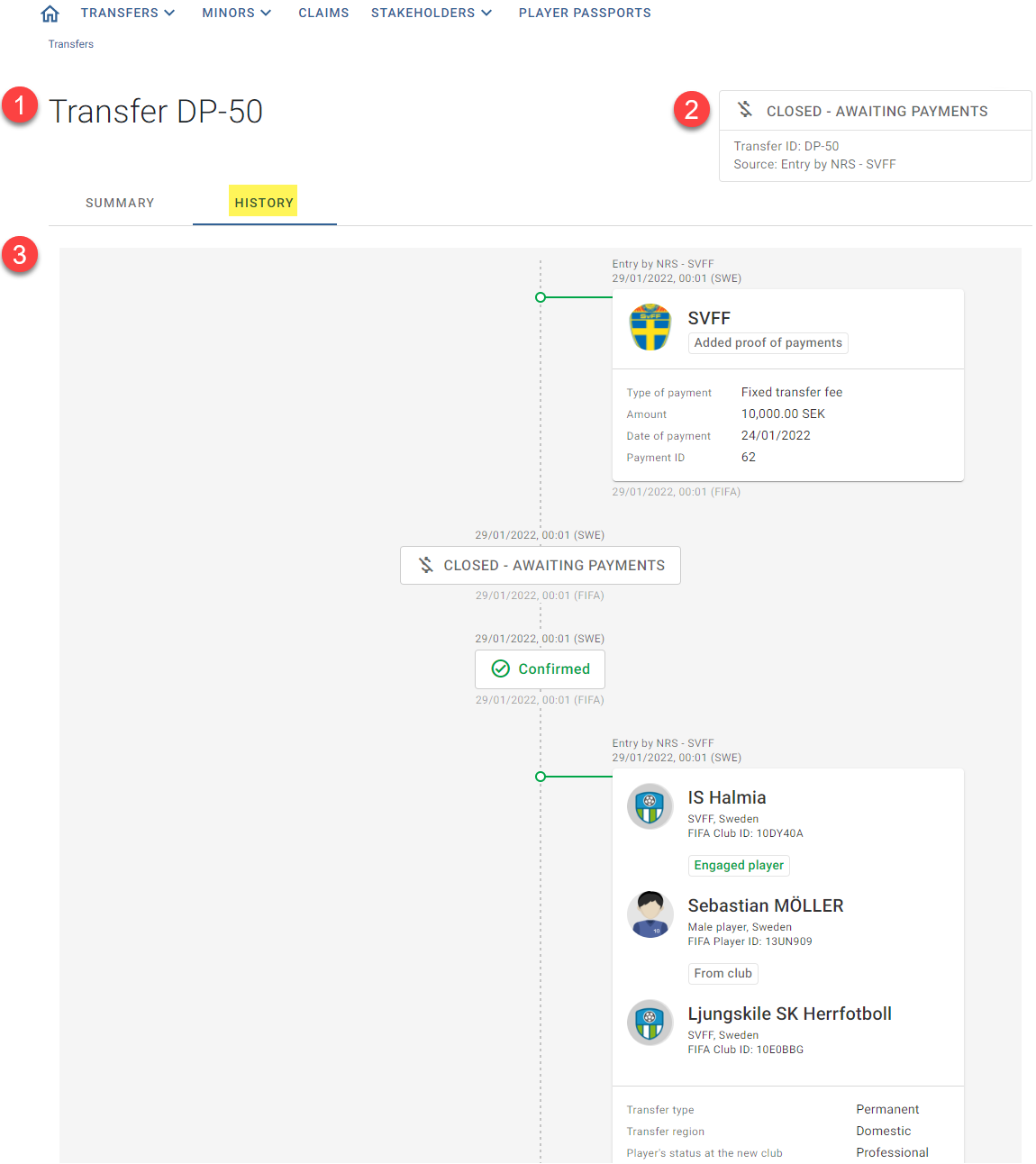
It is not possible to edit any details of a DTD in TMS.
Searching for and viewing a first registration as a professional (FPR)
To view an FPR declaration, go to Transfers > First pro. Registrations in TMS.
You may search for an FPR:
- via the search bar by FPR ID, player name or FIFA ID, club name or FIFA ID, or by the Member Association that declared the first registration.
- via filters based on the data source, existence of a related EPP, and date of player registration.
Once an FPR has been sent to TMS, it will appear as a new line in the “First pro. registrations” tab. All the details of the FPR will be available in the relevant columns.
It is not possible to edit any details of an FPR in TMS.