Table of contents
Member Associations may send an official request to the TMS Helpdesk to seek the FIFA general secretariat’s approval to enter a first registration as a professional (FPR), a domestic transfer declaration (DTD), or both manually in TMS.
Manual declaration in TMS is available only to Member Associations whose request has been approved by the FIFA general secretariat.
If FIFA has approved the manual declaration, Member Associations must manually enter these declarations in TMS within 30 days of the relevant event to ensure that the appropriate training rewards can be distributed by the FIFA Clearing House.
Manually declaring a domestic transfer (DTD)
Note: the clubs and player must all have a FIFA ID to complete a manual DTD. It will not be possible to complete this declaration if the player and clubs do not have a FIFA ID.
To complete a manual DTD, the Member Association must go to Transfers > Domestic Declarations tab in TMS and click on “Declare Domestic Transfer”.
The DTD form will appear, in which the details of the domestic transfer can be entered.
Player and clubs
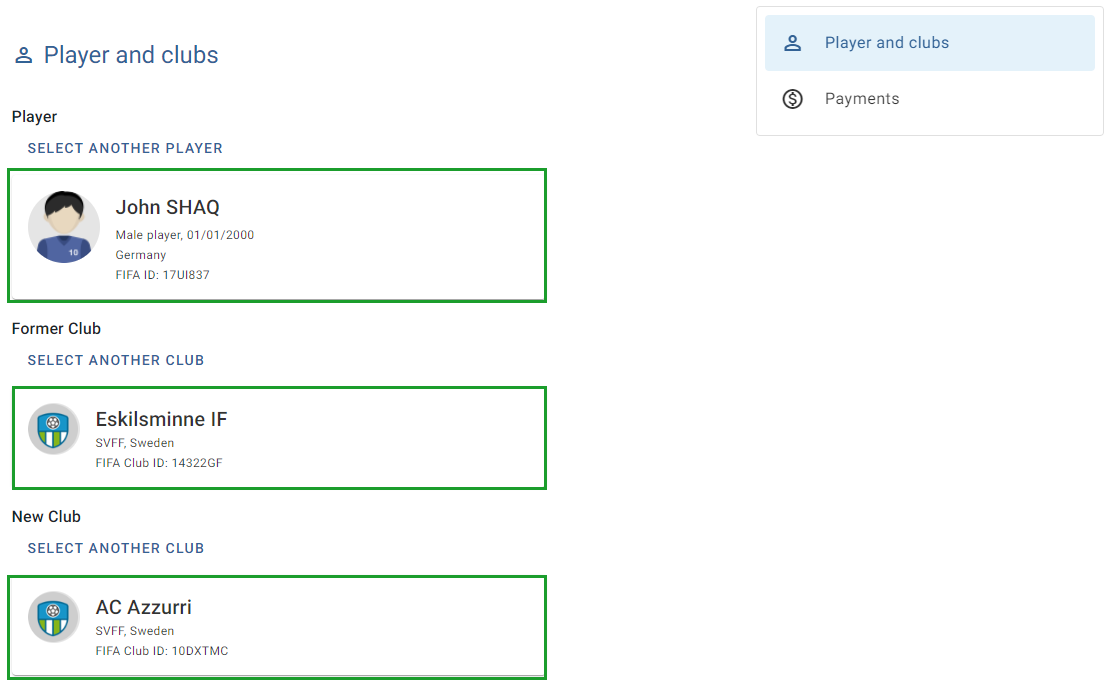
To select the player, enter the player's FIFA ID and click “Import player”.
Select the former and new clubs by entering each club’s FIFA ID. If the club already exists in the TMS database, it will appear in the drop-down menu. Click on the club in the drop-down menu.
If the club does not exist in the TMS database, nothing will appear in the drop-down menu. To proceed, import the club via FIFA Connect ID by entering the club’s FIFA ID and clicking on “Import club”.
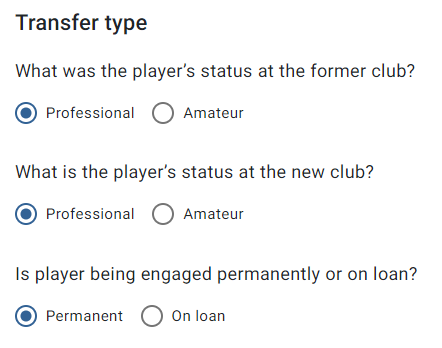
Select whether the player was registered with the former club as either an amateur or professional, whether the player is registering as an amateur or professional at the new club, and whether the domestic transfer of the player is permanent or a loan arrangement.
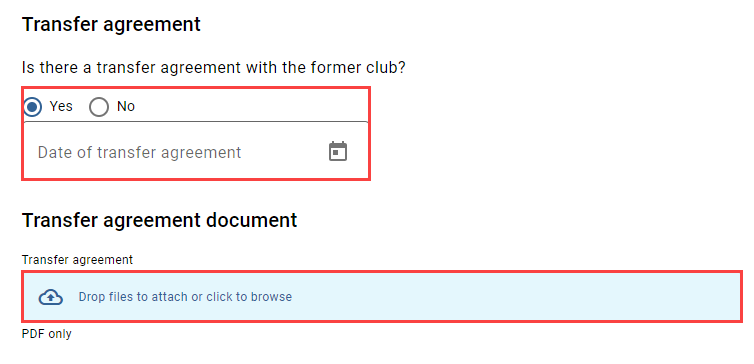
Select whether there is a transfer agreement between the former club and the new club for the domestic transfer of the player. If you select “Yes”, you will be asked to enter the date of registration with the new club and upload a copy of the transfer agreement.
Payments
Depending on the transfer type, you will need to enter information relating to fixed transfer fees, conditional transfer fees, sell-on fees or release (buy-out) fees.
You must enter the total amount, currency and payment date(s) of payment and enter the FIFA ID of the club that will receive the payment.
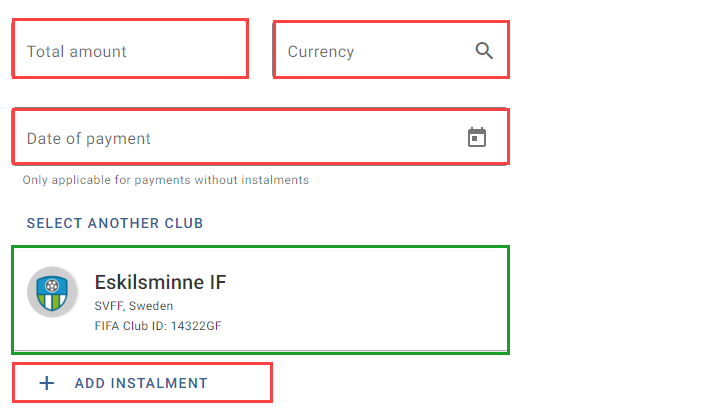
Note: the payment fields are mandatory, i.e. they cannot be left blank. If no payment is agreed for a particular payment type, you may enter “0” and select any currency type.
With regard to the sell-on fee, select “Yes” or “No”.
Confirmation
Finally, tick the box to certify that all the information is true and correct, then click on “Confirm transfer” to submit the DTD.
Once a DTD has been submitted, it will appear as a new line in the Transfers > Domestic Declarations in TMS, and it will no longer be possible to edit any of the information.
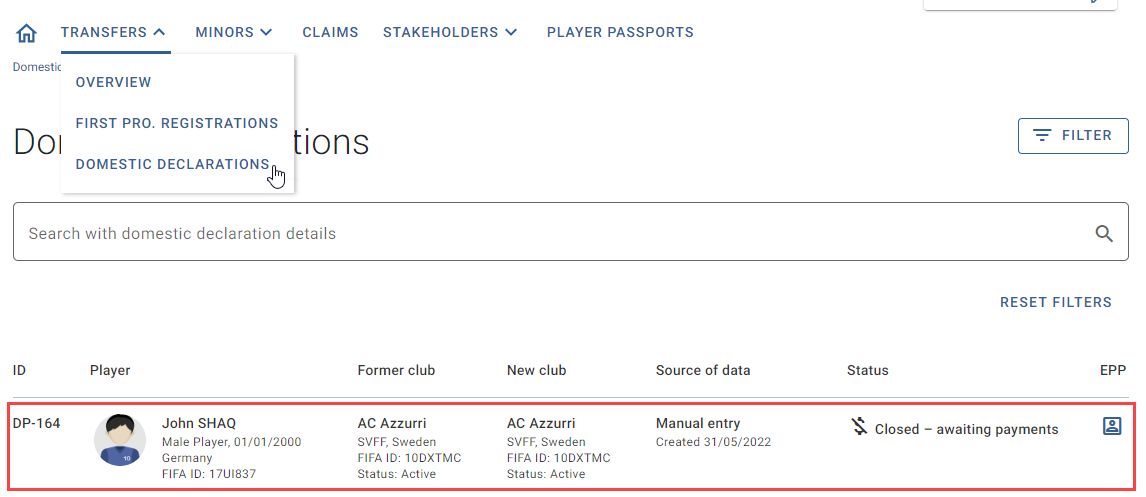
Uploading proof of payment
Go to the Transfers > Domestic Declarations tab and click on the appropriate DTD. Scroll down to the “Payments” section or click on the “Payments” shortcut, and click on “Add proof of payment”.
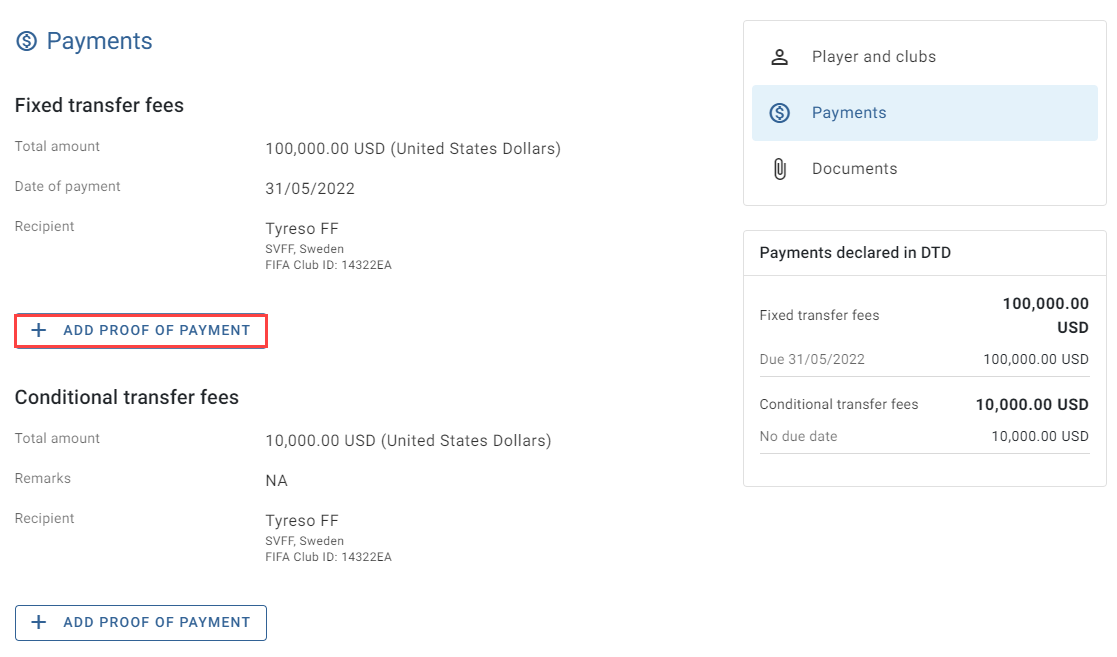
The payment form will appear, in which you can enter the details of the payment and upload a document confirming them.
Note: the currency will be preselected based on the information initially declared in the DTD. You may change the currency by clicking in the “Currency” field and searching for the correct currency.
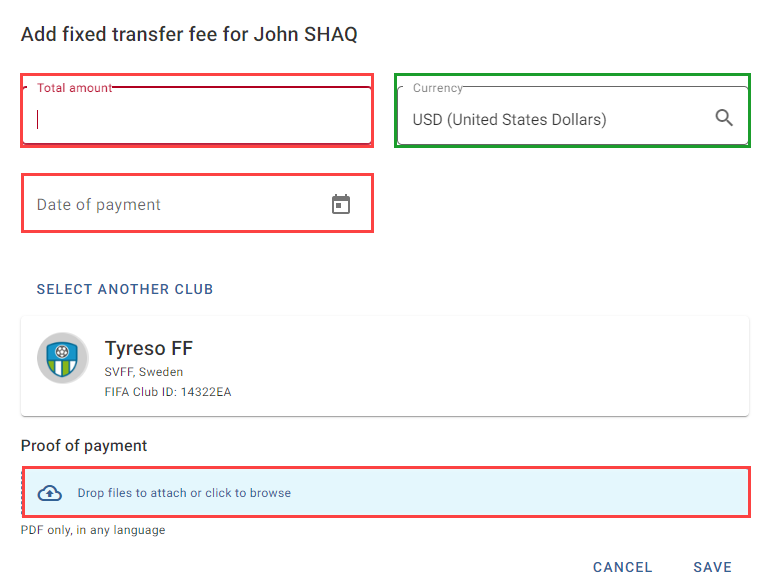
When you have finished, click on “Save”.
You may review these payment details at any time in the “Payments” section of the DTD. Once the details have been saved, it will no longer be possible to edit this information.
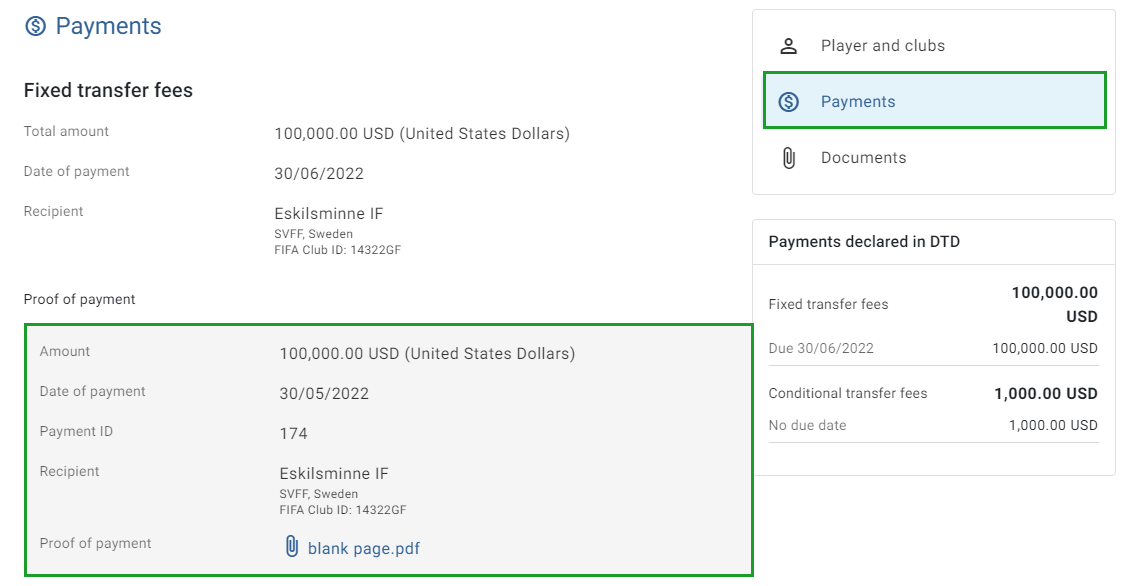
At this time, the status of the DTD will continue to be “Closed – awaiting payment”, even after proof of all payments relating to the DTD has been uploaded.
Manually declaring a first professional registration (FPR)
Note: the club and player must each have a FIFA ID to complete a manual FPR. It will not be possible to complete a manual FPR if the player and club do not have a FIFA ID.
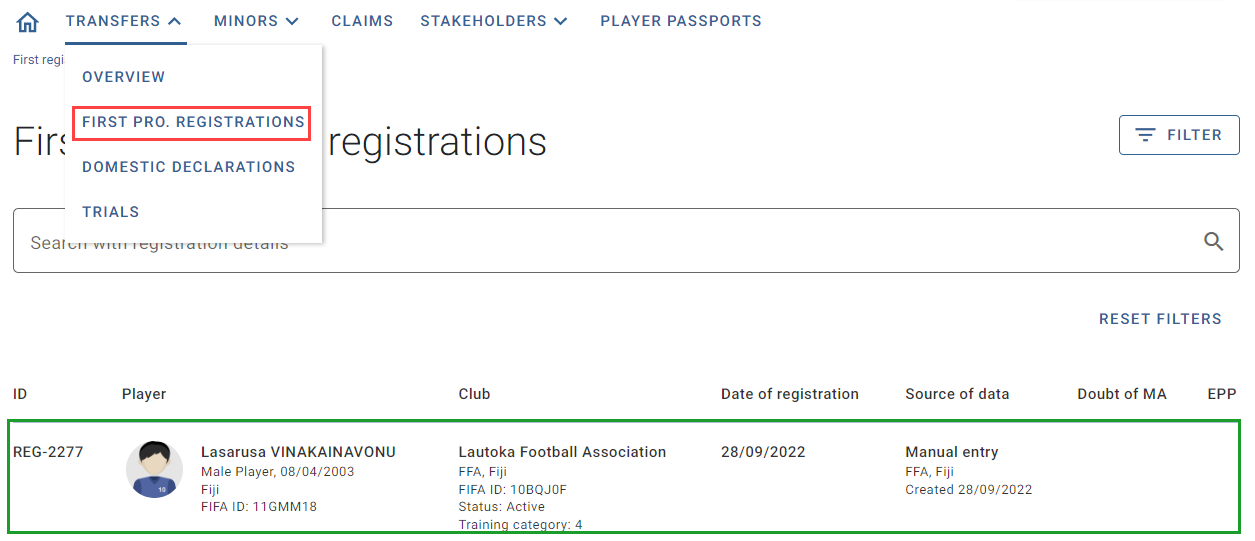
To complete a manual FPR, the Member Association must go to Transfers > First pro. Registrations and click on “Create registration”. The first registration declaration form will appear, in which you can enter the details of the first professional registration.
“Player and clubs” section
To select the player, enter the player’s FIFA ID and click on “Import player”.
Select the club by entering its FIFA ID. If the club already exists in the TMS database, it will appear in the drop-down menu. Click on the club in the drop-down menu.
If the club does not exist in the TMS database, nothing will appear in the drop-down menu. To proceed, you can import the club via FIFA Connect ID by entering the club’s FIFA ID and clicking on “Import club”.
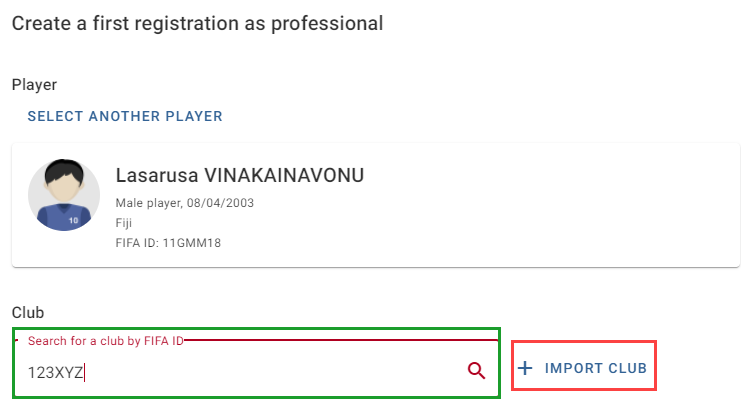
If the FIFA IDs are correct, the fields will populate with the relevant details.
Confirm (and update, if necessary) the current training category of the club and tick the box confirming that the club training category is correct.
Click the “Calendar” icon to select and enter the registration date.
Potential international dimension of the player
Select “Yes” or “No” in response to the following question: “Based on information available to you, is there any indication that this player was previously registered at any other Member Association(s) (i.e. as of the calendar year of the player’s 12th birthday)? In case of doubt, please select “Yes”.”
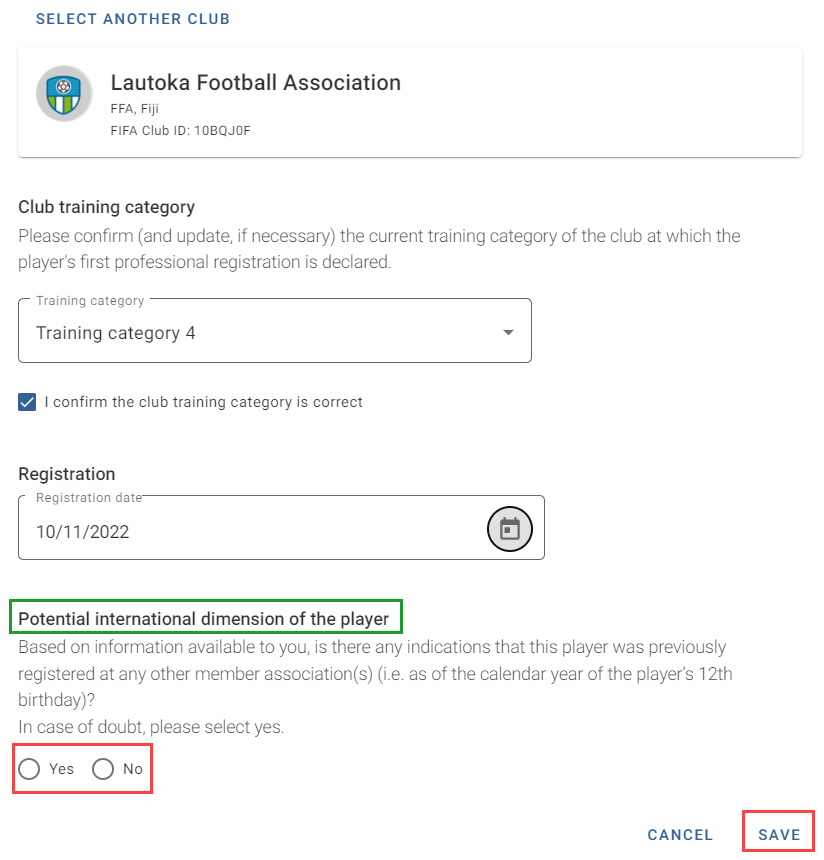
Finally, click on “Save” to submit the FPR.
Once an FPR has been submitted, it will appear as a new line in the “First pro. registrations” section of the “Transfers” tab in TMS, and it will no longer be possible to edit any of the information.