Scenario: the player was transferred on loan from club A to club B. At the end of the loan, the player will return to club A.
The return from loan applies when the player, whose contract with their club of origin is still in force, will return to that club (club A). Club B does not need to do anything in TMS. The relevant Member Association’s registration period must be open for the transfer to proceed. For international loan transfers, this is because the player’s ITC must be returned from Association B to Association A; if the registration period of Association A is closed, a validation exception will occur (see “Validation Issues”). For domestic loan transfers, this is because the transfer is subject to the approval of the Member Association.
A return from loan also applies when a player, who is registered on loan with club B, will be transferred permanently or on loan to club C on the basis of an agreement between club A and club C. A direct transfer from club B to club C cannot be processed in TMS in that situation.
In a “Return from loan”, the information must be entered in TMS as accurately as possible, and the necessary mandatory documents must be uploaded by the new club, i.e. the player’s original club. For more information on the mandatory documents, see “Transfer documents in TMS: mandatory documents, upload rules and evidence”.
To enter a return from loan, search for the original loan and click on “Return from loan”.

Table of contents
“Players & Clubs” section
Player
Information on the player is taken from the related transfer, i.e. the initial loan transfer.
New and former club
As you are engaging the player back at the end of the loan, your club is automatically selected as the player’s new club. The former club, i.e. the club that engaged the player on loan, is automatically retrieved from the initial loan transfer.
Likewise, the loan agreement and loan dates are automatically retrieved from the initial loan transfer.
“Employment” section
Fill out all fields relating to the player’s employment contract accurately. For more information on how to use the player’s salary calculator, see the section “Total fixed remuneration calculator”.
Then upload the player’s complete employment contract. All pages of the employment contract must be uploaded, including all annexes and amendments.
Ensure that the document being uploaded complies with the requirements set out in the “Transfer document guidelines”. Failure to upload a document in compliance with these requirements will constitute a breach of the Regulations.
“Football Agents” section
If your club and/or the player have an agent representing them in relation to this transfer, this information must be entered in TMS by clicking “Yes”. You will then be required to declare the agent information within the transfer. For more information, see “Declaring agent information”.
“Payments & TPO” section
The return from loan is free of payment by default. The new club must still complete the declaration on third-party influence and third-party ownership.
Declaration on third-party payments and influence on clubs
Prior to confirming the transfer, you must, on behalf of your club, either declare “Yes” or “No” to the declaration on third-party influence on clubs. For more information on this topic, see the section “Third-party influence”.
Declaration on third-party ownership of player’s economic rights
Prior to confirming the transfer, you must, on behalf of your club, either declare “Yes” or “No” to the declaration on third-party ownership (TPO) of a player’s economic rights.
For more information on this topic, see the section “Third-party ownership”.
Confirmation
Once you have entered all the necessary details in the instruction and have uploaded all the mandatory documents, you may either confirm the transfer or save it as a draft and return later. If you choose to save as draft, the status of the transfer will change to “Pending” until it is confirmed.
Certify that all the information is true and correct by clicking on the relevant box, and once you are certain that everything is in order, click on “Confirm transfer”.
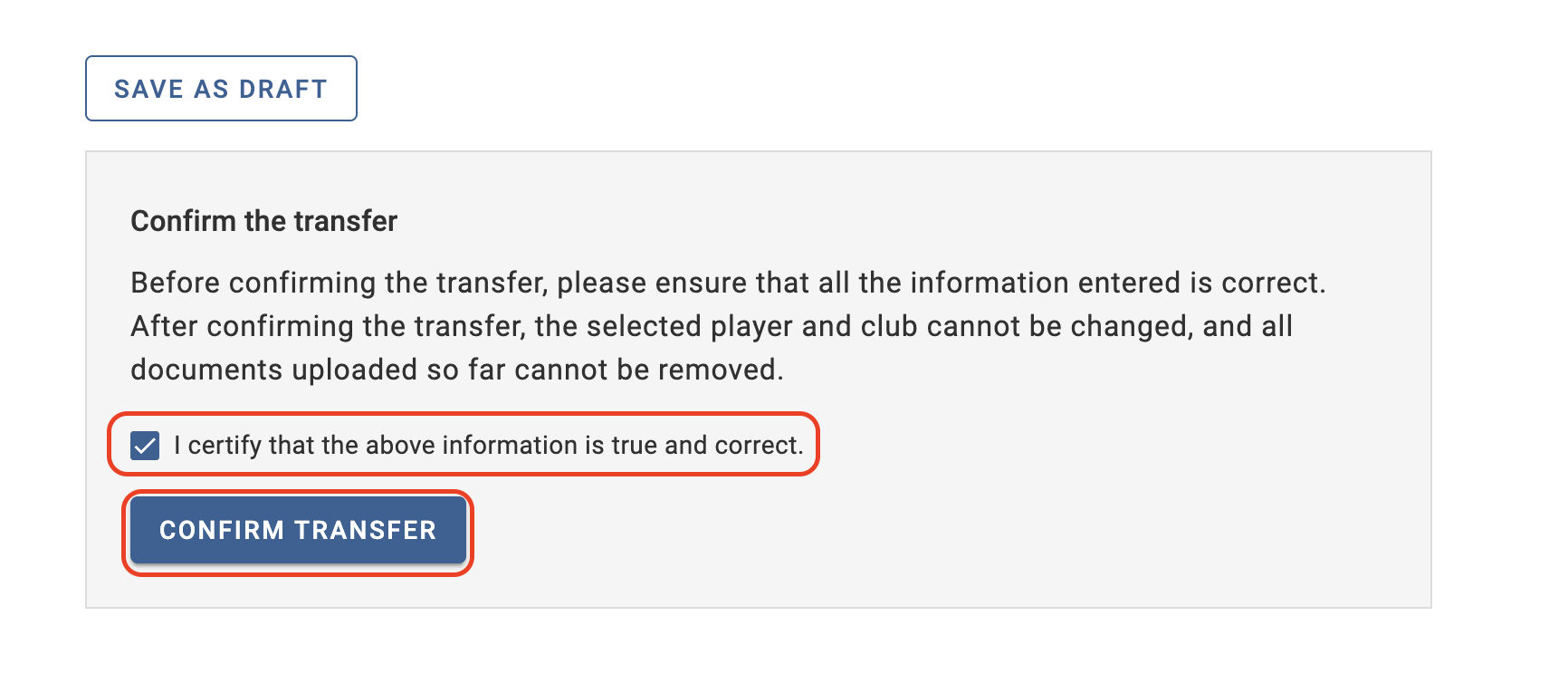
Once you have confirmed the instruction, the transfer status will change to “Awaiting ITC request” for international transfers, or “Awaiting transfer approval” for domestic transfers.
Reprocessing the return from loan after a validation exception is triggered
A return from loan instruction could be blocked in “Validation exception” status if the ITC/DTC request has been made outside the registration period or if the new club is serving a registration ban.
You may enter a new return from loan once either the registration period has opened or the registration ban has been lifted.
To do this, search for the original loan in “Closed” or “Closed – Awaiting payments” status.
A new “Return from loan” button will be displayed next to the original loan. Click it to initiate a new return from loan and follow the instructions above.
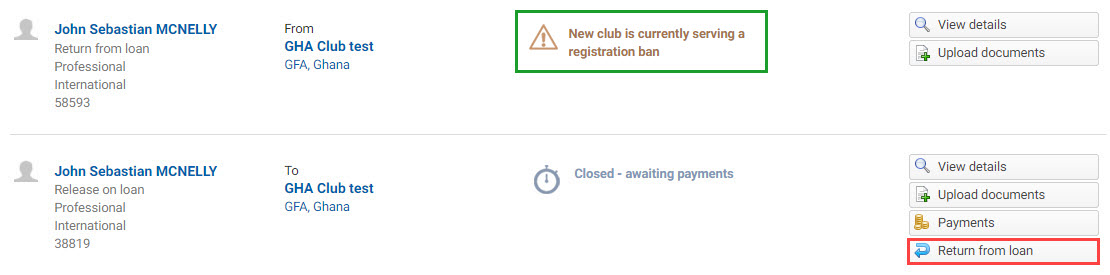
If the original loan is in “Closed” status, you need to select the checkbox “Include completed transfers” to view the original loan.
Note: transfers in “Validation exception” status will not be cancelled and will remain in TMS in that status.