If, as a result of a contractual amendment, the clubs have agreed that the new club must pay less than the initial amounts indicated in TMS, they can force the closure of the transfer once all other outstanding documents that provide proof of payment have been uploaded in TMS. Likewise, if conditional payments in relation to a transfer are no longer due, the clubs should force the closure of the transfer.
Any such copy of the amended contract or formal agreement must be uploaded in TMS under the relevant transfer.
Failure to do so will result in the transfer being displayed in TMS as “Closed – Awaiting Payments”, indicating that certain outstanding payments remain overdue.
By forcing the closure of a transfer, the status of the transfer changes from “Closed – Awaiting Payments” to “Closed” or from “On Loan – Awaiting Payments” to “On Loan – Awaiting Conclusion”. It is therefore very important that clubs only process the forced closure of a transfer once all outstanding payments have been paid and declared in TMS. Once a transfer has been force-closed, no further outstanding proof of payment can be uploaded.
Table of contents
Requesting the forced closure of a transfer
Search for the relevant transfer and click on “Request forced closure”.

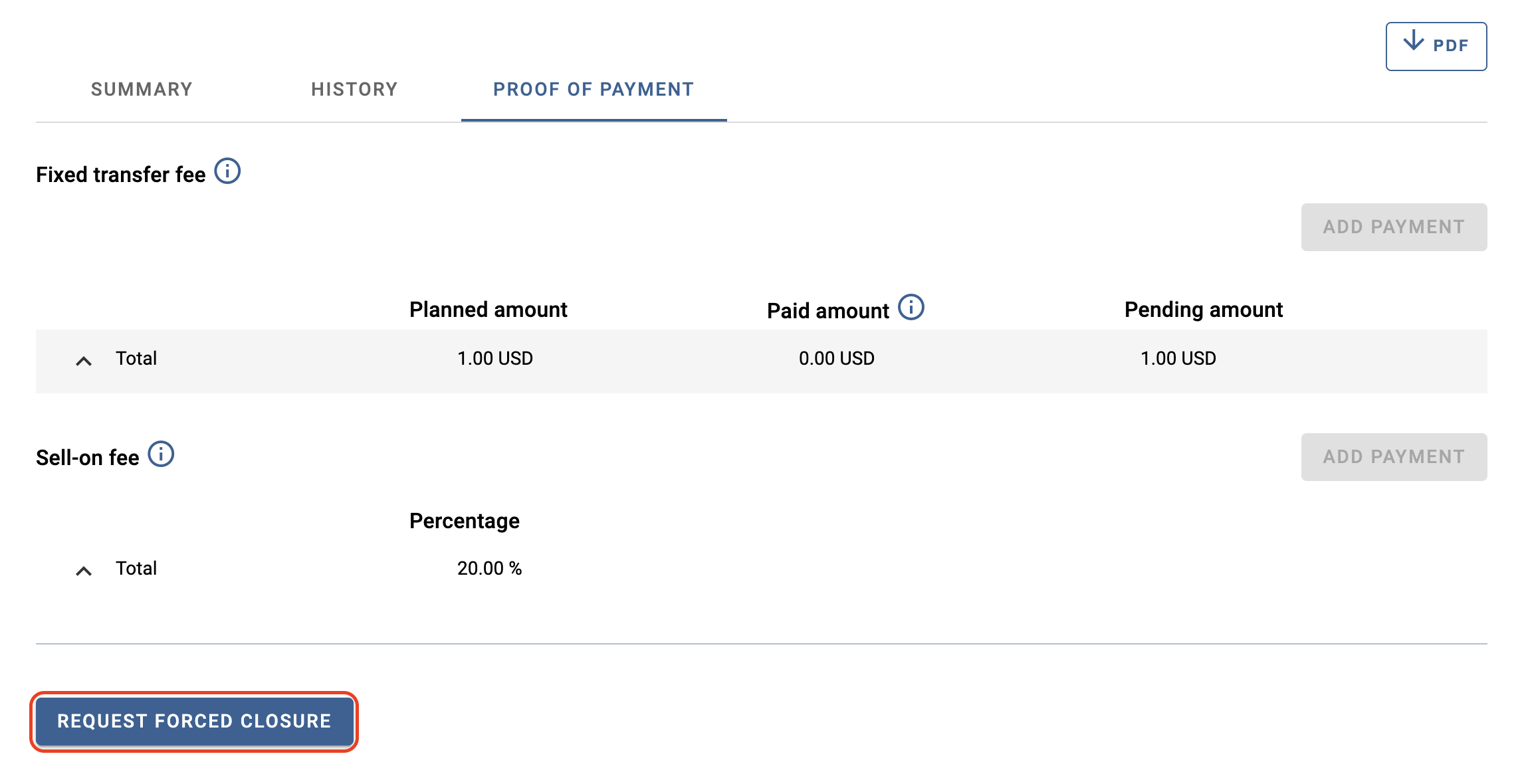
You can review all payments declared in the transfer under the “Proof of payment” tab. Click on “Request forced closure” to proceed.
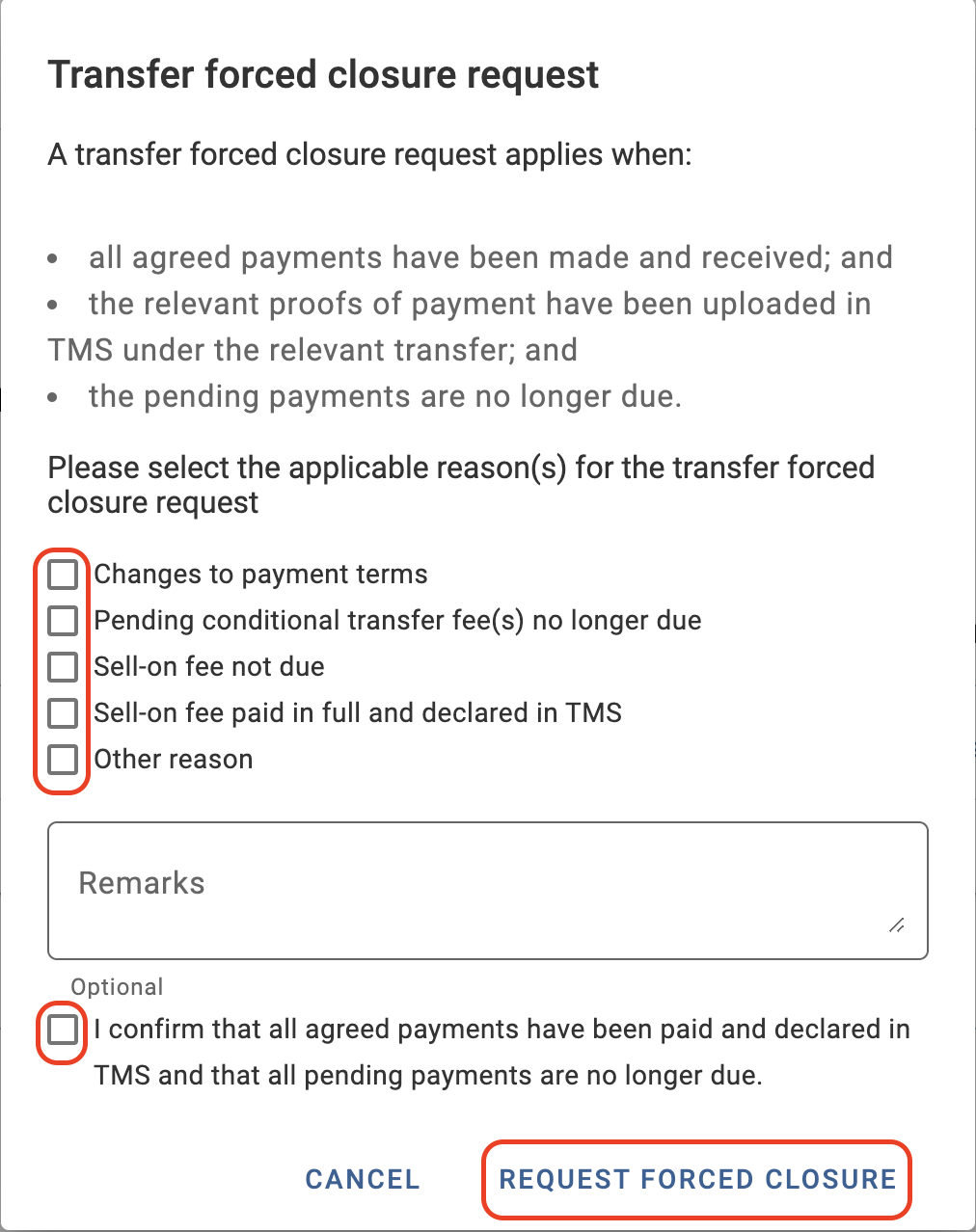
You must select the reason(s) for the forced closure of the transfer, review and check the confirmation information and click on “Request forced closure”.
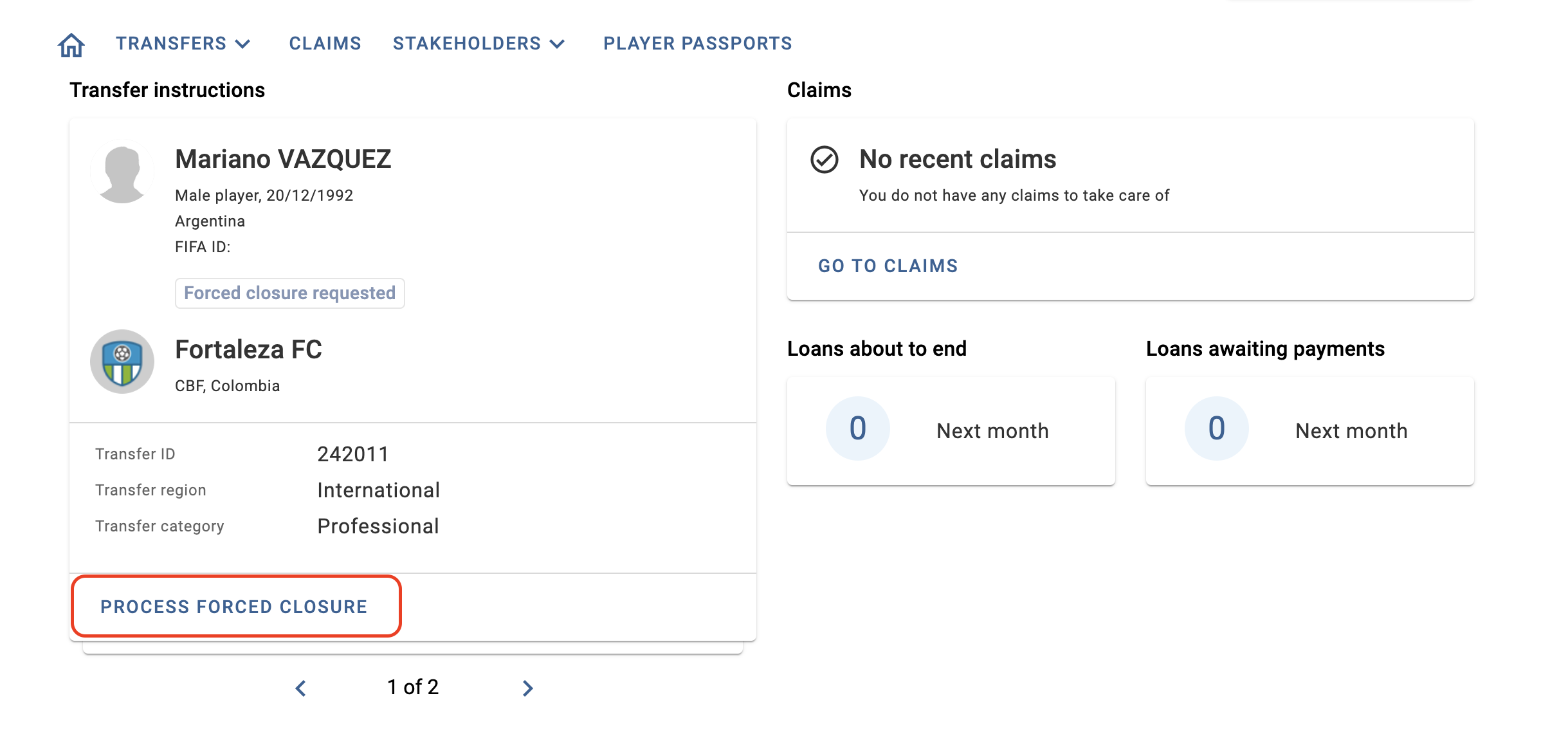
The status of the transfer will change to “Forced closure requested” and the counter club will receive a notification to review the request.
Until the counter club responds to the forced closure request, you can withdraw it by clicking on “Withdraw forced closure request”.

Responding to a request for the forced closure of a transfer
If the counter club has requested the forced closure of a transfer, you will receive a notification on the club dashboard. Click on “Process forced closure” either from the dashboard or next to the relevant transfer in the transfers tab.

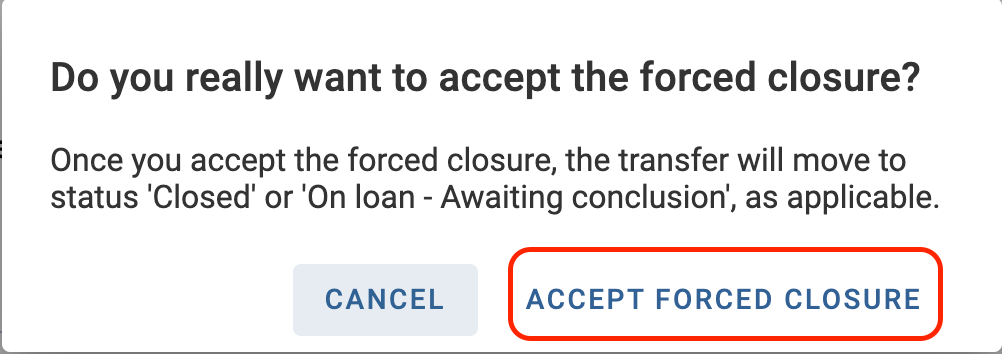
At the bottom of the page, select either “Reject forced closure” or “Accept forced closure”. In both cases, a new window will open, and you must again select either “Reject forced closure” or “Accept forced closure”.
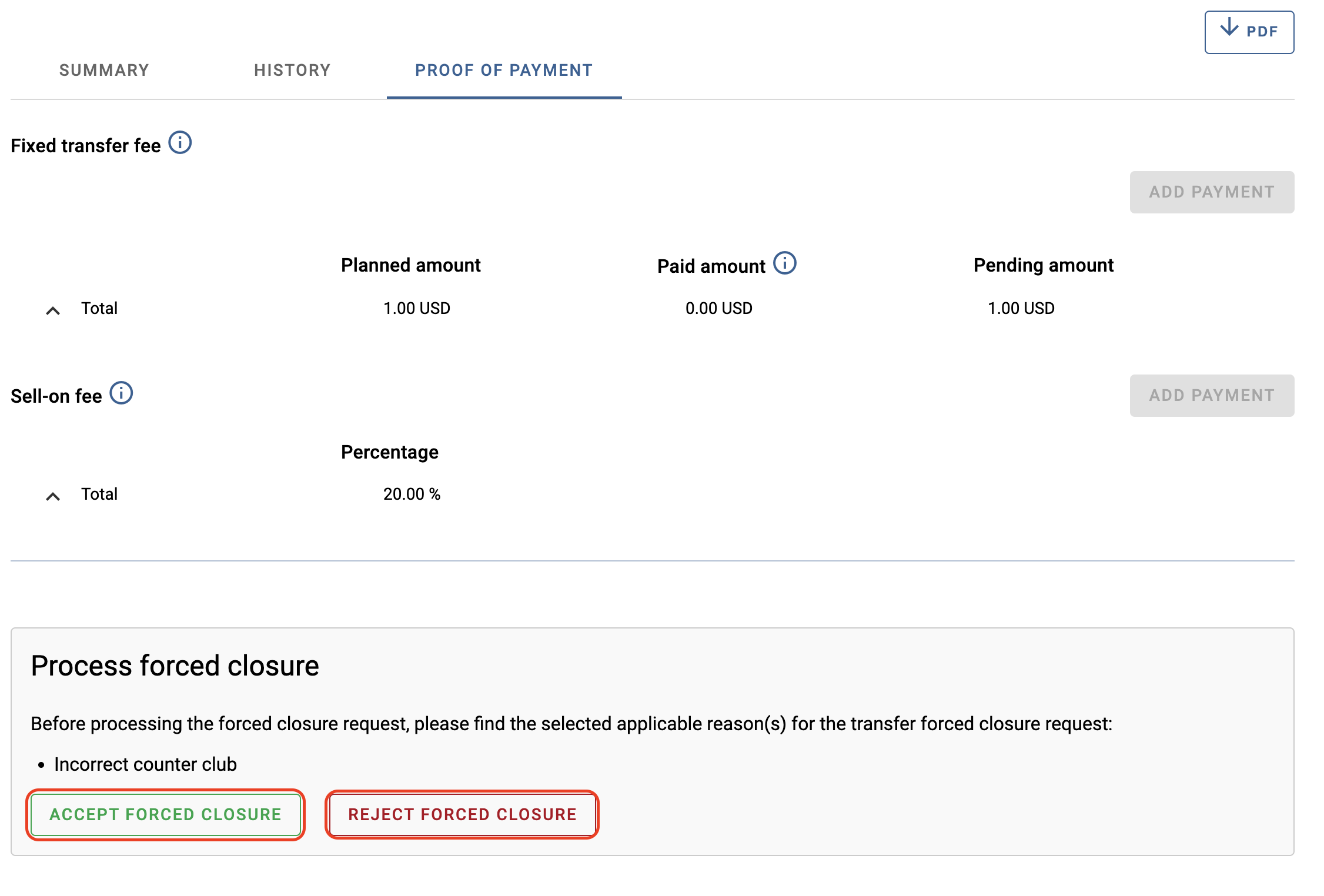
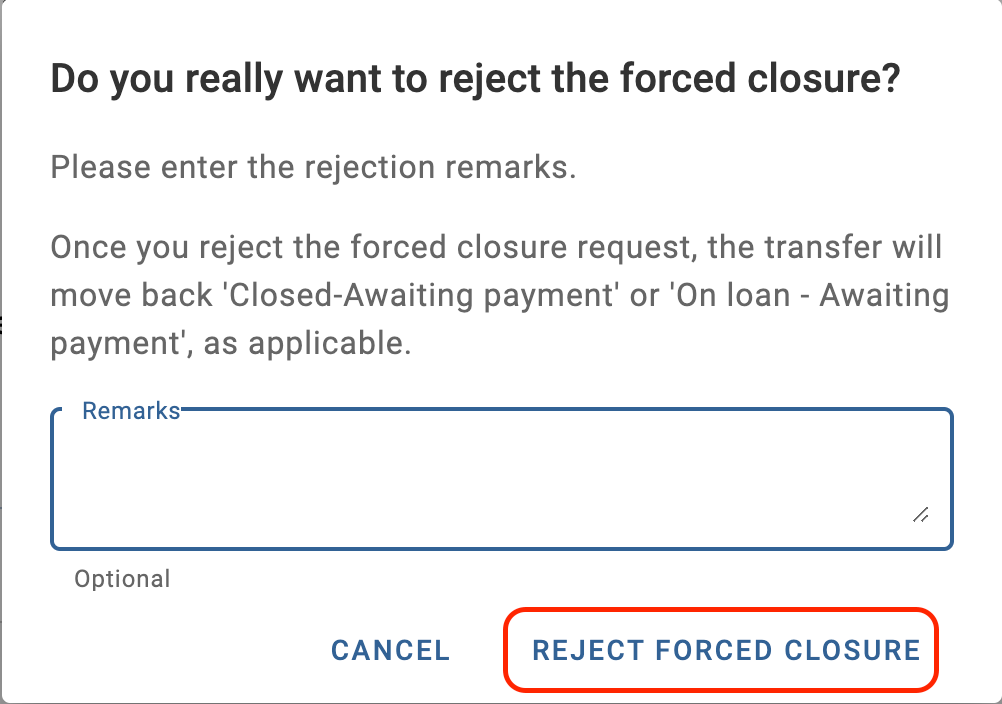
Upon rejecting the forced closure, the status of the transfer will revert to “Closed – Awaiting Payments” or “On Loan – Awaiting Payments”.
Upon accepting the forced closure, the status of the transfer will update to “Closed” or “On Loan – Awaiting Conclusion”.
Manually forcing the closure of a transfer by Regulatory Compliance
If any of the clubs involved in a transfer no longer have access to TMS, the automated procedure described above is not applicable. In such cases, Regulatory Compliance can force the closure of the transfer by manually amending the status of the transfer from “Closed – Awaiting Payments”, “On Loan – Awaiting Payments” and “On Loan – Awaiting Conclusion” to “Closed”.
For such requests, Regulatory Compliance requires:
- an official request (signed by the club and by the Member Association of the club that no longer has access to TMS) that:
- specifies the change in the contractual arrangement; or
- clarifies the reasons why payments that appear as outstanding are to be considered annulled (e.g. conditional payment(s) can no longer be made).
A template of the “Forced Closure Request” is available in the Document library to be downloaded and filled out.
Any such copy of the amended contract or formal request must be:
- uploaded in TMS under the relevant instruction (document category “Request for forced closure”); and
- sent to the TMS Helpdesk.