Transfers in “Pending” status have not yet been confirmed in the system. As a result, clubs (or the Member Association, in the case of amateur transfers) may still update the transfer details.
To edit a transfer, search for the relevant instruction under the Transfers > Overview tab and click on “Edit”.
Once the necessary changes have been made, scroll to the bottom of the transfer instruction. If you are not yet ready to submit the transfer, click “Save as Draft”. Otherwise, select the declaration checkbox to certify that all information provided is true and correct, then click “Confirm Transfer” if all transfer details and supporting documents are complete and accurate.
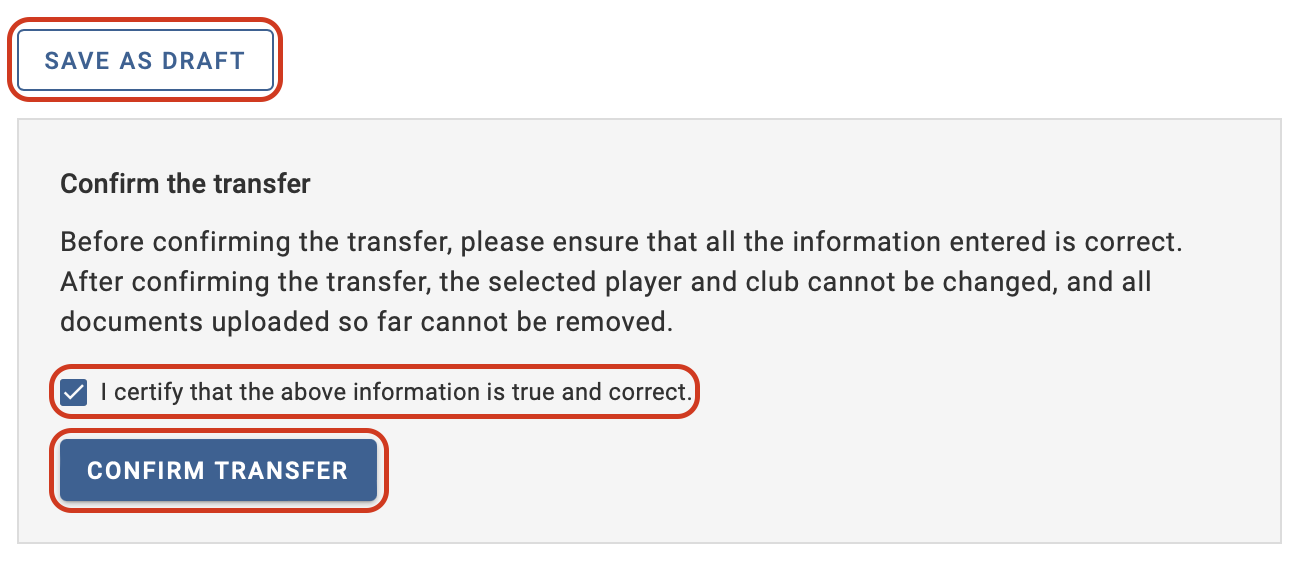
After the transfer has been confirmed, you will no longer be able to make changes to the transfer details unless there is a matching exception.
Note: For amateur transfers only, player and club details can also be edited during the player confirmation process. For more details, refer to the section “Searching for players in TMS”.
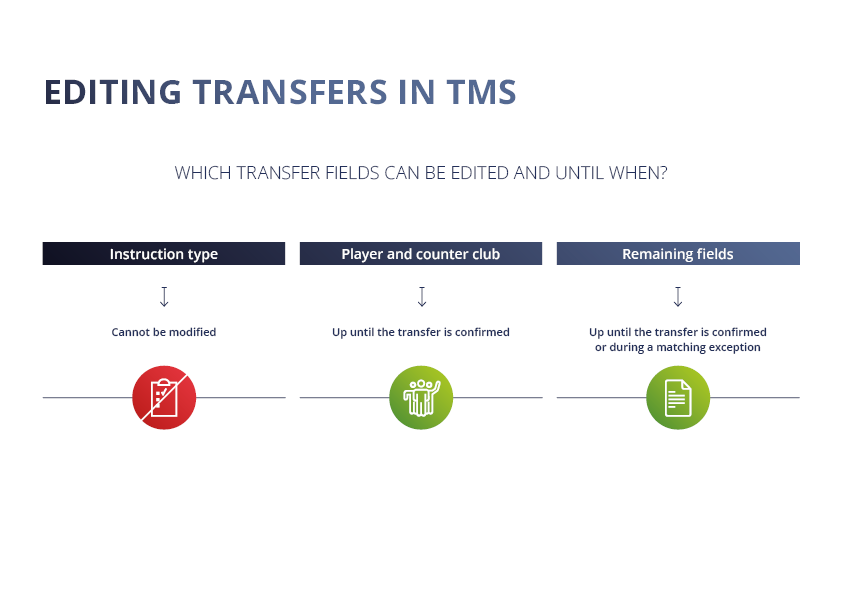
Table of contents
Amendments to payment amounts or payment dates
If your club agrees with another club to amend the payment terms of a transfer agreement after the transfer has been completed in TMS, your club can search for the relevant transfer and click on “Amend payments”.
Under the “Payments & TPO” section, your club will be able to amend the total amount of each payment type, as well as the amount and date of any unpaid instalments. You can also add or remove unpaid instalments. However, payment currency and paid instalments cannot be amended.
For more information on this topic, see the “Amendments to payment amounts or payment dates” section.
Forced closure as a result of contractual amendments or conditional payments no longer applicable
If, as a result of a contractual amendment, the clubs have agreed that the new club must pay less than the initial amounts indicated in TMS, they can force the closure of the transfer once all other outstanding documents that provide proof of payment have been uploaded in TMS. Likewise, if conditional payments in relation to a transfer are no longer due, the clubs should force the closure of the transfer.
Failure to do so will result in the transfer being displayed in TMS as “Closed – Awaiting Payments”, indicating that certain outstanding payments remain overdue.
For more information on this topic, see the “Transfer forced closure” section.