Member Associations can edit some of their details in TMS. To do so, click on your username and then on “Edit profile”.
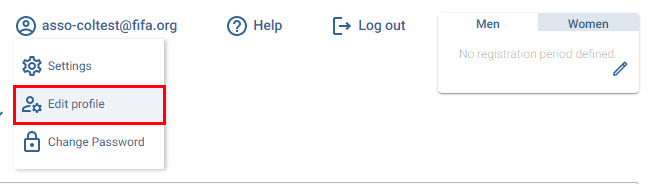
Alternatively, you can navigate to “Stakeholders > Associations”, search for your Member Association and click “Edit”.

“General” section
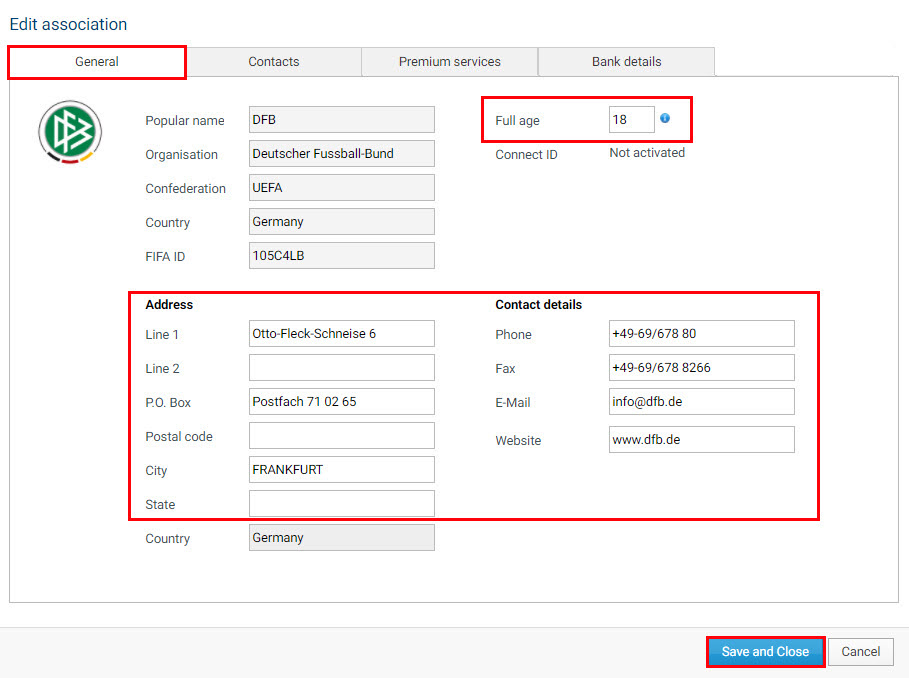
Under the “General” section, you can update “Full age”, the address and the contact details. Once you have updated the necessary details, click “Save”.
“Registration periods” section
Under “Registration periods”, you can view and manage your season and registration periods. For more information on this topic, see “Season, competition period and registration period dates”.
“Bank details” section
Under the “Bank details” section, you can review, add or edit existing bank details for your Member Association. These details are visible only to the TMS users of your Member Association.
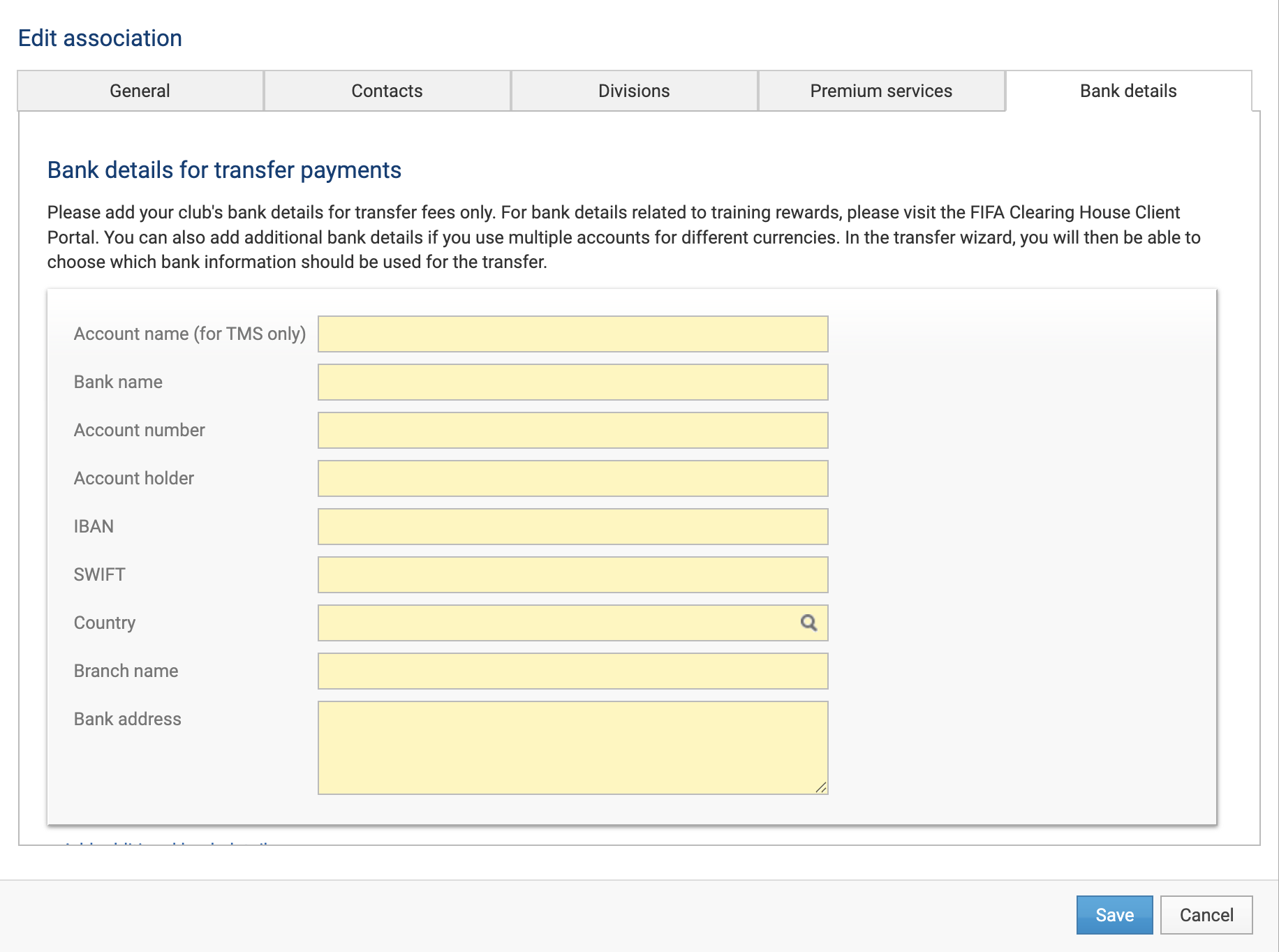
The system currently requires Member Associations to complete the fields under “Bank details for transfer payments”, even though Member Associations do not pay transfer fees or conditional payments. This is a technical requirement, and the field is intended to be removed for Member Associations in a future update.