Table of contents
Respondent
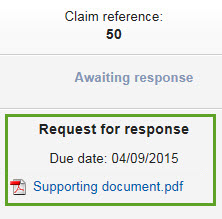
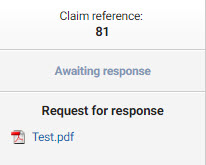
As a respondent, you may be asked to respond to a claim lodged by another club (the claimant). The status indicating that your response is needed is “Awaiting response”, and the deadline to reply to the claim will appear under this status.
To respond to the claim, click “Respond to claim”.

The panel on the right displays FIFA’s request letter and the due date.
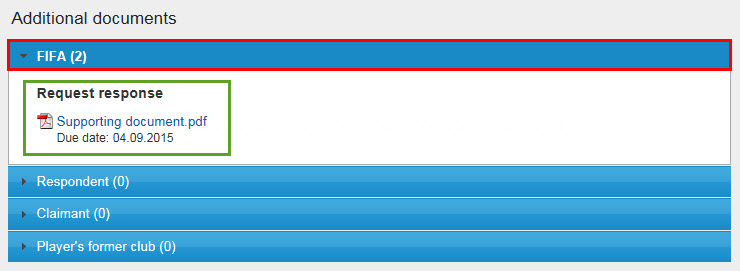
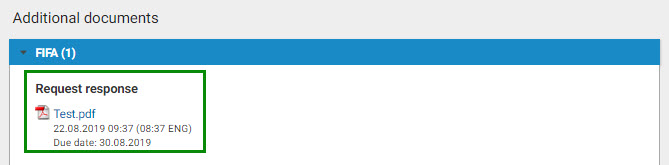
The document is also visible in the “Additional documents” section of the drop-down menu at the bottom of the page.
To respond to the claim, click on the corresponding button at the bottom of the page.

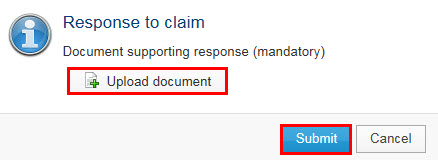
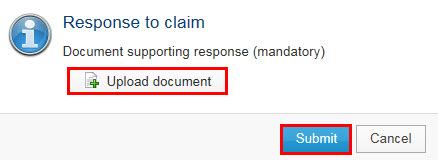
You must upload one or more documents supporting your response. Once you have uploaded all necessary documents, click on “Submit”.
The claim will remain in “Awaiting response” status until the deadline expires.
Only after the deadline has passed will the status of the claim change to “Response provided”. For more information about claim deadlines, see “Navigation in the claims module”.

Claimant
As the claimant, you will be notified on the club dashboard when the claim has the status “Awaiting response”; the relevant due date will also be displayed. You may review the communication uploaded by FIFA and, if applicable, provide a response by selecting “Respond to claim / proposal”.
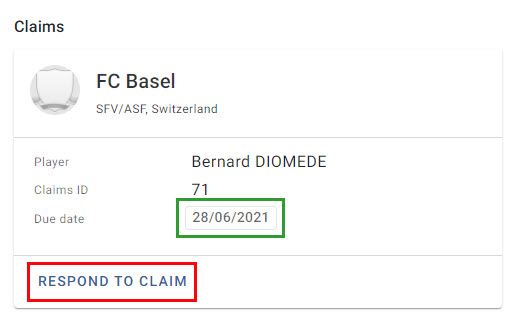
The panel on the right displays FIFA’s request letter.
The due date is visible in the “Additional documents” section of the drop-down menu at the bottom of the page.
To respond to the claim, click on the corresponding button at the bottom of the page.

You must upload one or more documents supporting your response. Once you have uploaded all necessary documents, click on “Submit”.
The claim will remain in “Awaiting response” status until the deadline expires.
Only after the deadline has passed will the status of the claim change to “Response provided”. For more information about claim deadlines, see “Navigation in the claims module”.
