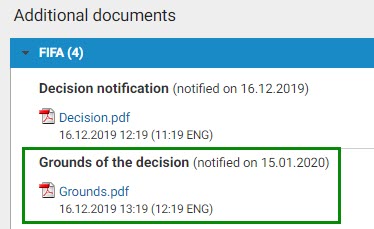
Once the judge’s decision has been notified to all parties, the claim status will change to “Decision notified”. Each party may request the grounds within 10 days of the notification of the decision in TMS. If any procedural costs are payable in connection with the request for grounds, each party must upload proof of payment no later than 20 days after the decision is notified in TMS.
To view the judge’s decision, click “View details”.

The panel on the right displays the findings of the decision.
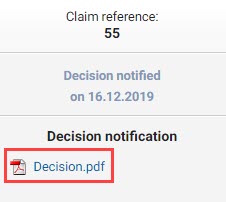
After checking the judge’s decision, if you wish to request the grounds, go back to the “Claims” tab and click “Request grounds”. The judge’s decision outlines any procedural costs that a party must pay when requesting the grounds.
This functionality is only available for ten days after the decision has been notified. Once the ten-day deadline has passed and no grounds have been requested, the claim’s status will automatically change to “Closed”.
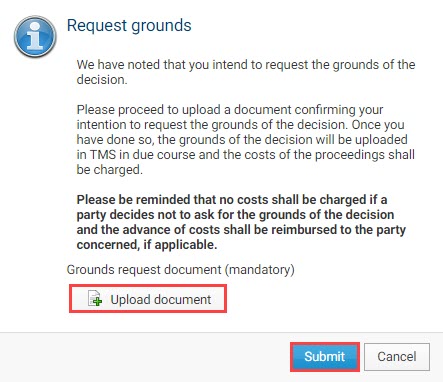
To request the grounds of the decision, click “Request grounds”.

A message will display the procedural costs stated in the decision. If you want to proceed, you must upload a document supporting the grounds request, then click “Submit”.
“Grounds requested” will appear beneath the claim status.

After the ten-day deadline has passed, the status of the claim will change to “Grounds requested” and the parties that have requested the grounds will appear underneath the status.

Table of contents
Pay procedural costs
After uploading a request for grounds, you must immediately pay any procedural costs and upload proof of that payment under the relevant claim. You must upload proof of payment within 20 days of the initial notification of the decision in TMS.
If no procedural costs are owed, you do not need to upload any proof of payment.
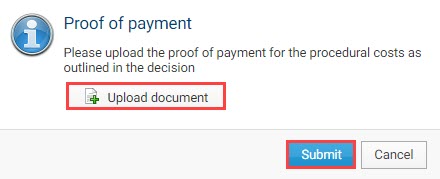
To upload proof of payment, navigate to the “Claims” tab in TMS and click “Proof of payment”.

Inside the claim, once again click “Proof of payment” at the bottom of the screen.

Upload the document and click “Submit”.
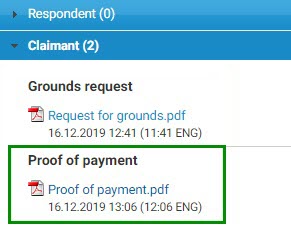
The document is visible in the “Documents” section of the drop-down menu at the bottom of the page.
Access to the grounds and documents
The grounds will be notified directly through TMS only to the parties that (1) requested the grounds within 10 days of the notification of the decision and (2) uploaded proof of payment for any procedural costs within 20 days of the notification of the decision.
The request for grounds, the proof of payment and the grounds are only visible to the requesting party.