Table of contents
To request a limited exemption to register minors, navigate to “Minors > Limited exemption” in TMS.
If your Member Association has previously requested a limited exemption, you may see entries related to that request under the “Current LME” tab. To request a new limited exemption, select “Request LME”.
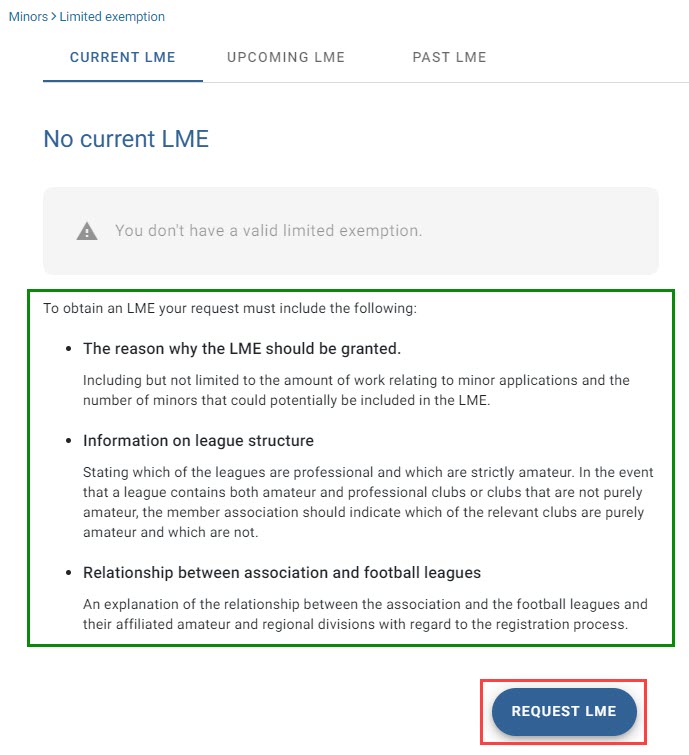
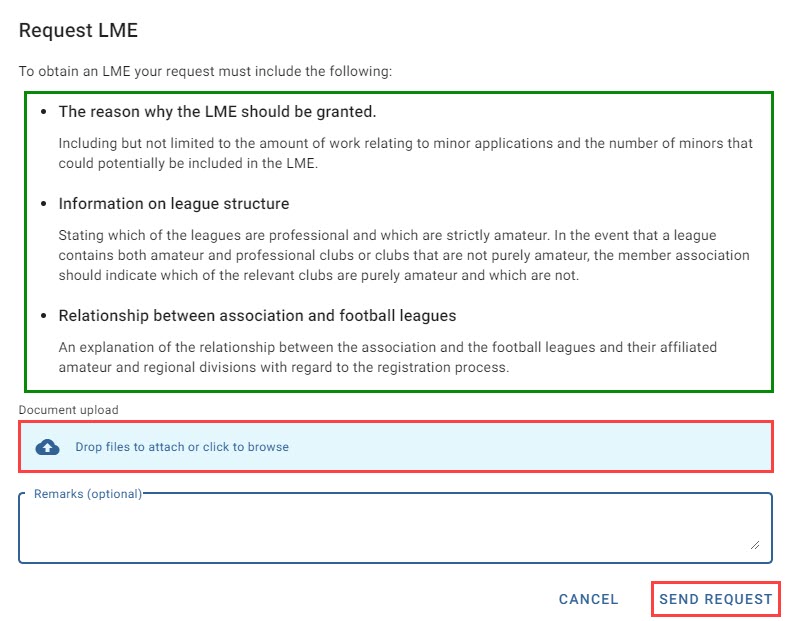
Before requesting the LME, make sure that your request fulfils the requirements listed in TMS.
Upload the request by either dragging and dropping the document into the blue field or by clicking on the blue field to browse for the document. You may enter any relevant remarks and then select “Send request” to submit your request.
You will be returned to the “Current LME” tab where you will see the request with the status “LME requested”.
Withdrawing a pending request for a limited exemption
Under the status “LME requested”, you may withdraw a request for a limited exemption by selecting “Withdraw request”.
FIFA will not respond to withdrawn requests for a limited exemption.
Under any other status, you may contact FIFA through the messaging feature to withdraw a request for a limited exemption (see “Messaging FIFA”).
Select “Withdraw request” again to confirm the withdrawal.
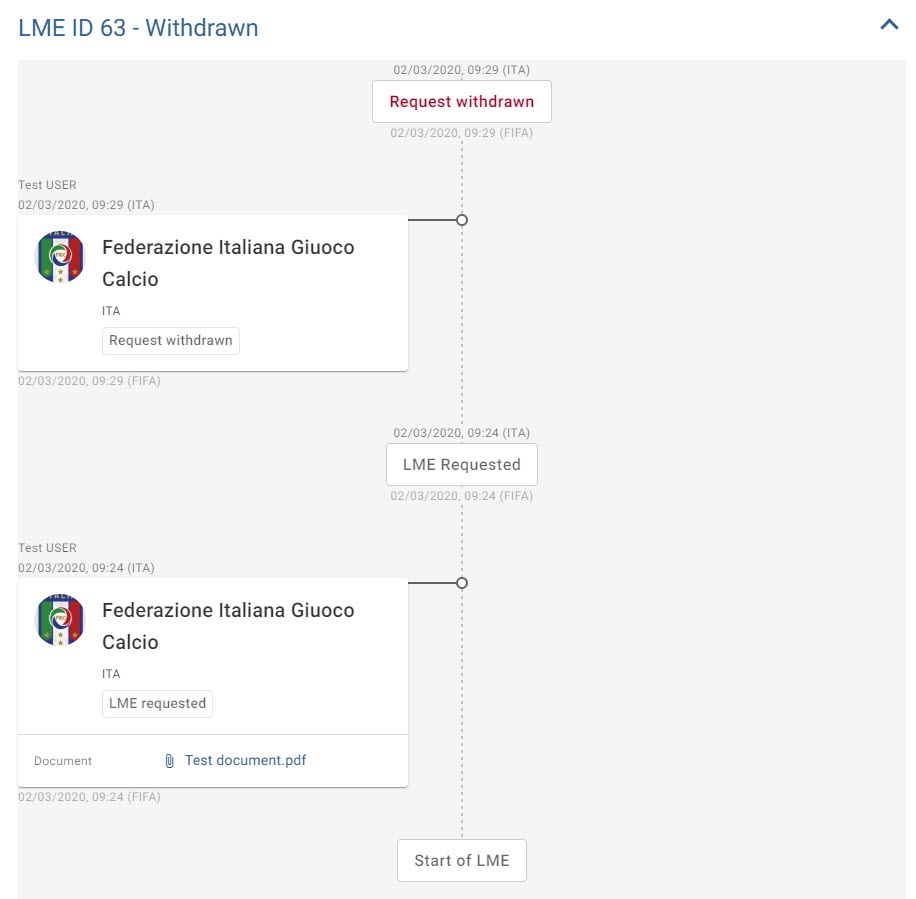
You will be returned to the “Current LME” tab. To review the withdrawn request, open the “Past LME” tab. You will see the request under the status “Withdrawn”.
For detailed information about the withdrawn request, select the blue arrow.
Notification of the decision of the Players’ Status Chamber
Once the Players’ Status Chamber reviews the request, you will receive notifications of its decision in your dashboard under “LME notifications”. The blue numbers represent the number of pending notifications for your review. Click “LME notifications” to review further details.
You will see a grid with pending notifications and the status of the LME request(s). Click anywhere in the row to review further details.
Once you click the row, it will no longer appear as an open task in the LME section of your dashboard.