Table of contents
Reporting obligation
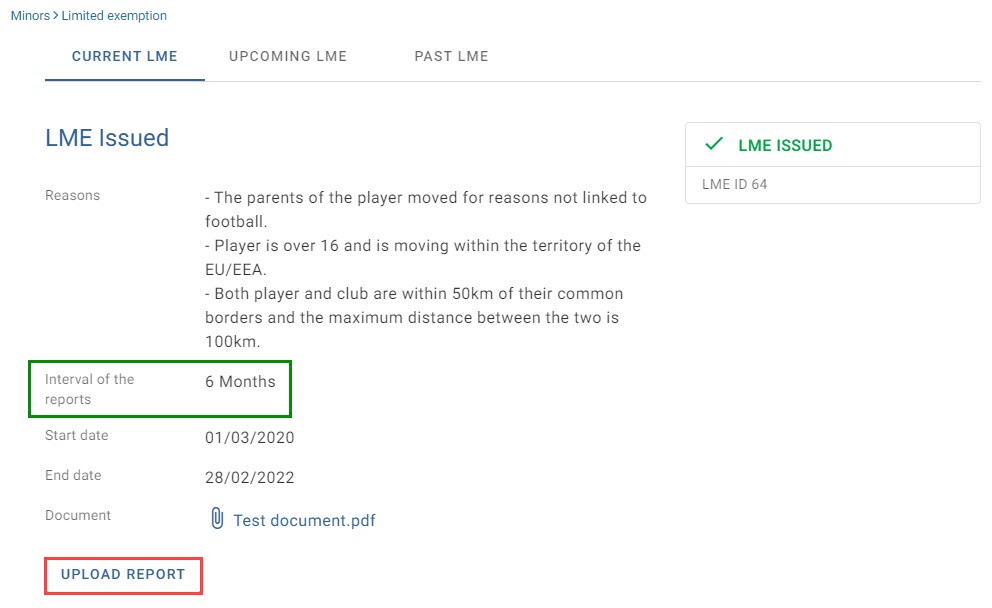
In accordance with previous decisions of the Players’ Status Chamber, Member Associations that have been granted a limited exemption are required to report to FIFA through TMS at regular intervals. Each report must describe the Member Association’s activities under the exemption, including the players registered on that basis and any subsequent domestic or international transfers of those players.
When your Member Association is granted a limited exemption, the interval at which it must report its activities under the limited exemption is clearly indicated.
Prepare the report
The limited exemption report should be drafted in Excel, saved as a PDF (not scanned as a PDF) and then uploaded to TMS to facilitate reporting on the registration of minor players. A template of this document is available in Excel format in the Document library under Templates.
Upload a report for a current limited exemption
To upload a report, click on “Upload report”.
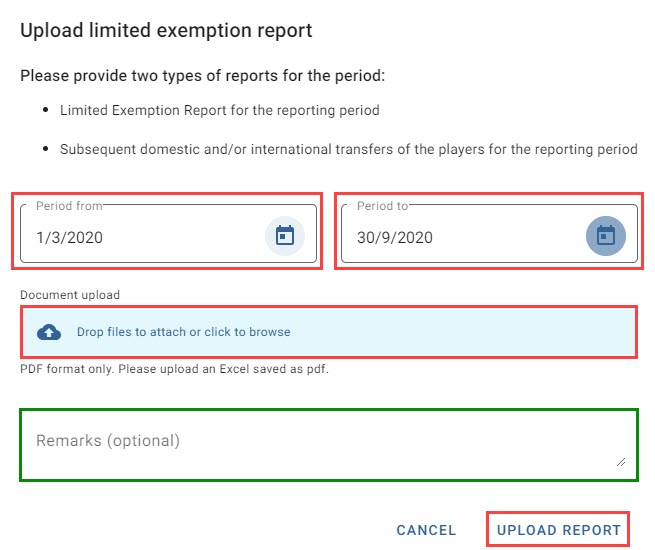
Enter the corresponding reporting period dates and upload the report by either dragging and dropping the document into the blue field or clicking on the blue field to browse for the document. You may enter any relevant remarks. Once you are ready, click on “Upload report” to upload the report in TMS.
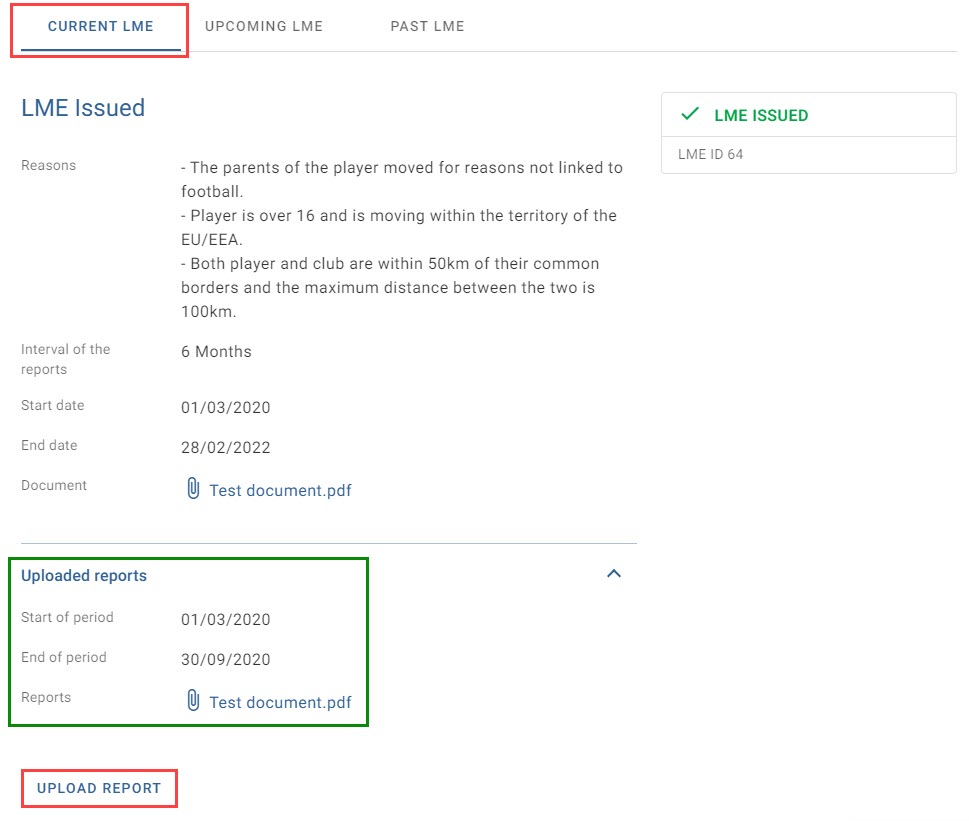
You will see the newly uploaded report in the “Current LME” tab. You may upload a new report by selecting the relevant button.
Upload a report for an expired limited exemption
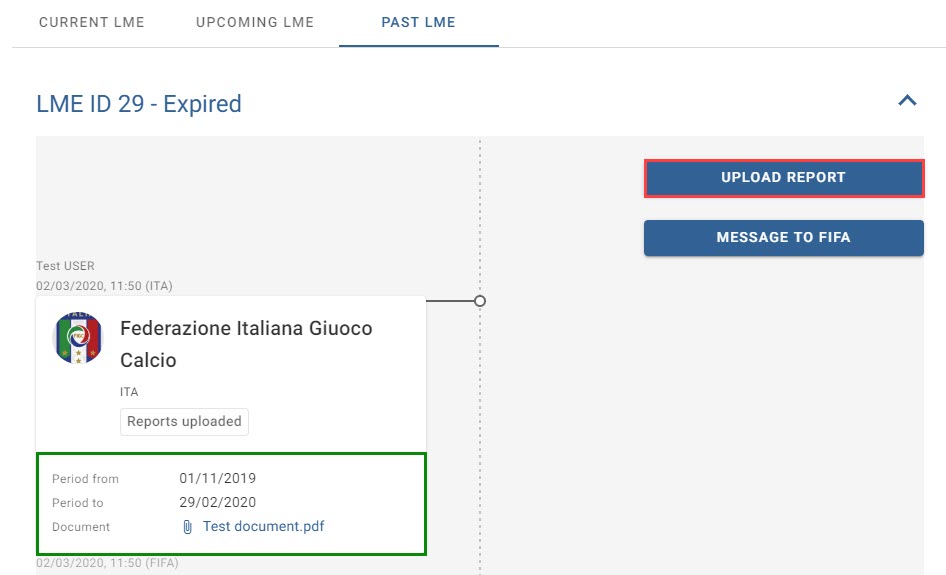
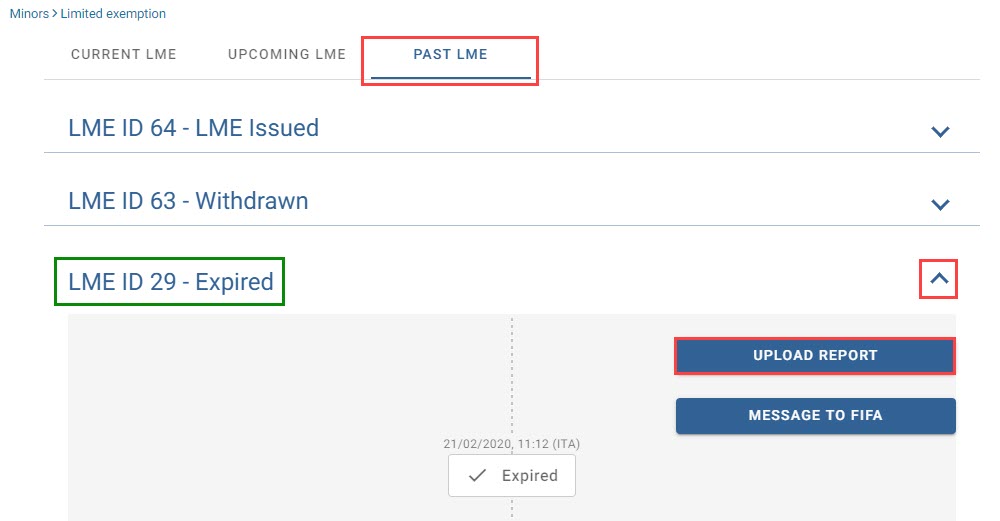
To upload a report for an expired LME, navigate to the “Past LME” tab and click on the blue arrow next to the relevant limited exemption.
Click on “Upload report” and follow the procedure outlined above.
You will see the newly uploaded report in the “Past LME” tab. You may upload a new report by selecting the relevant button.