Table of contents
Notifications via the TMS homepage
All participants in an EPP review process with the required user access permissions receive notifications on their TMS homepage informing them about updates to the status of the EPP.
Participants receive notifications when:
- they are first added as participants in the EPP;
- the status of the EPP changes;
- a message is sent to the participant in the EPP; or
- a change to the registration information submitted by the Member Association and involving the club is processed by the FIFA general secretariat.
Note for Member Associations: For notifications concerning a change to registration information generated on or after 29 September 2026, selecting the notification from the Association Task Manager opens the EPP overview page at the registration line corresponding to the change. Notifications generated before this date will continue to open the overall EPP page.
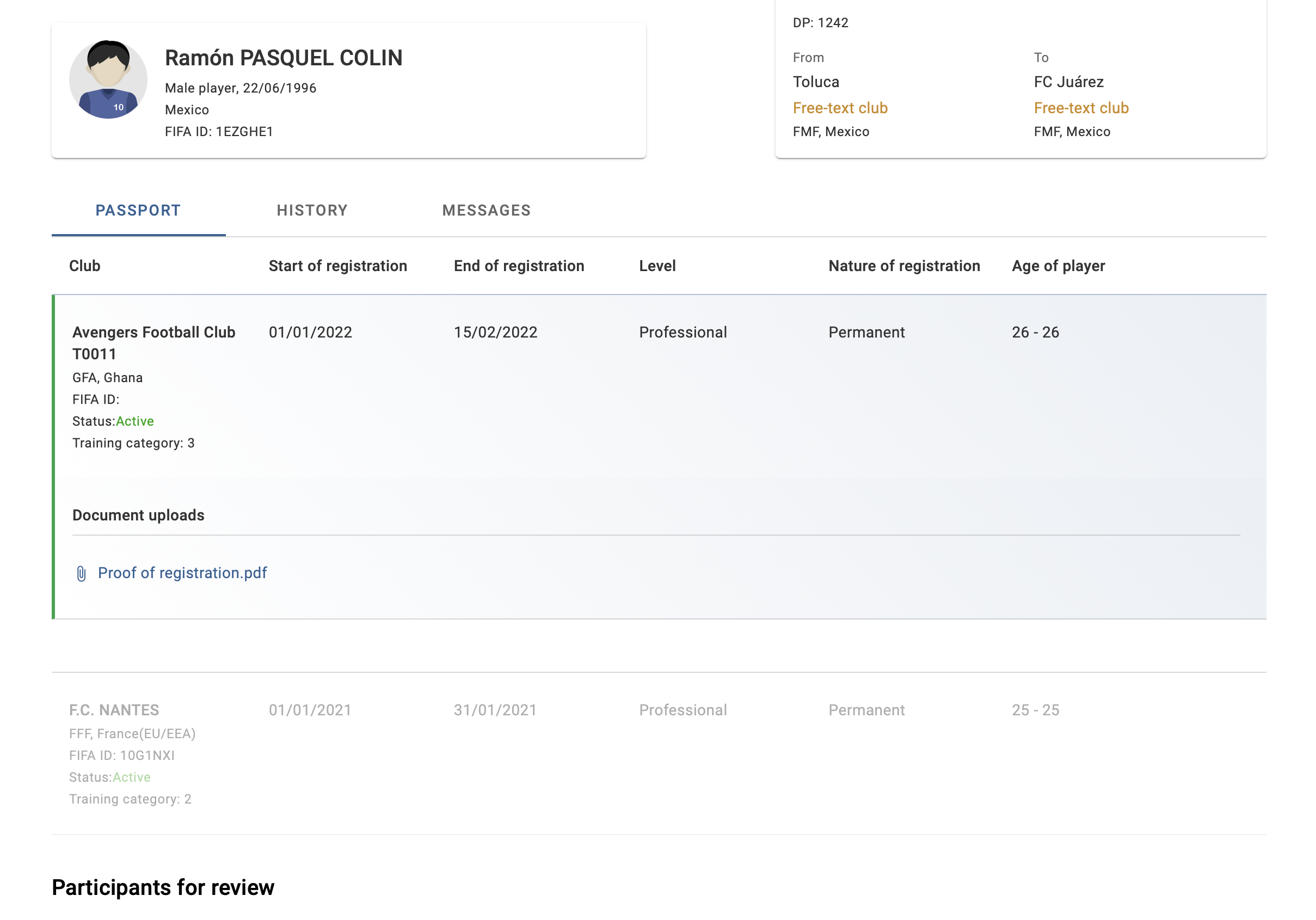
Managing EPP notifications in TMS
All notifications relating to EPPs can be dismissed by users.
In addition, notifications relating to EPP status changes are automatically dismissed when the EPP moves to the next status. As the initial notification is no longer applicable, this avoids duplicate notifications and ensures that information on the dashboard is always up to date.
Notifications relating to EPP messages are also dismissed automatically once the Member Association responds to FIFA through TMS.
Manual and automatic notification dismissals apply across the organisation: the notification is removed from the dashboard of all Member Association or club users.
Notifications via email
TMS users of participating organisations also receive email notifications from eppnotifications@fifa.org. Make sure that this address is added to your contacts to ensure that you receive all communications.
Note: this email address is a no-reply account and is not monitored for incoming emails.
Parties with a TMS account must still review the respective tabs in TMS daily for any communications from FIFA. Member Associations and clubs are responsible for any procedural disadvantage arising from a failure to review those tabs properly.
TMS users of organisations receive EPP email notifications when:
- they are automatically added as participants in a provisional EPP;
- an EPP in which they are a participant is discarded;
- an EPP in which they are a participant is released for review;
- an EPP in which they are a participant is referred to the DRC;
- they receive a message in the EPP from the FIFA general secretariat.
Opting out of email notifications for EPPs
All TMS users from clubs and Member Associations are subscribed by default to EPP email notifications.
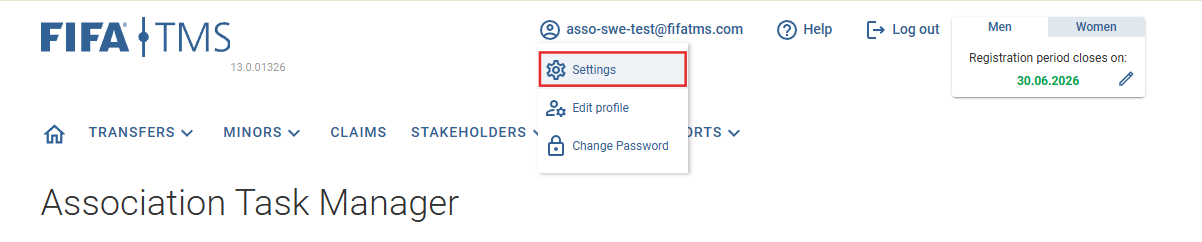
A user may change whether they receive EPP email notifications at any time by clicking on the email address at the top of the window and selecting “Settings”.
Note: each user manages their email notification subscription independently; the setting does not apply across the organisation.
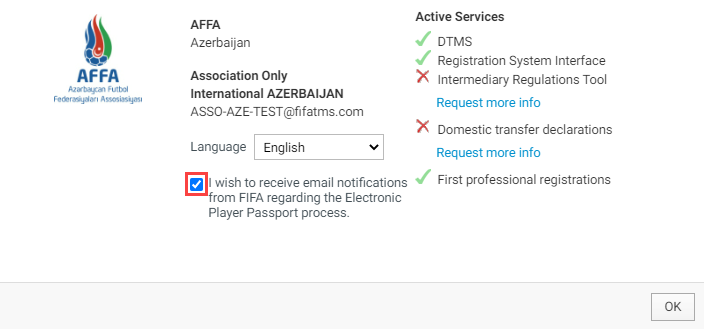
Click on the checkbox to opt in to or out of email notifications for EPPs.
Messaging within the EPP
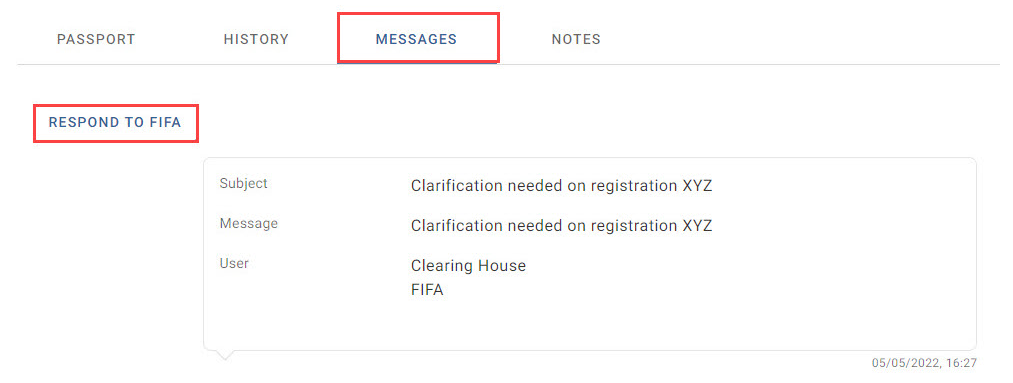
Each EPP has a messaging tool under the “Messages” tab that FIFA can use to start a conversation with a participant during the review process. The messaging tool facilitates clearer and more transparent communication and has a document-sharing feature.
For every message users receive in the EPP, they will receive a notification on their TMS homepage and an email.
Upon clicking on the notification, users are taken to the relevant EPP. Navigate to the “Messages” tab to view the message and respond to FIFA.
Responses to messages sent by FIFA in the EPP must be submitted directly in TMS. Responses received via email will not be considered.
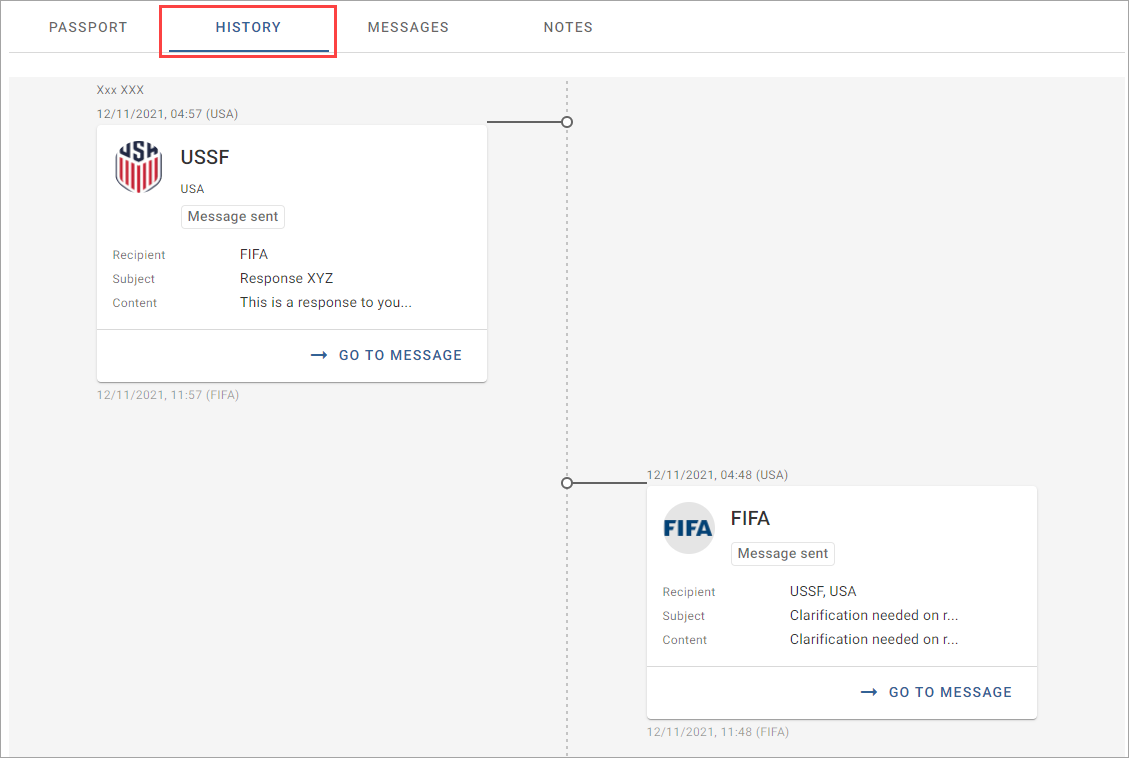
The messages are included in the EPP history and can only be accessed by the sender and FIFA.
Once an EPP is approved or discarded, clubs and Member Associations are no longer able to respond to messages via this tab. Enquiries regarding these EPPs should be directed to the TMS Helpdesk via TMSHelpdesk@fifa.org.