Table of contents
Scope and deadline
This functionality is currently only available for international transfers of professional players.
If your club has declared any football agent representing the club in the transfer, you must upload the relevant proofs of payment in TMS. This must be done within 14 days of each payment (cf. art. 12 of Annexe 3 to the RSTP).
Upload an agent payment
To upload the proof of payment related to agent payments, click on “Agent payments” next to the relevant international transfer in the Transfers > Overview tab. Each club can only view and process the payments for its own agents.
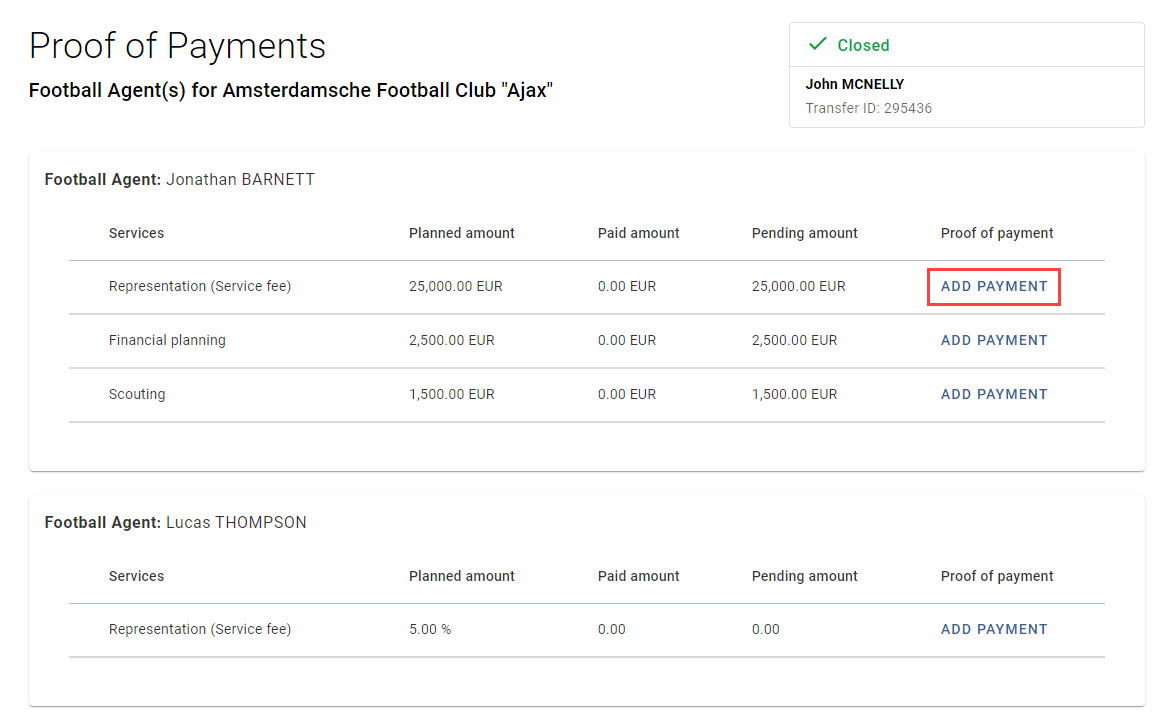
You will see an overview of all agents and fees as declared in the transfer. Click on “Add payment” to declare a payment that has been made.
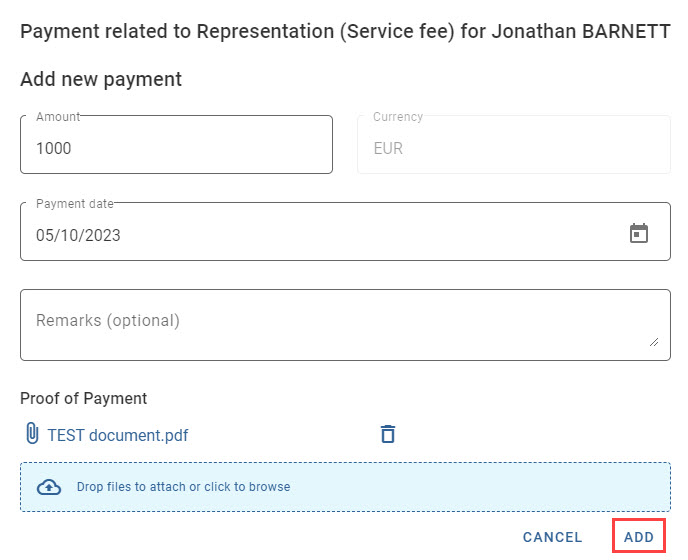
Enter the amount and payment date and upload the proof of payment document. Then click on “Add”.
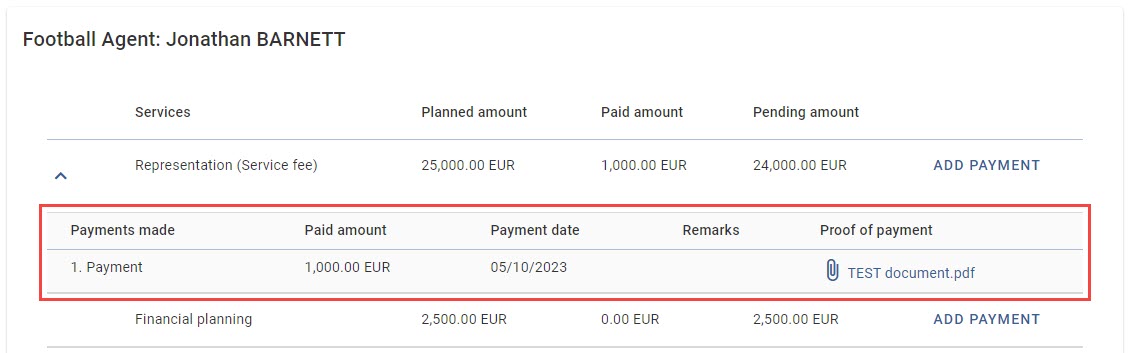
The payment made will appear in the overview and the pending and paid amounts will update automatically.
Transfer status and outstanding agent payments
Note: the statuses “Closed – Awaiting Payments” and “On Loan – Awaiting Payments” only consider club-to-club payments. A transfer may already be closed (e.g. if all club payments are added as paid or there are no club payments declared in the transfer), while some agent payments are still outstanding. To view closed transfers, select the checkbox “Include completed transfers” from the grid.