Table of contents
If your club or the player is represented by an agent, this information must be declared in TMS in the relevant transfer instruction.
Note: You can only select FIFA-licensed football agents. To check whether someone is licensed, ask the football agent for their digital card and scan its QR code to verify the licence status on fifa.com. For more information, see the FIFA Football Agents Regulations.
Clubs or players are prohibited from engaging or appointing unlicensed individuals to provide football agent services. In such cases, the club should indicate that no football agents are representing the club or the player in relation to the transfer. The club must also upload an official explanatory letter under the transfer instruction in question, clarifying the circumstances and disclosing the identity (along with commission details) of the unlicensed individual(s).
Declaring football agents representing the club
Search for the agent by name and select the correct person from the drop-down menu.
The agent’s details will be displayed automatically, and you can add additional agents by clicking on “Add football agent”.
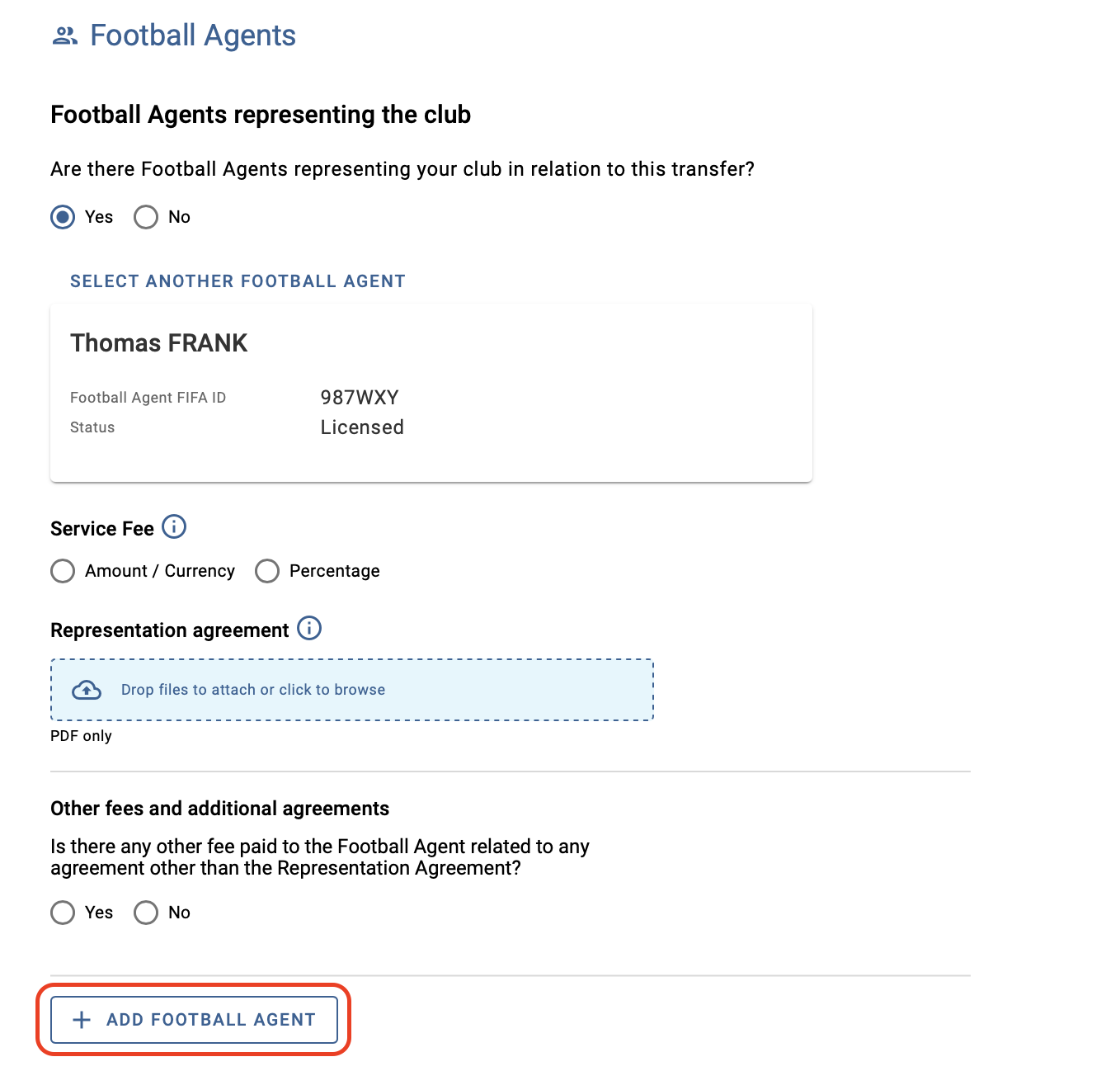
For each declared agent, select the type and details of the service fee(s) and upload the relevant representation agreement(s). To declare multiple service fees, click “Add service fee”.
Note: You can proceed with the transfer confirmation without uploading the relevant supporting document for the agent declaration. However, the club is required to upload a copy of the representation agreement in TMS, along with any additional agreement entered into with a football agent within 14 days of its conclusion.
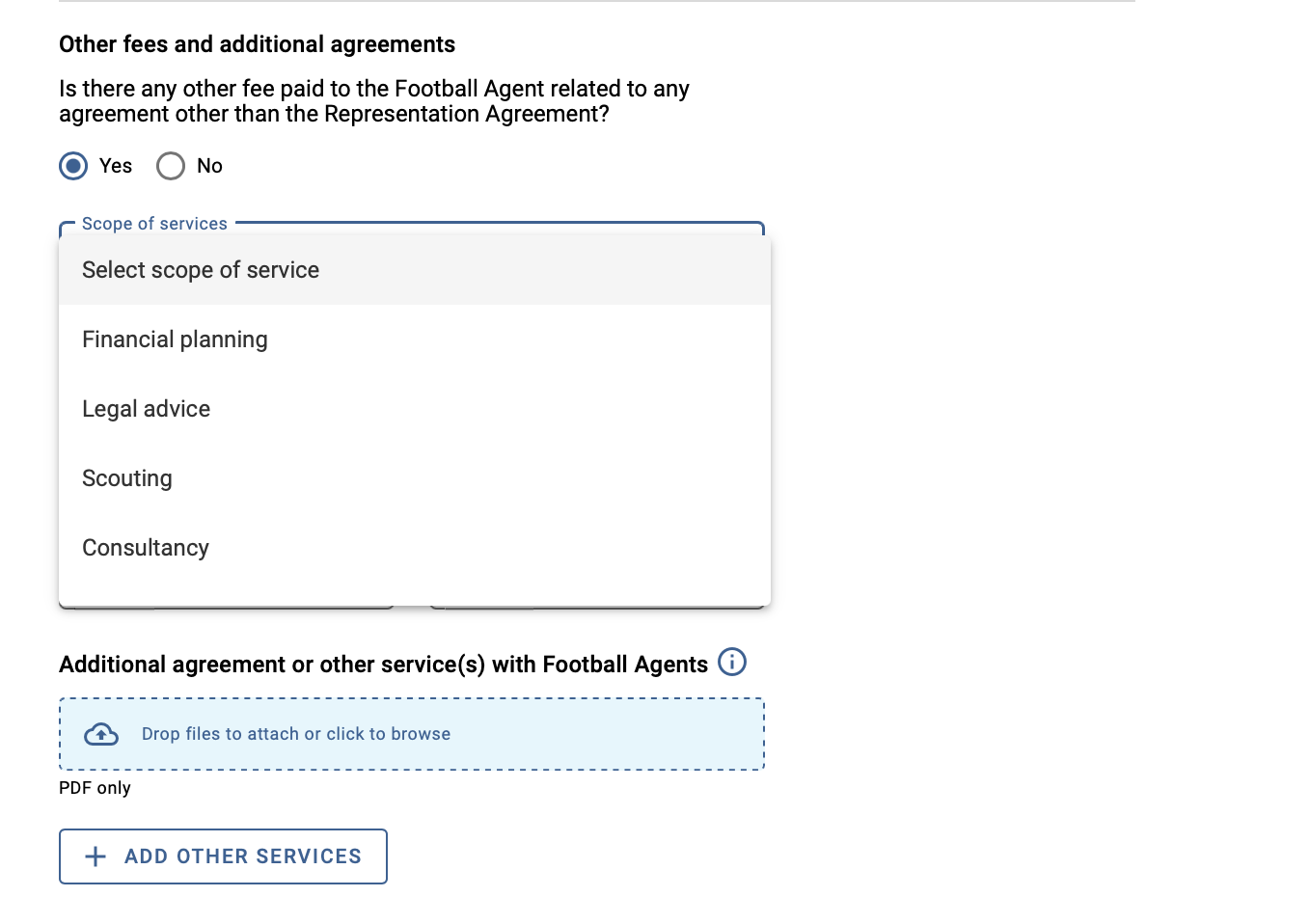
If there are any other fees to declare, click on “Yes”, select the scope of services from the drop‑down menu and upload the relevant agreement(s). You can add additional services by clicking on “Add other services”.
Declaring football agents representing the player
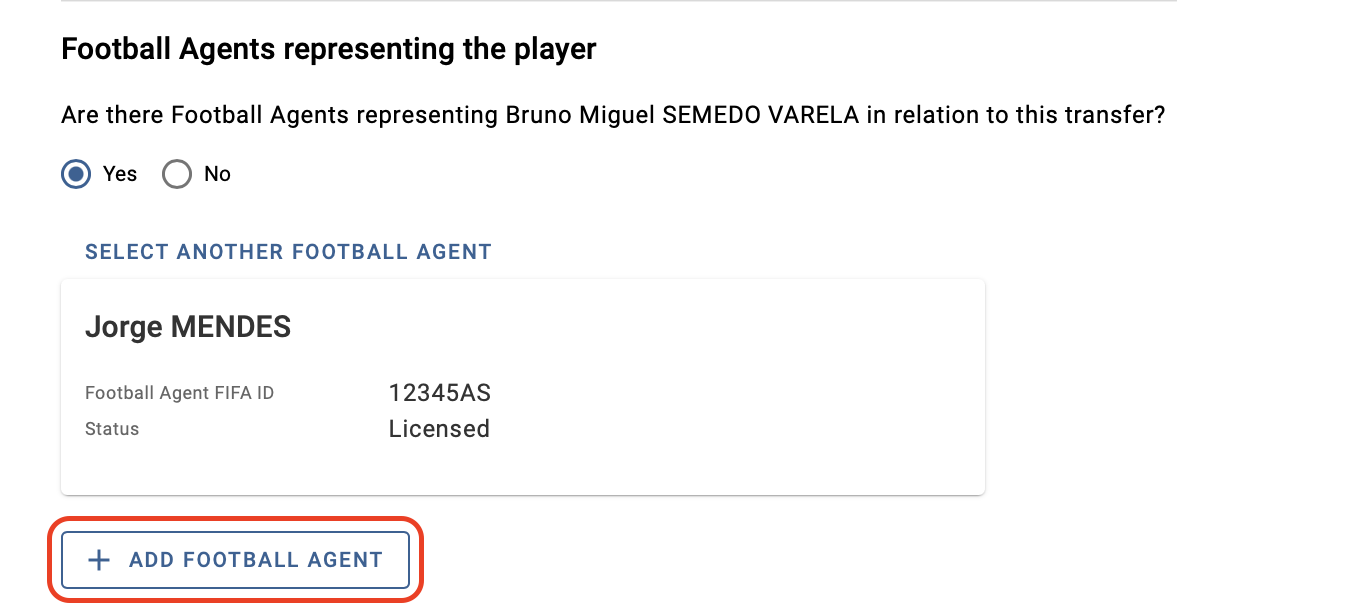
Search for the agent by name and select the correct person from the drop-down menu.
The agent’s details will be displayed automatically, and you can add additional agents by clicking on “Add football agent”.
Note: Once the transfer has been confirmed, you can no longer edit the declared information.
Uploading additional agreements
You can upload additional representation agreements and/or service agreements for the declared agent(s). To do so, search for the relevant instruction under the Transfers > Overview tab and click on “Upload documents”.
In the “Football Agents” section, click “Add representation agreement” or “Add additional service agreement”.
A new window will appear where you can upload the relevant agreement, then click on “Upload document”.