Table of contents
The new club is obliged to provide certain compulsory data when creating instructions. This includes, among other data, information relating to the new employment contract of the player, that is, the contract dates and fixed remuneration.
The total fixed remuneration (“TFR”) is the total fixed amount that a player will receive over the full term of their new employment contract. This figure includes sign-on fees and other money that is guaranteed to be paid to the player by the new club as a minimum base salary without any conditions. It does not include conditional bonus payments, such as performance-related bonuses. The system provides a calculator to simplify the calculation of the player’s total fixed remuneration.
Note: if you are unsure of what a section means, hover over the “in-line help text” for more information.
Player’s salary declaration for permanent transfers
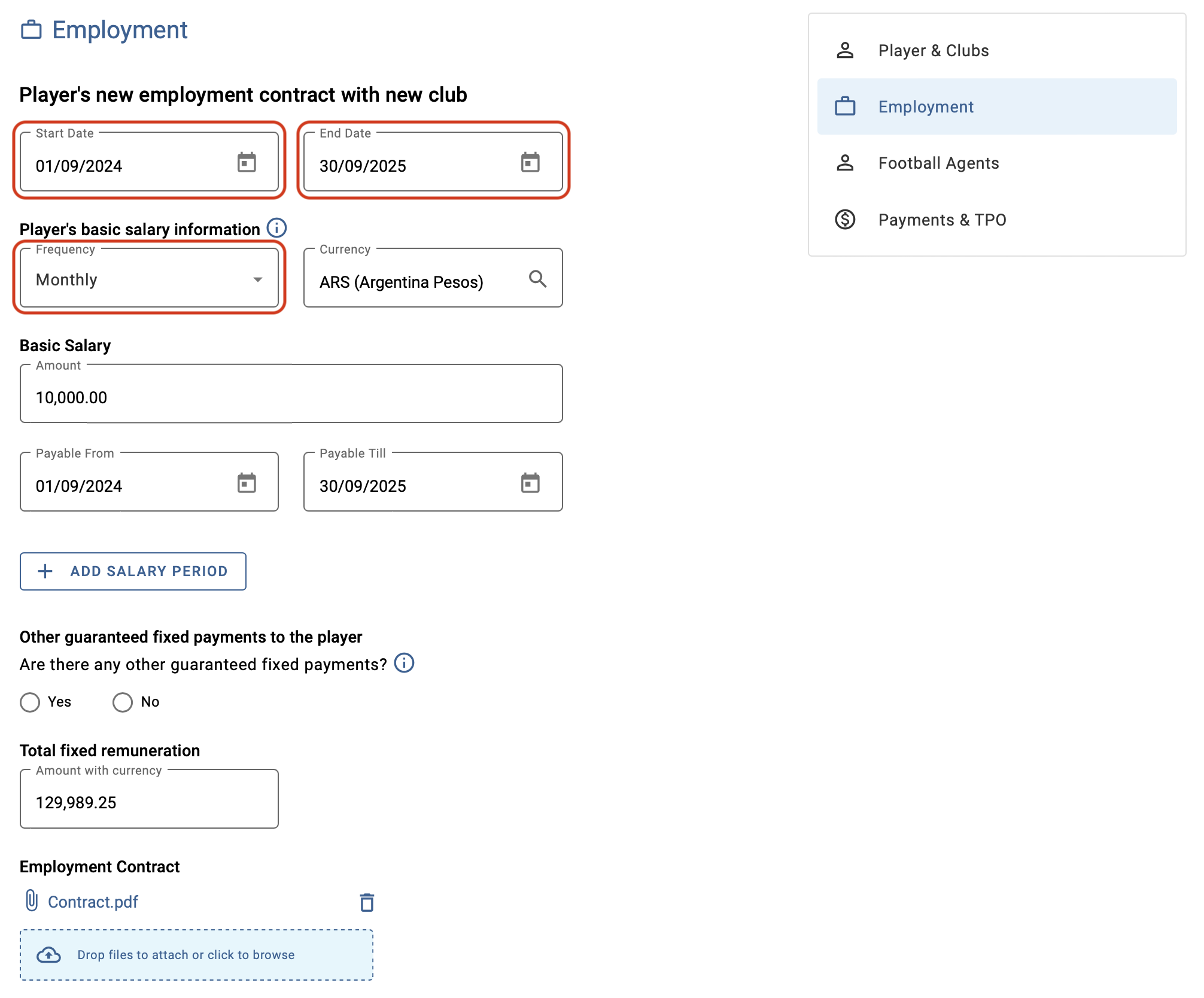
If your club engages a professional player permanently, you will be asked to enter the player’s new employment contract details and salary details with your club.
Note: You can indicate whether the salary is paid per week, month, or year. These three payment types are calculated on a pro-rata basis, which considers the daily rate of payment to the player.
If the player is paid for a fixed period other than weekly, monthly or yearly, for example, for the duration of a football season, select “Other period”. You will find further information on this topic in the “Other player’s salary payment periods” section below.
Player’s salary declaration for loan transfers
If your club engages a player on loan, you will be asked to enter the player’s new employment contract dates with your club. The employment dates these dates cannot go beyond the duration of the loan.
You will also be asked if your club is paying any part of the player’s salary during the term of the loan agreement. If this is the case, click “Yes”, fill out all the salary details, and upload the employment contract.
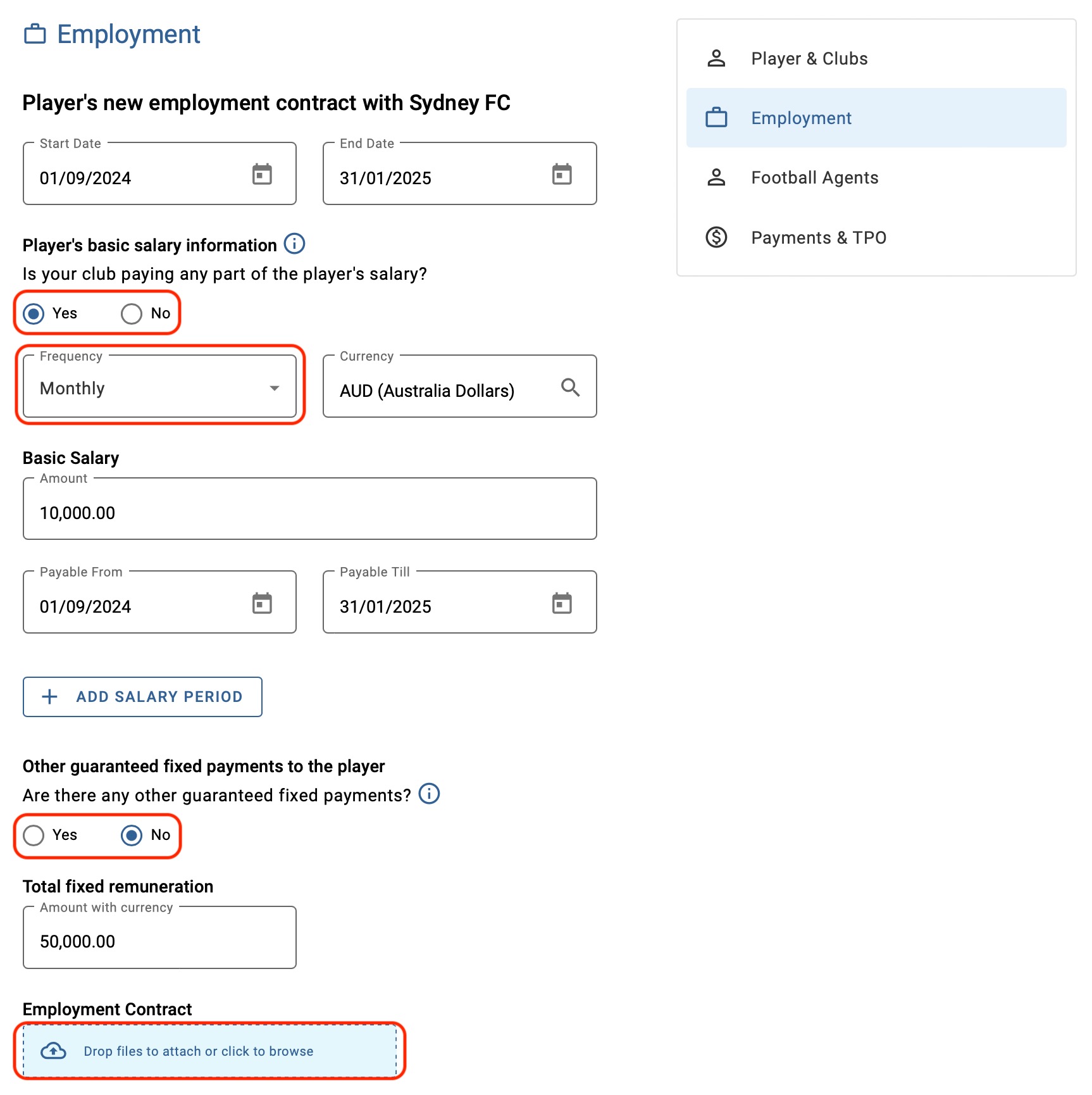
If your club is not paying any part of the player’s salary during the term of the loan agreement, select “No”. You also need to upload the employment contract with the player before continuing with the loan instruction.
Incomplete employment periods
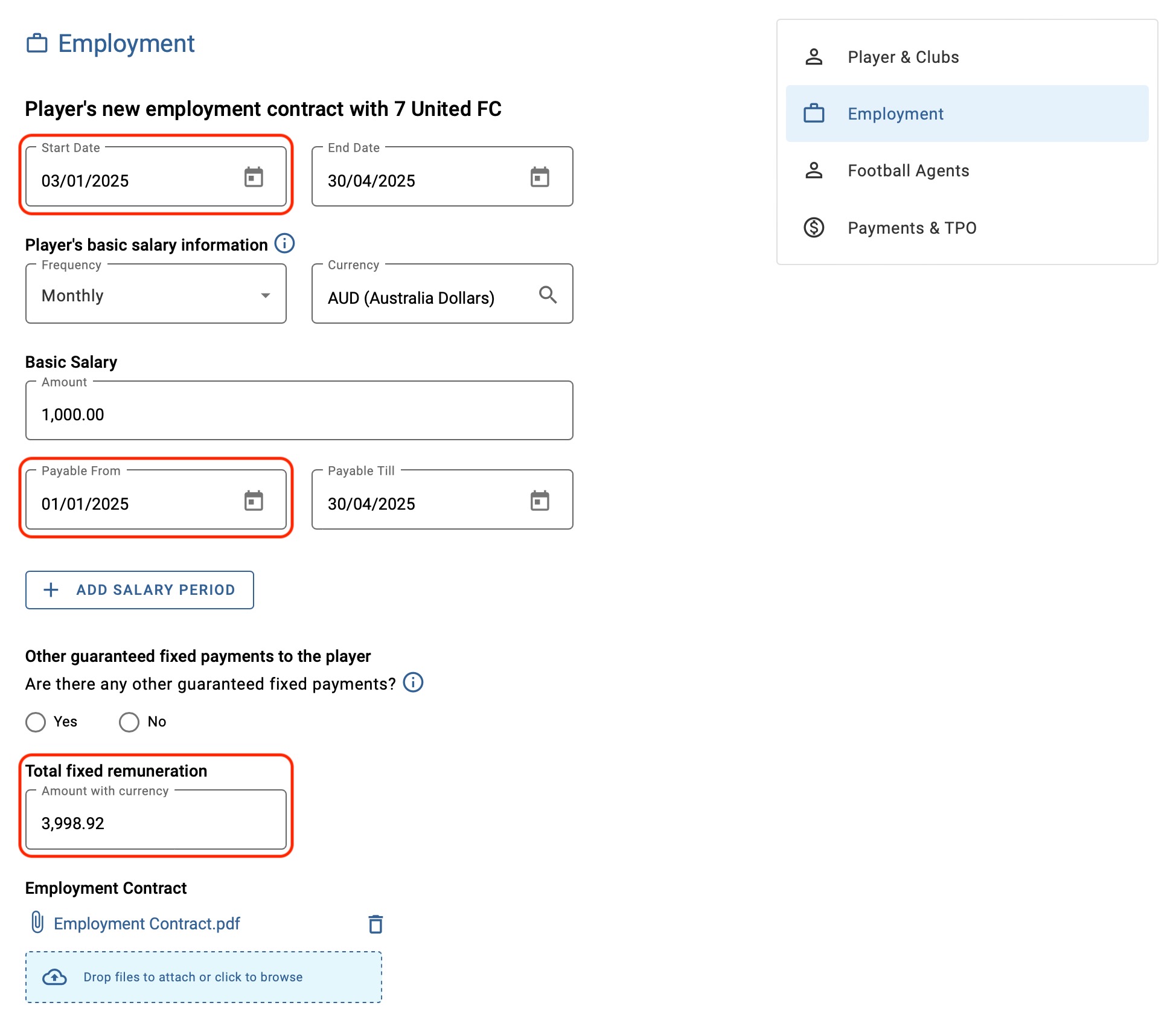
If the player is paid for the full month of January but the employment only starts on 3 January, as in the example below, you have the option of declaring the full payment period by updating the dates in the “payable from – to” fields.
You must enter the payment dates reflecting the full month, and the TFR will be updated to accurately reflect the player’s salary.
Unpaid periods
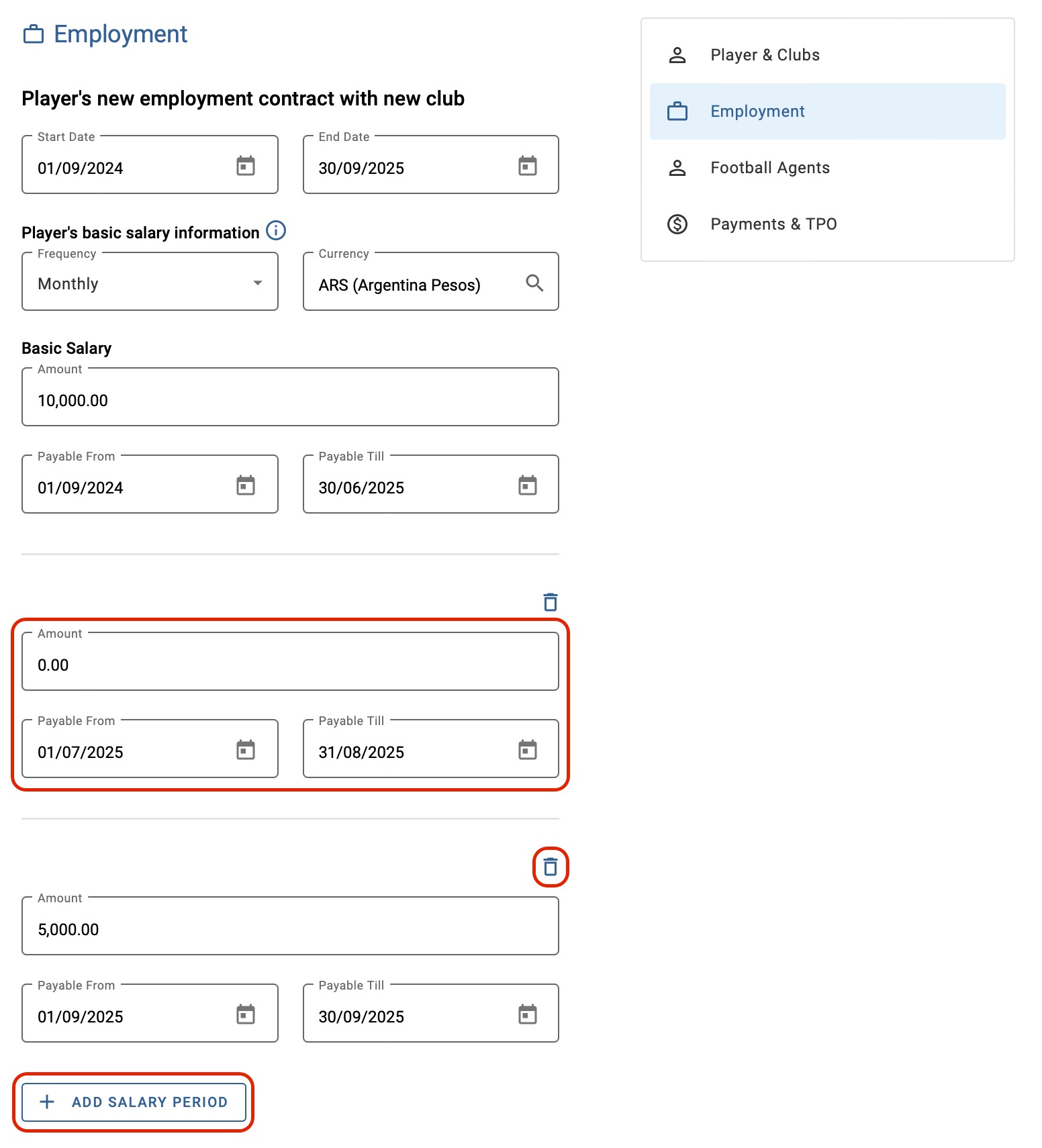
If there is a period in the contract in which the player will not be paid, this must be reflected by clicking on “Add salary period” and entering “0” in the amount field for the period concerned. If necessary, you can specify additional periods by clicking on “Add salary period”. To remove a period, click on the trash icon.
In this example, the player will not receive any salary for the months of July and August.
Other periods for payment of player’s salary
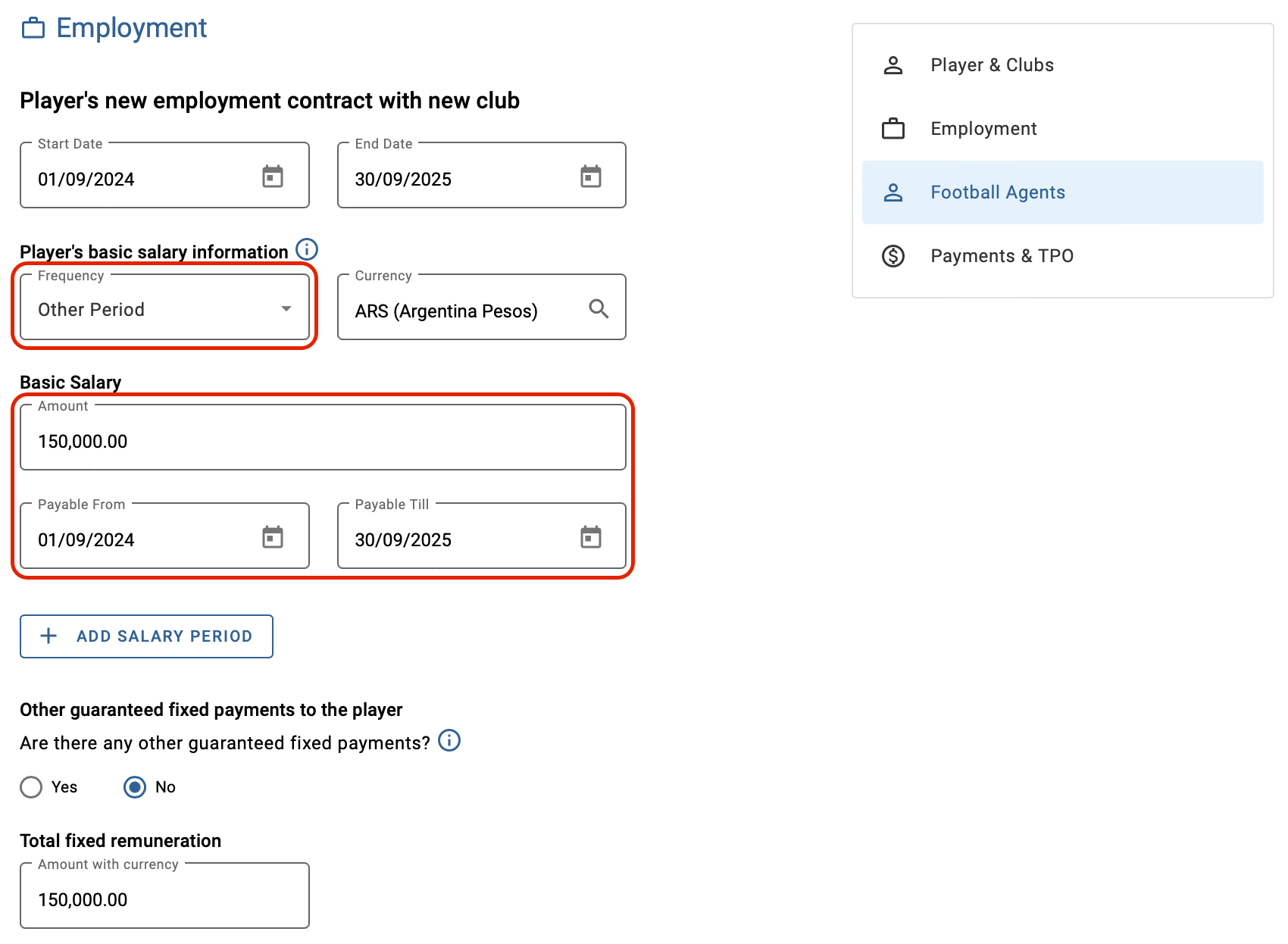
If there is payment for a fixed period other than weekly, monthly or yearly (for example, for the duration of a season), select “Other period”.
Note: you have the option of entering salary-period dates that start before or end after the actual employment contract dates. However, you must ensure that the employment contract start and end dates fall within the salary payment period dates.
In this example, the player receives a lump sum of 150,000 over the course of their employment contract. In this case, the salary is payable over a fixed period of one season.
Other guaranteed fixed payments
You will be requested to specify whether there are any other guaranteed fixed payments stipulated in the employment contract, e.g. sign-on fees. If no other guaranteed fixed payments apply, select “No”. Otherwise, select “Yes” and enter the payment amount, date, and appropriate remarks. If necessary, you can add further payments by clicking on “Add payment”.
Total fixed remuneration amount
Finally, the calculator provides a total fixed remuneration amount based on the frequency, amounts, periods and other information entered. This field is read-only and cannot be modified. Ensure that all details have been entered accurately.
Note: failure to provide the correct total fixed remuneration in international transfers is an offence subject to the administrative sanction procedure (ASP).