Table of contents
Introduction
To facilitate and simplify the player search process, TMS provides advanced features and search options to help narrow the search:
- Extended search across Connect ID in transfer instructions
- Neutralisation of special characters, e.g. accents
- Part-match and exact-match search
- Additional search filters
When using these search functions, users are encouraged to use the FIFA ID of the player, which is a unique identifier assigned to each player registered with a Member Association.
Tip: When requesting a player’s proof of identity, also request their FIFA ID.
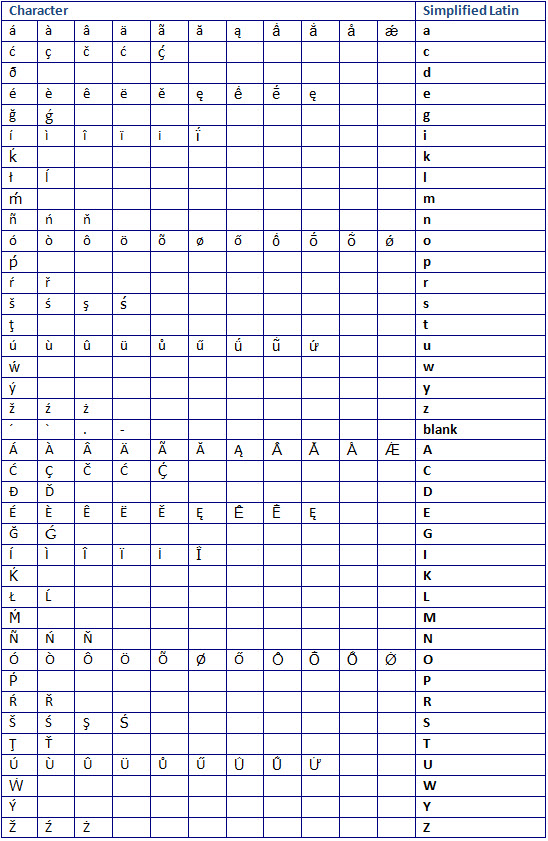
Only Latin-based characters are supported by the system. As such, if the name of a player being searched for contains a special character, the system will neutralise the special character as per the table below so that a match can still be found.
Via the “Players” tab
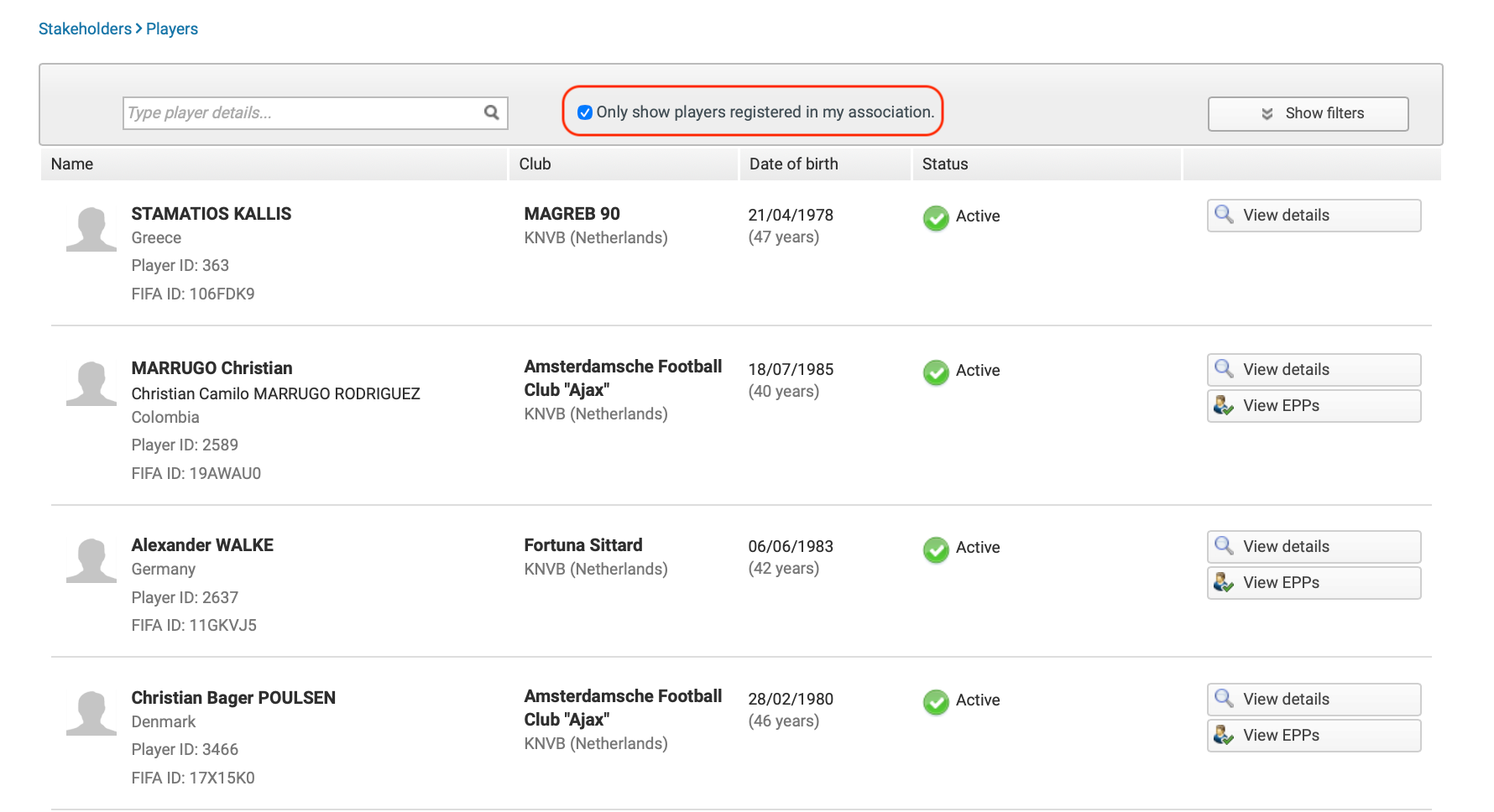
You can search for players who are already in TMS by using the “Players” database under the “Stakeholders” tab.
It is important to remember that TMS is not a player registration system. As such, not all players registered with a Member Association will appear in TMS. However, once a player is involved in a TMS transaction such as a transfer, a claim, a minor application or an electronic player passport, they will be added to the database.
Moreover, a player’s registration, as shown in the “Stakeholders” tab, does not always reflect their most recent affiliation but is instead based on the most recent instruction that has been finalised, which is not always the player’s latest registration.
Member Associations can filter the list to show only players registered with them by clicking on the relevant checkbox.
Upon entering a transaction in TMS
When entering a transfer, a minor application or a claim, users must select a player by searching in the following order:
- Search in the TMS database: players already existing in TMS
- Search through Connect ID (“extended search”): players registered in any National Registration System (currently only available in Transfers)
- If the player is not found in either database, create a new player in TMS
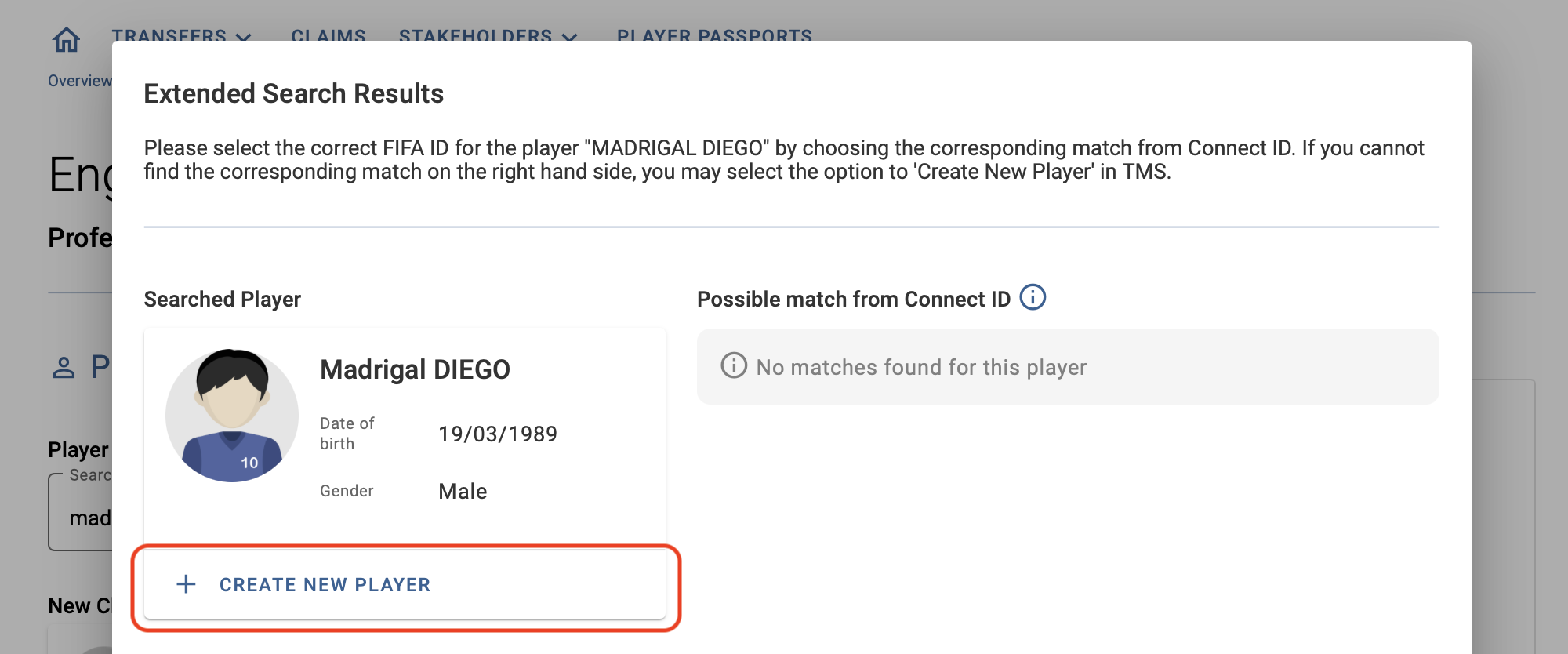
If no player matching the search is found in TMS, users should expand their search across Connect ID, which includes player records from the National Registration Systems (NRS) of Member Associations.
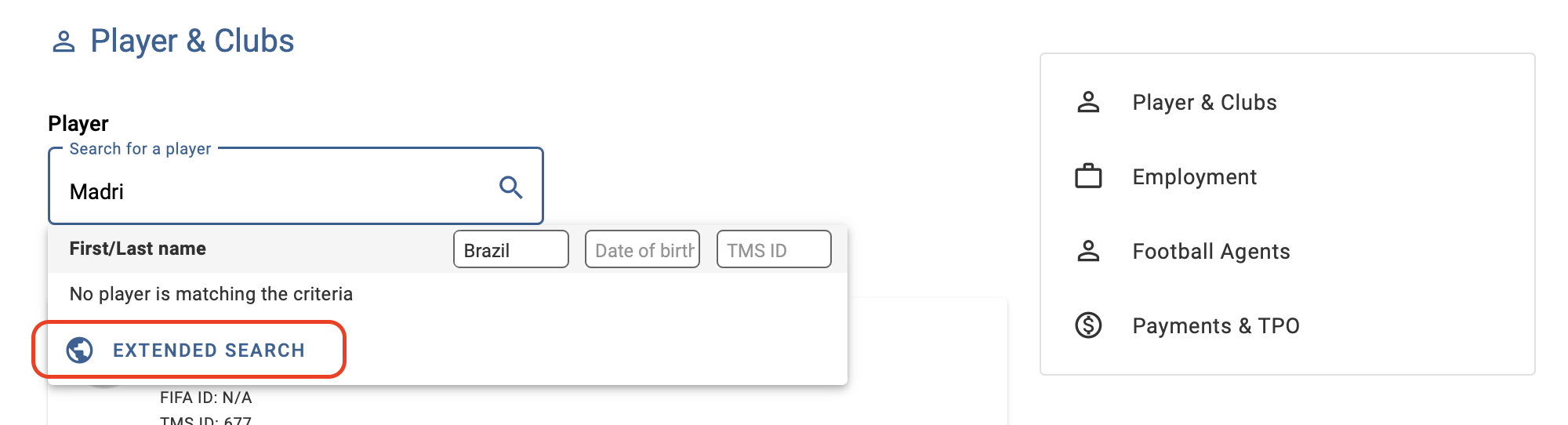
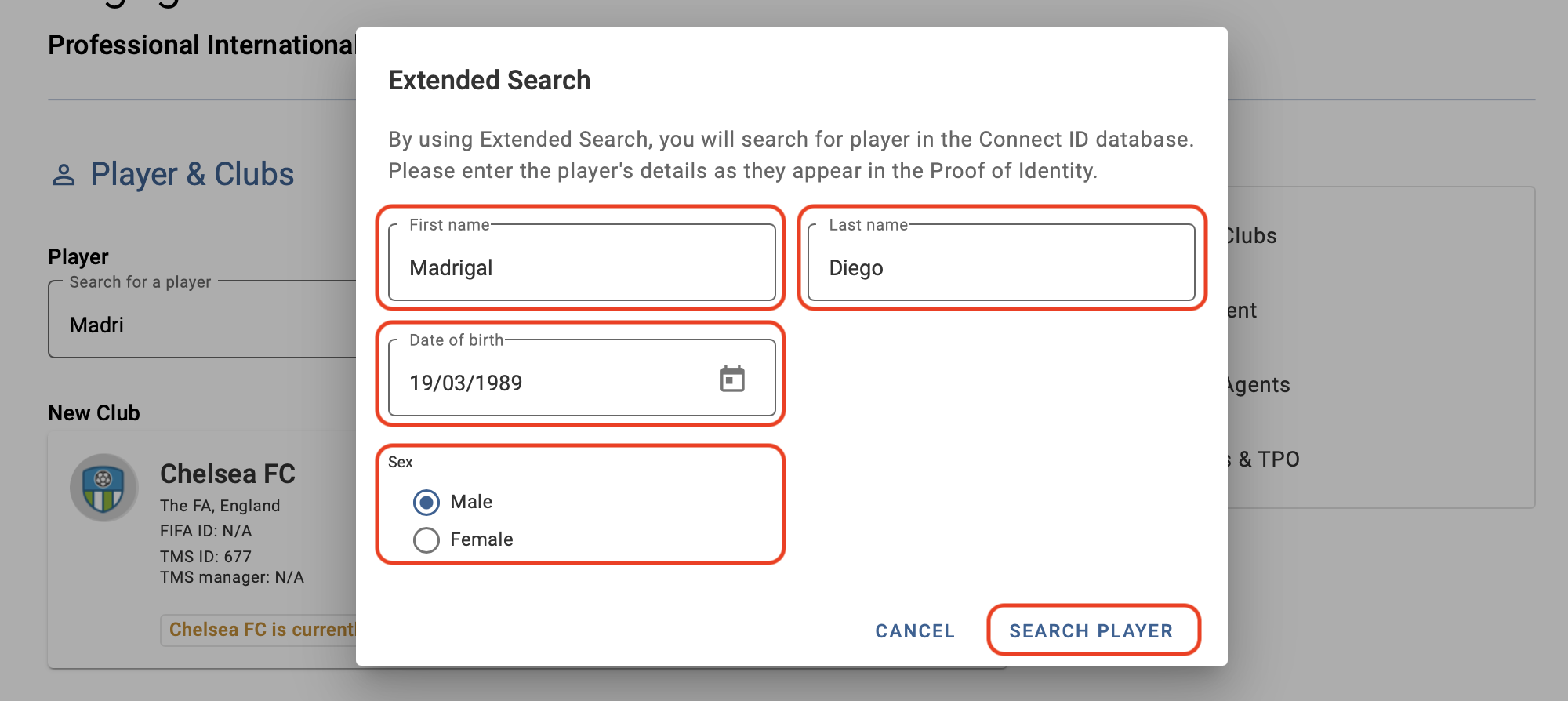
To search across Connect ID, users must enter the player’s first name, last name, date of birth and sex.
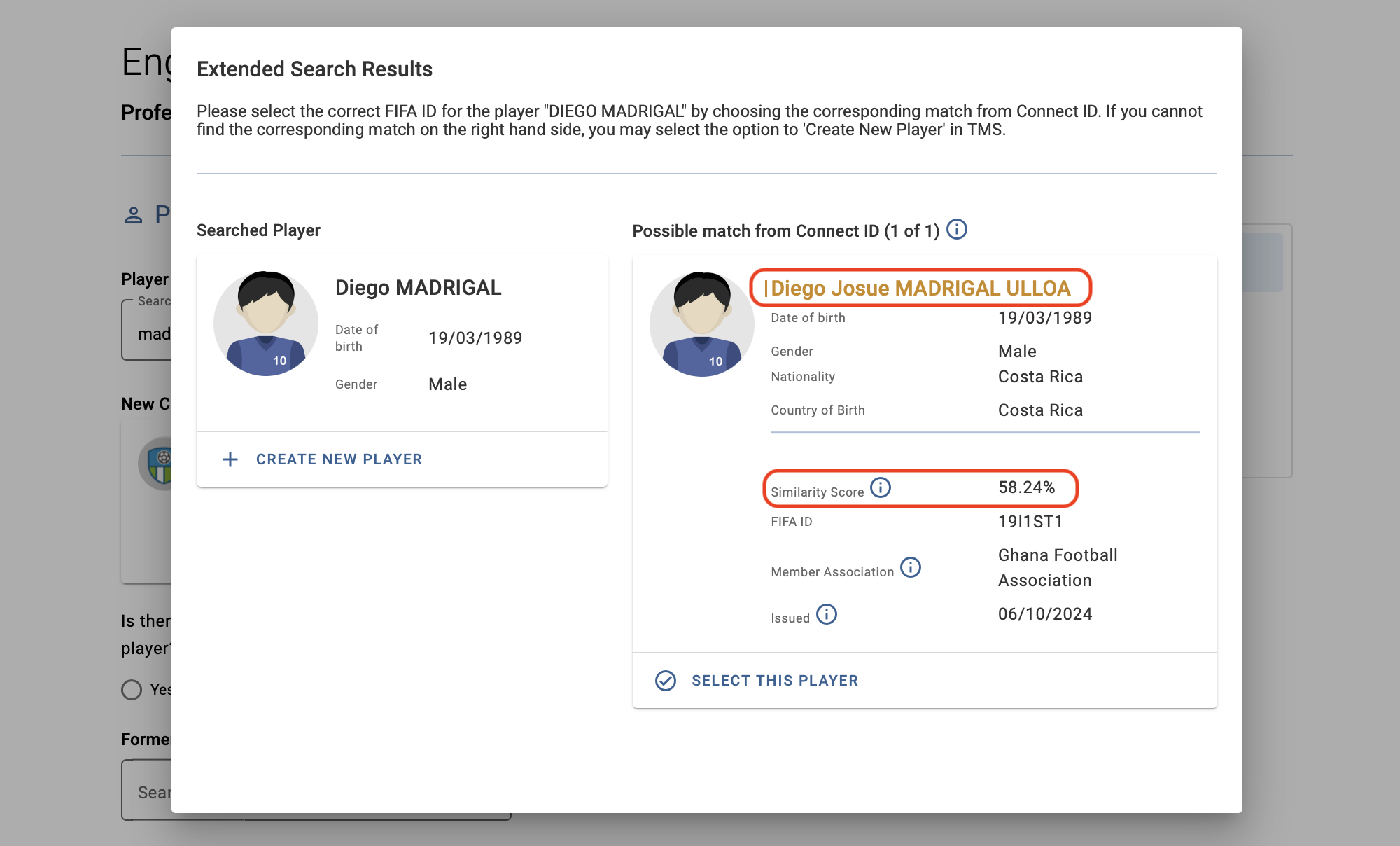
If there are one or more matches, each result will be assigned a similarity score, a value between 0% and 100% that indicates how similar two records are based on first name, last name and date of birth. The results will be displayed in descending order of this score so that the most similar player profile appears first.
Fields that differ between the two records will be highlighted in yellow.
Users will need to review the search results and select the correct player to be imported into TMS for the transfer.
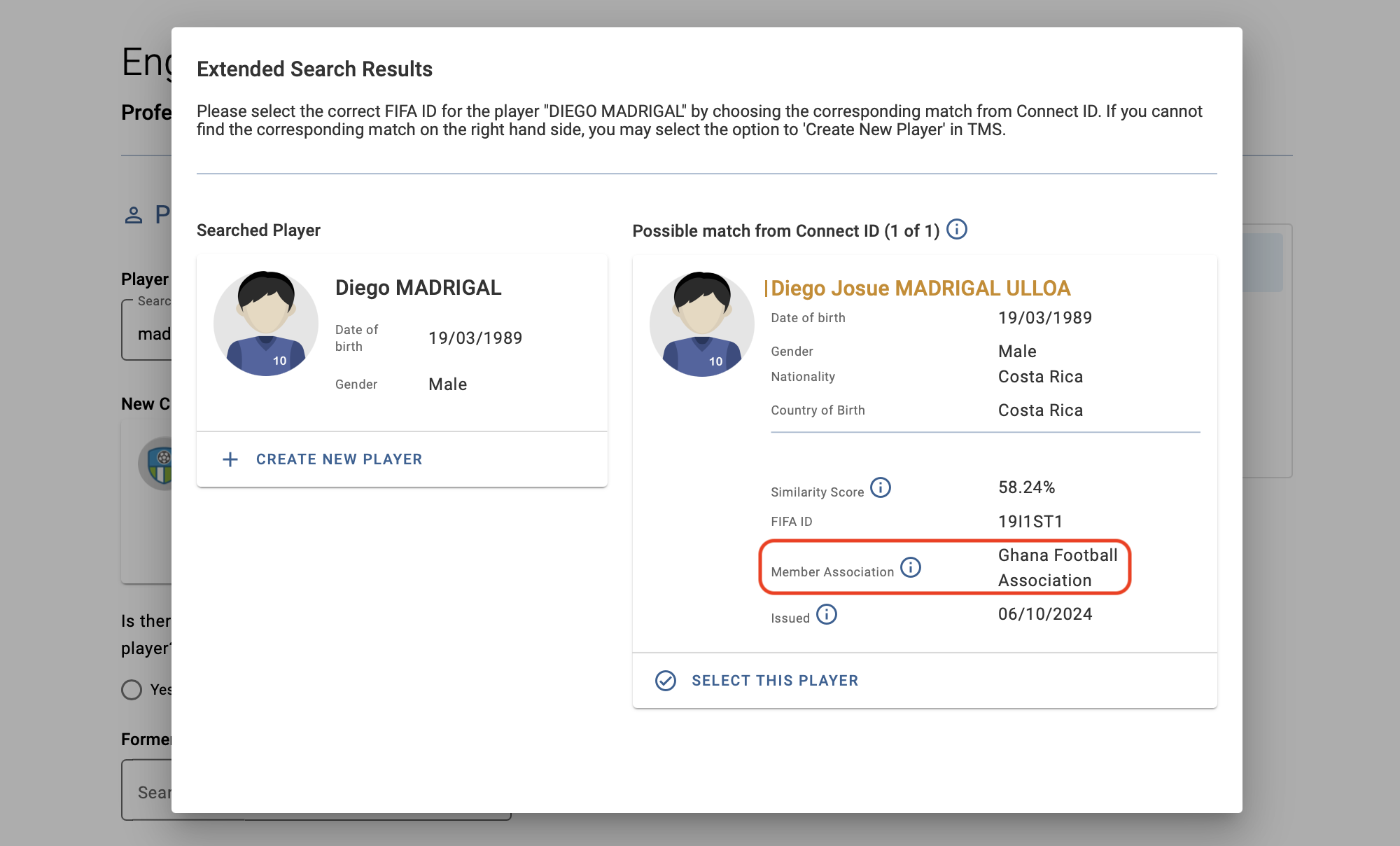
If you are unsure whether a Connect ID match is the player you are searching for, contact the Member Association that currently controls the data of the FIFA ID, i.e. the data owner.
The Member Association that controls the data of the FIFA ID is not necessarily the Member Association where the player was most recently registered.
If none of the matches proposed correspond to the player being searched for or if no matches are found across Connect, users will be able to create a new player in TMS.
Creating a new player may delay the transfer process as the former Member Association is required to confirm or reject the newly created player and assign the corresponding FIFA ID.