Table of contents
Introduction
TMS is not a registration system. Therefore, not all players registered with Member Associations will appear in TMS. A player is added to the database only when they are involved in a TMS transaction such as a transfer, a minor application, a claim, or an electronic player passport.
Before creating player profiles in TMS, users must ensure that they thoroughly search in the “Stakeholders” database to avoid creating duplicates. If an existing player profile in TMS partially matches the player for whom users are searching, the player’s former Member Association can confirm whether the profile belongs to the player and update the player’s details in TMS, if necessary.
Creating a player in a transfer
If a player is not found in TMS and across Connect ID after a thorough search, users can create a new player.
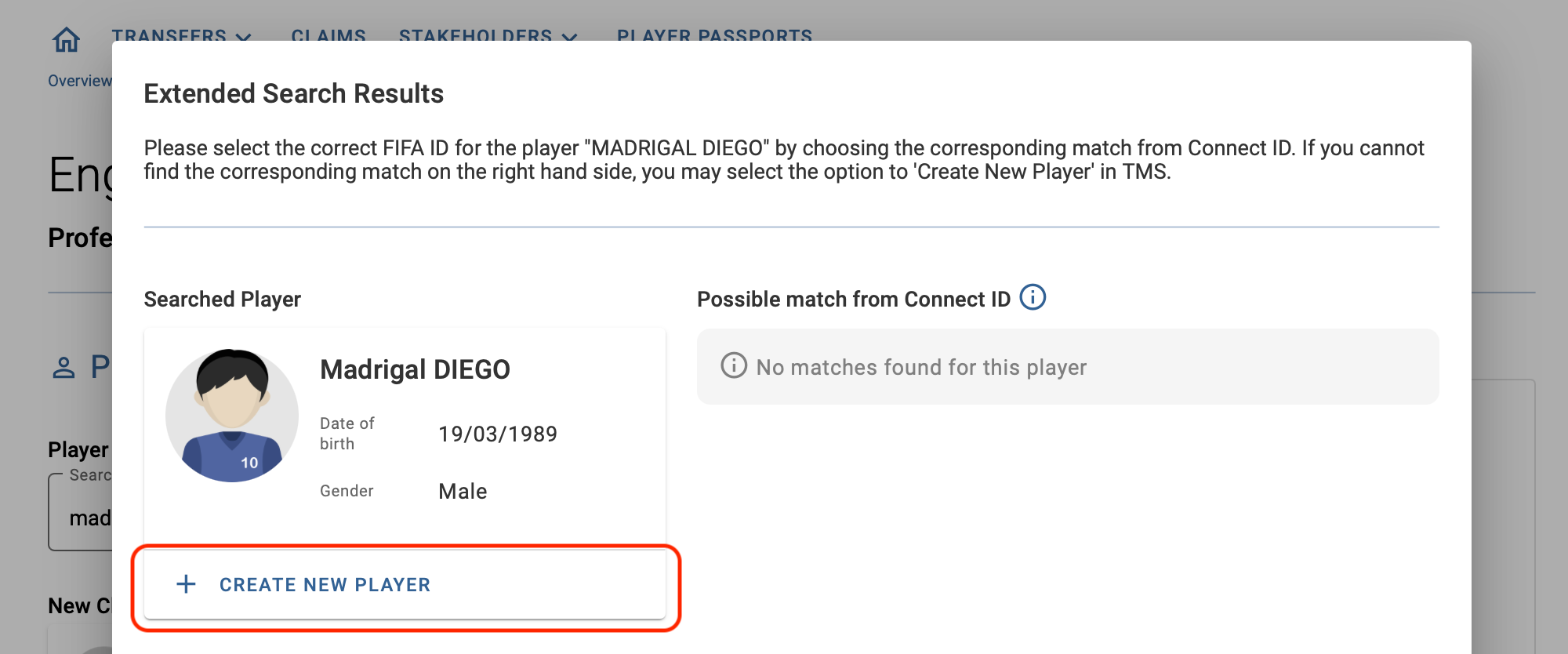
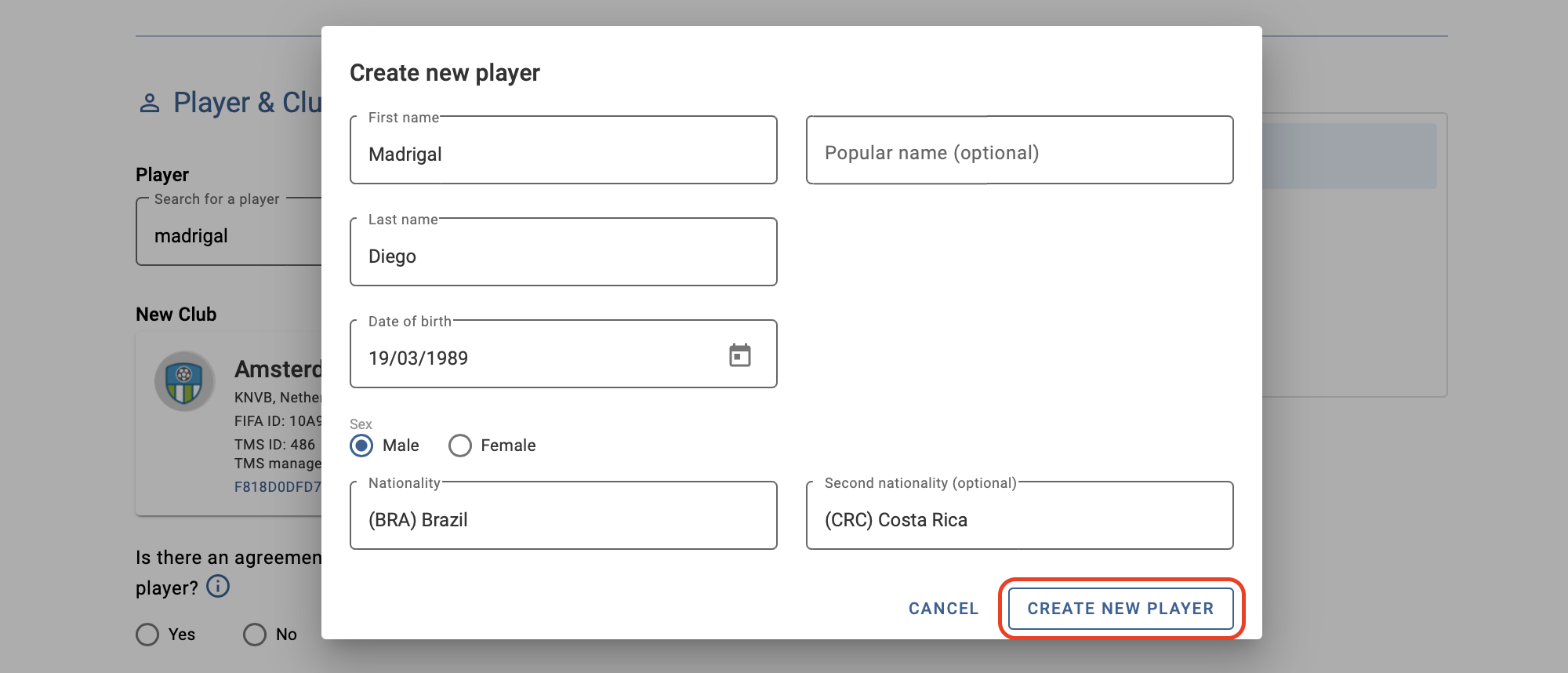
A new window will open where users must enter the player’s first name, last name, date of birth, sex and nationalities. The player’s details should be the same as those on their proof of identity.
It is very common to have a middle name, but in some countries, players may also have two last names. When creating a new player in the system, users should enter the information as shown on the player’s proof of identity.
Note: try to use lowercase and uppercase letters when appropriate. Once the player has been created in the system, the last name will be recorded in capital letters by default.
Once the player details have been entered, click on “Create new player” and the player details will appear automatically in the “Player” section of the instruction.
Players newly created in the TMS database must be confirmed by the Member Association from which they are deregistering, i.e. the former association. For more information on this topic, see the section “Player confirmation”.
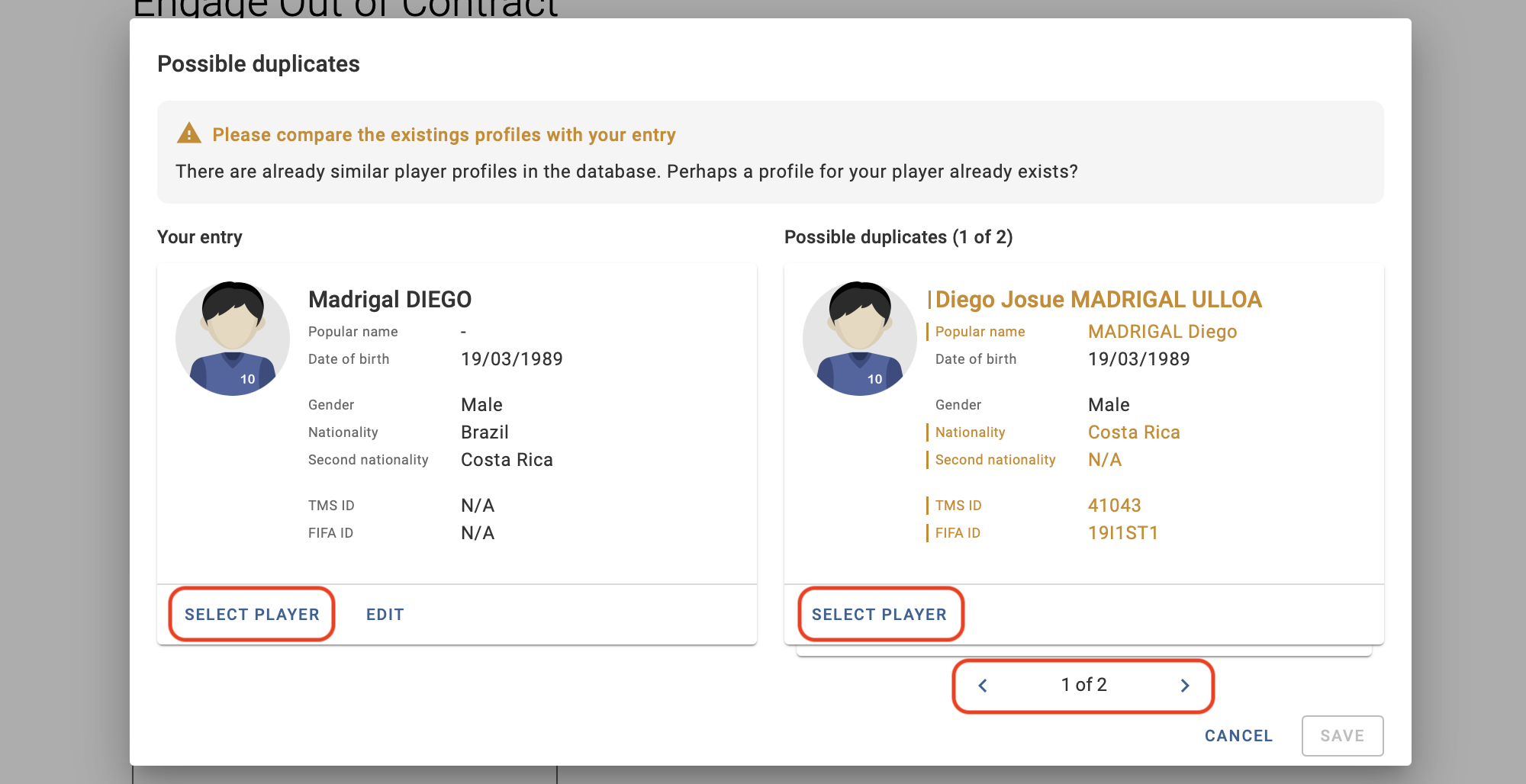
After clicking on “Create new player”, the system may display a list of matching players who have a similar name, nationality and date of birth. Users must review all the results displayed by navigating via the arrows and click “Select player” in the appropriate profile.
If, after creating a new player, you notice that there is a mistake in the details of the player entered, you can modify the selection by clicking on “Select a different player”.
Note: once the transaction has been confirmed, it will no longer be possible to select a different player.
Assigning a FIFA ID to a newly created player
The FIFA ID is the worldwide unique identifier given by the FIFA Connect System (FIFA Connect ID) to each club, Member Association and player.
When a player is created in a transfer instruction, a FIFA ID may be assigned in TMS by the former Member Association during the player confirmation process.
If no FIFA ID is assigned during the player confirmation stage, the TMS system will try to assign a FIFA ID to all players in TMS as soon as they are involved in a transfer. In the process of assigning the FIFA ID to the player, one of three scenarios applies:
- Exact match: the player details in TMS exactly match the player data in FIFA Connect ID. In this case, the relevant FIFA ID is automatically assigned to the player in TMS.
- Possible duplicate(s): the player details in TMS closely match player data in FIFA Connect ID. In this case, the relevant Member Association must assign the FIFA ID to the player by resolving the player duplicates in TMS.
- No match: the player’s details in TMS do not match any player data in FIFA Connect ID. In this case, the player is created in Connect ID with a new FIFA ID, which is automatically assigned to the player in TMS.
Each Member Association must assign each player a FIFA ID when a player is first registered in its electronic player registration system. Only electronically registered players identified with a FIFA ID are eligible to participate in organised football.
The same FIFA ID must be assigned to the player in the Member Association’s National Registration System and in TMS.