Table of contents
Find an EPP from the player record
If an EPP has been generated for a player, any TMS user may view the player’s EPPs under “Stakeholders > Players”. Click “View passports”.
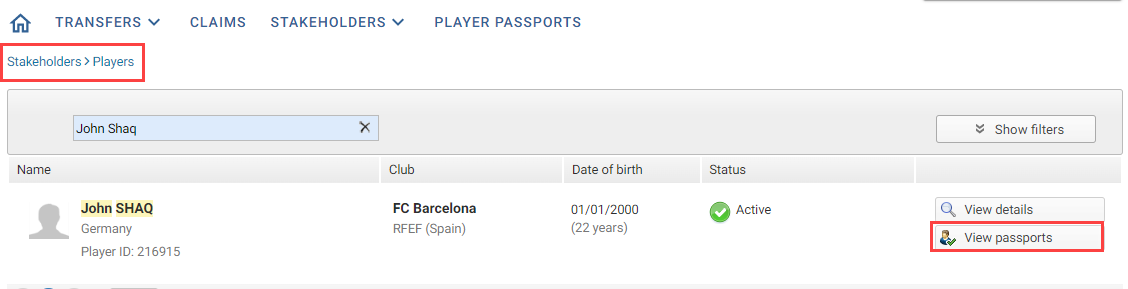
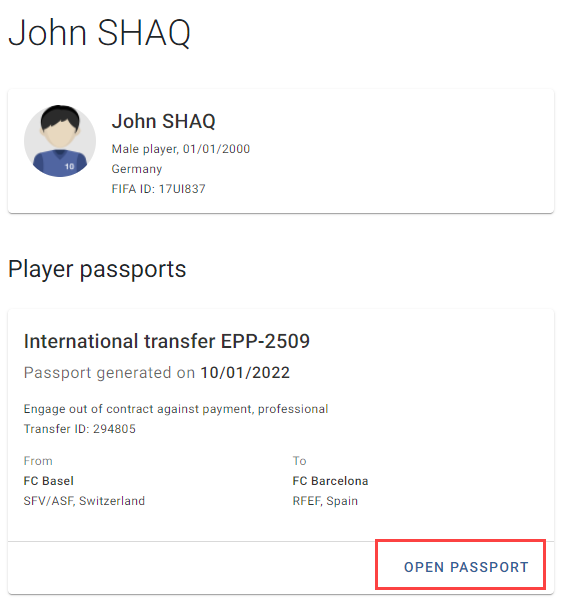
A list of the player’s EPPs appears. Click “Open passport” to view an EPP’s details.
Find an EPP from “Transfers”
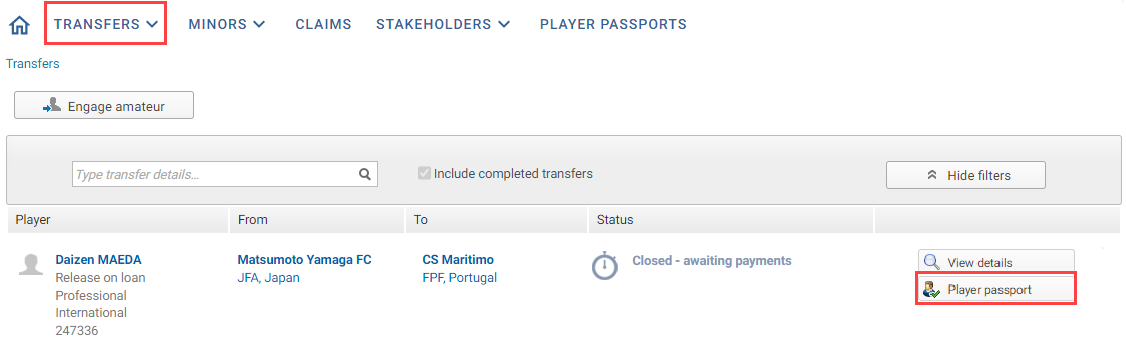
The EPP generated following a transfer or first registration of a player as a professional is also accessible in the “Transfers” tab in TMS. All parties involved in the transfer may view the related EPP by clicking on “Player passport” next to the relevant transfer.
Search from “Player passports”
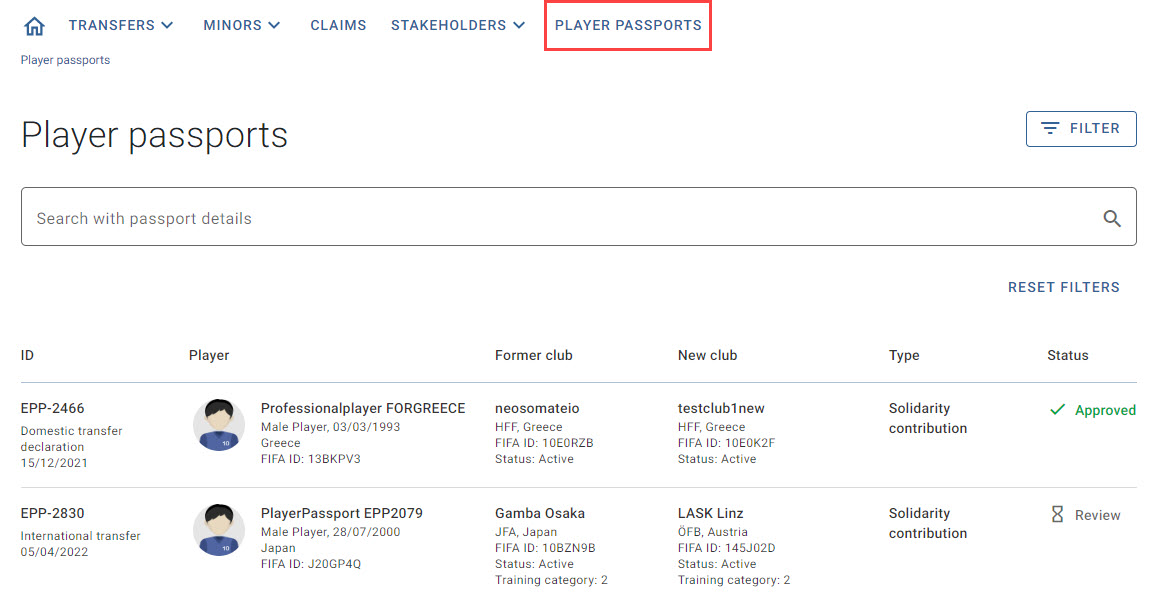
Alternatively, you can go to the “Player passports” tab and search by player, club involved or, if known, EPP ID.
EPP access and participation
Once an EPP has been released for review, only clubs and Member Associations participating in the review process will be able to view the EPP details. All non-participating organisations will see the following warning message.
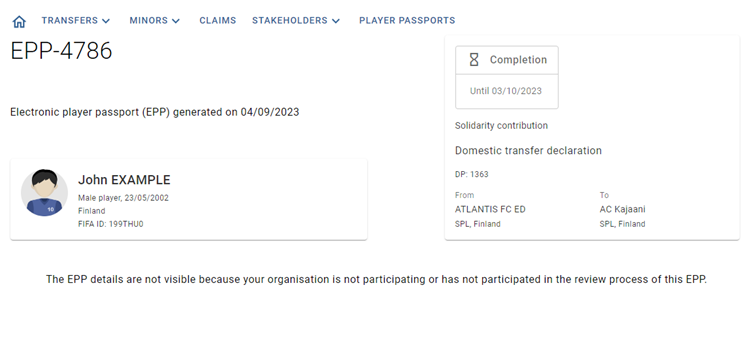
EPPs with the status “Pending” and “Discarded” will remain accessible to all club and Member Association users, even if they are not listed as participants. For more information on how to request involvement in the review process for a “Pending” EPP, see “Requesting involvement in an electronic player passport”.