Table of contents
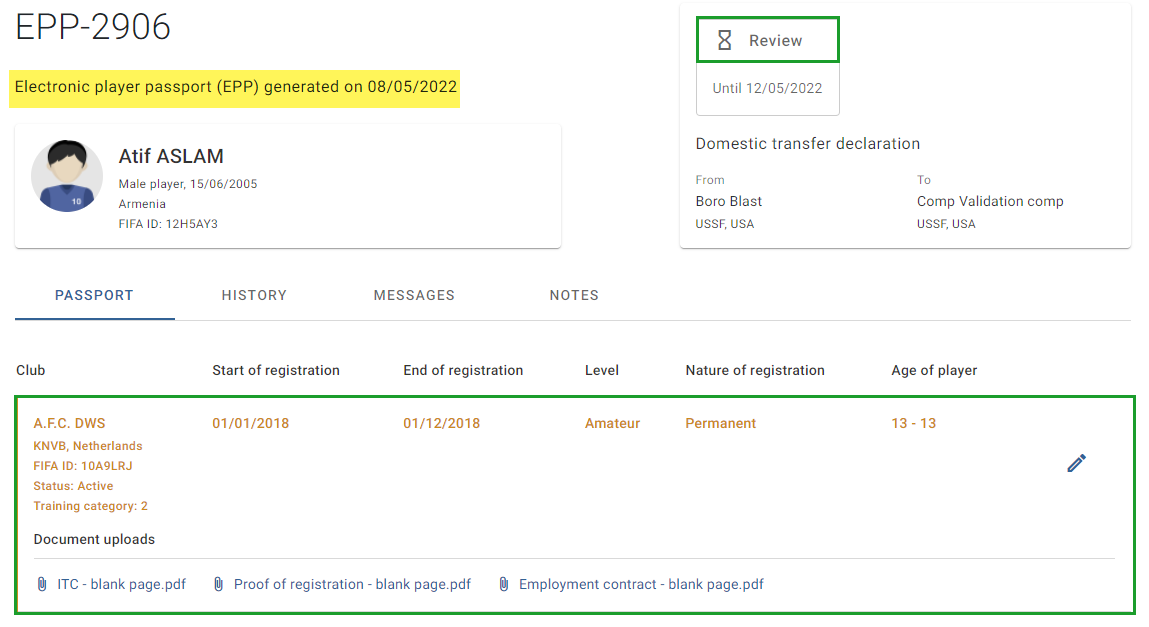
If registration information is missing from an EPP, Member Associations participating in the EPP review process can request the addition of registration information during the EPP review process (when the EPP’s status is shown as “Review” or “Completion”). The EPP review process lasts 15 days, and all requests to add registration information to the EPP are subject to FIFA’s approval.
Note: if registration information shown in the EPP is incorrect, a Member Association may request an amendment (see “Editing registration information in an electronic player passport”).
Furthermore, clubs that trained a player and whose registrations do not appear in the EPP must contact their Member Association to ensure that relevant registration information is added in the EPP by their Member Association.
To submit a request to add missing registration information to an EPP, click on “Add registration”.
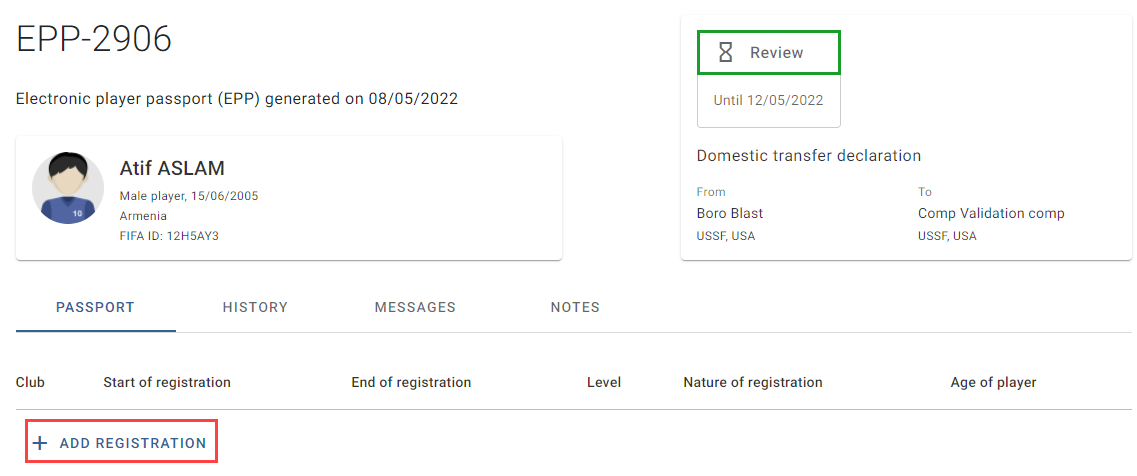
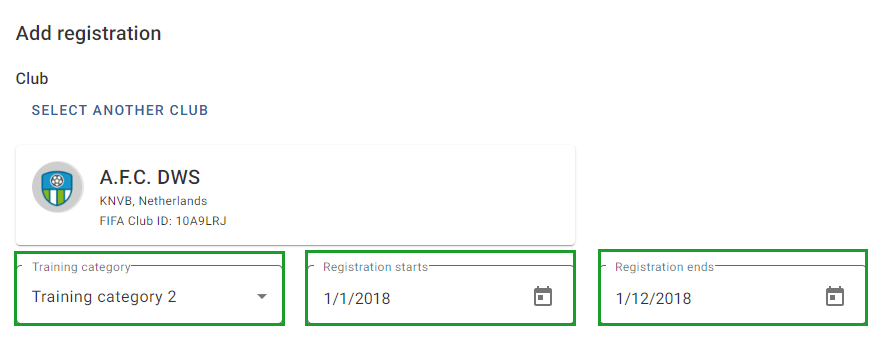
The “Add registration” window will appear, where you can enter the details of the missing registration information.
Club section
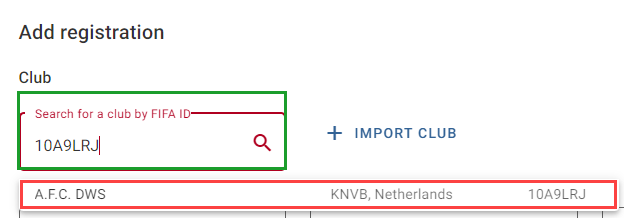
Enter the club’s FIFA ID. If the club already exists in the TMS database, it will appear in the drop-down menu. Click on the club in the drop-down menu.
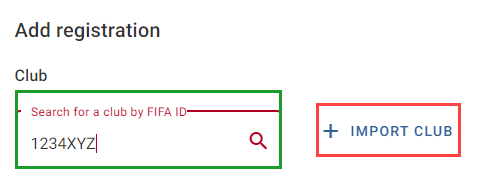
If the club does not exist in the TMS database, nothing will appear in the drop-down menu. To proceed, import the club through FIFA Connect ID by entering its FIFA ID and clicking “Import”. The club must exist in the relevant Member Association’s NRS with the correct FIFA ID before it can be imported.
Level, registration nature and document upload sections
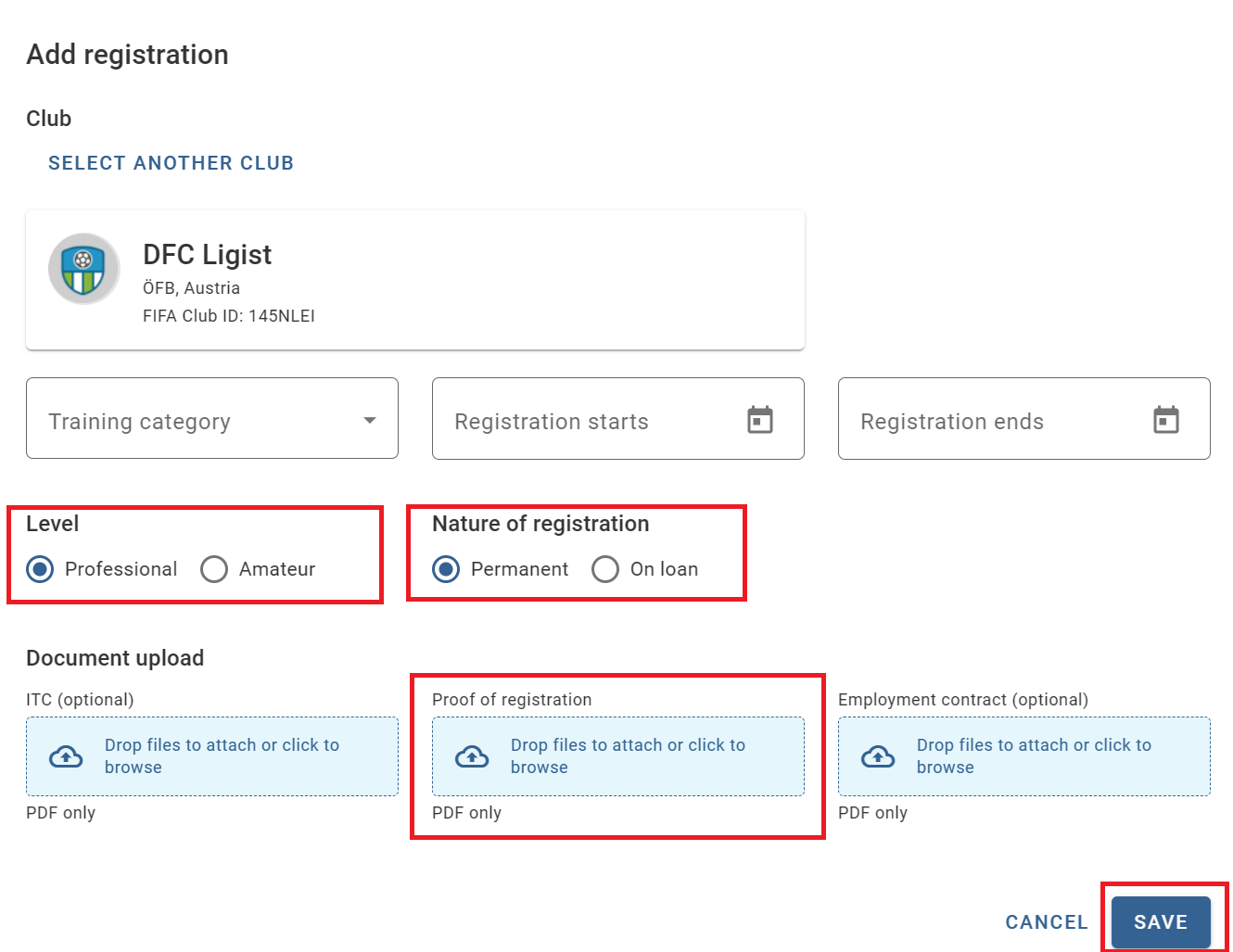
Select whether the player was registered as an amateur or professional, whether the player was registered permanently or on loan, and upload the relevant supporting documentation. Click on “Save” to submit the request to add this registration information to the EPP.
Once the request has been submitted, the new registration information will appear as a new line in the EPP. The EPP’s status will continue to show as “Review” until the EPP review process is complete.
Note: The new registration information is only visible to your Member Association and FIFA. The new registration information will become visible to all other stakeholders in TMS once it is approved by FIFA during the EPP validation process (when the EPP’s status is shown as “Validation”).