Table of contents
When registration information can be edited
If registration information indicated in the EPP is incorrect, Member Associations participating in the EPP review process can request to amend the registration details during the EPP review process (when the EPP’s status is shown as “Review” or “Completion”). The EPP review process lasts 15 days (cf. art. 9 par. 2 of the FIFA Clearing House Regulations (FCHR)), and all amendments to the registration details are subject to FIFA’s approval.
Submit an amendment request
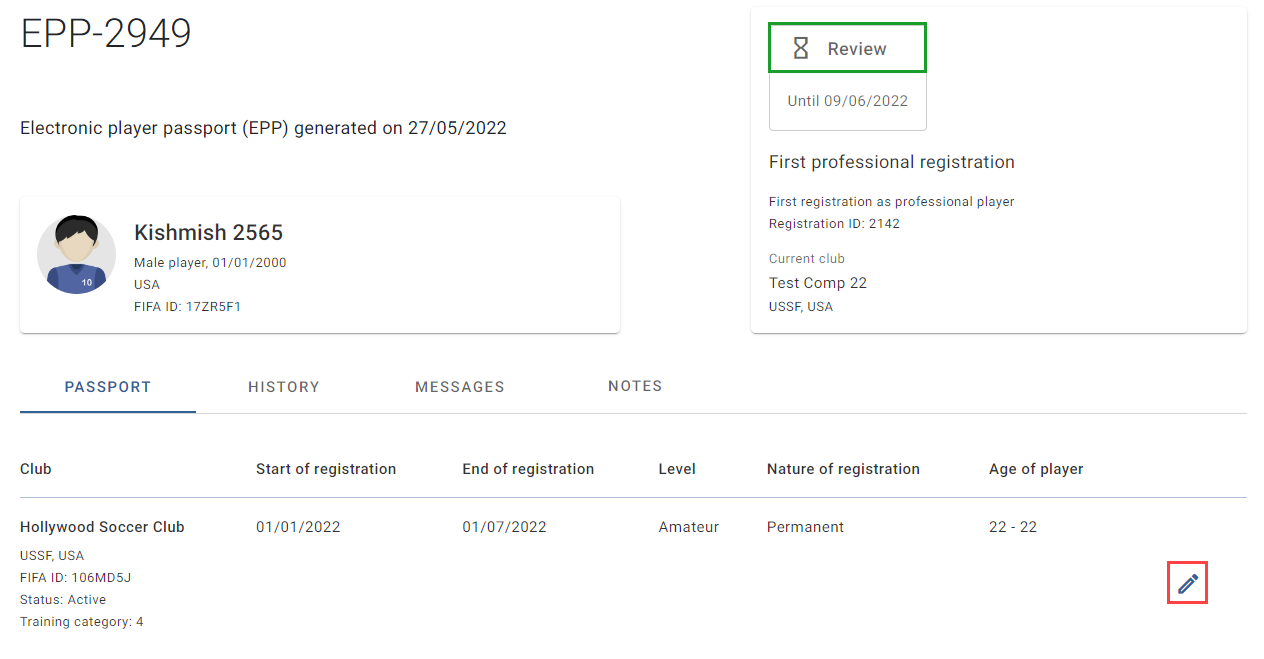
To submit a request to amend registration information in an EPP, click on the pencil icon.
Imported registrations and documents
Note: registration information imported from the latest approved EPP will not be modifiable by the Member Association, i.e., you will not have the “Edit registration” or “Remove registration” button on registrations. If the registration information is incorrect, Member Associations may re-sync the club data, if applicable (see “Re-sync club data in an electronic player passport”), or contact the TMS Helpdesk.
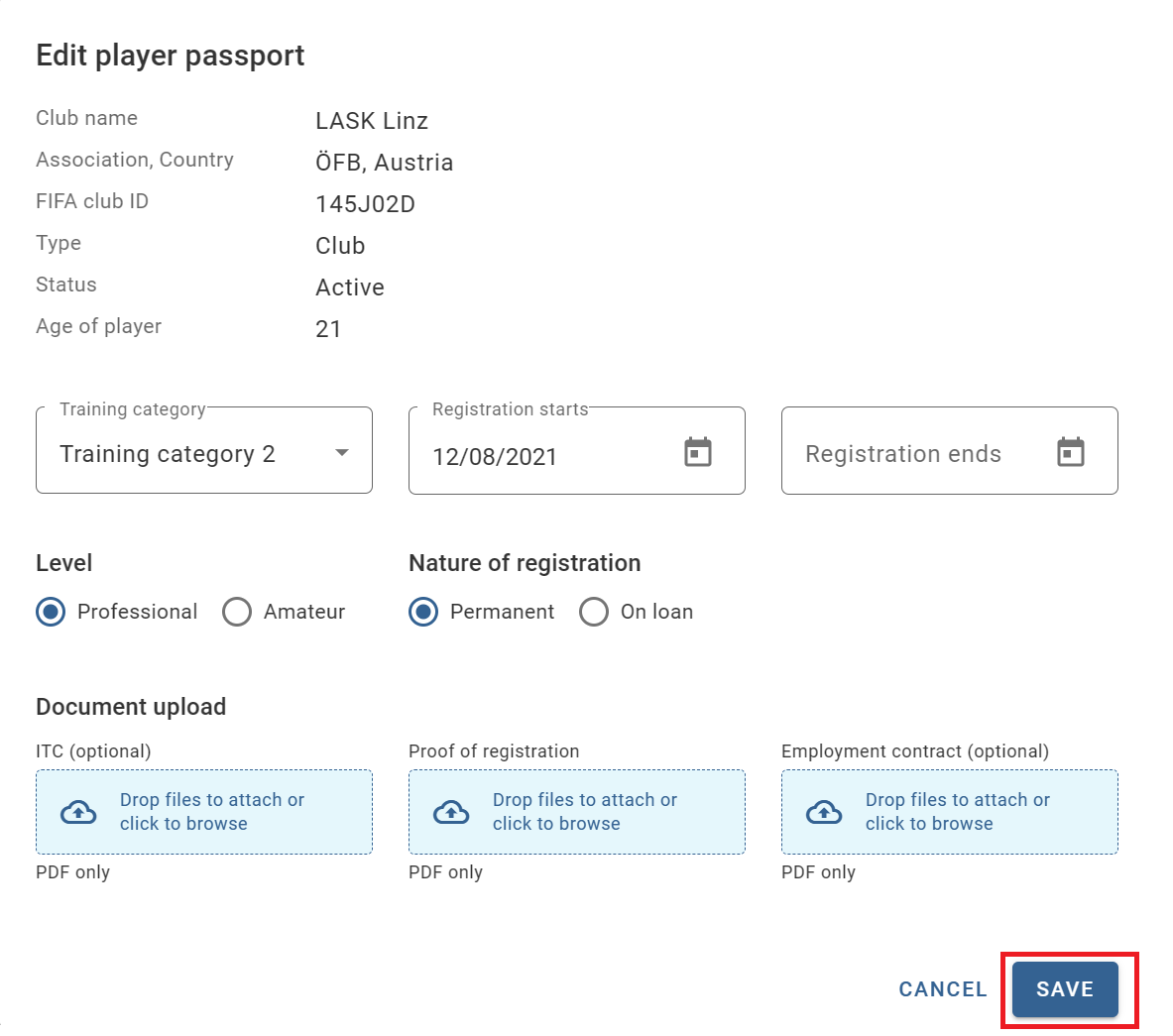
The “Edit player passport” window appears, where you can edit the details of the registration information and upload the relevant supporting documentation. Click on “Save” to submit the request to amend this registration information in the EPP.
Documents from the latest approved EPP will not be imported into the new EPP. Clubs, or Member Associations on their behalf, can upload documents for old registrations. For more information, see “Submitting documents on behalf of affiliated clubs”.
What happens after submission
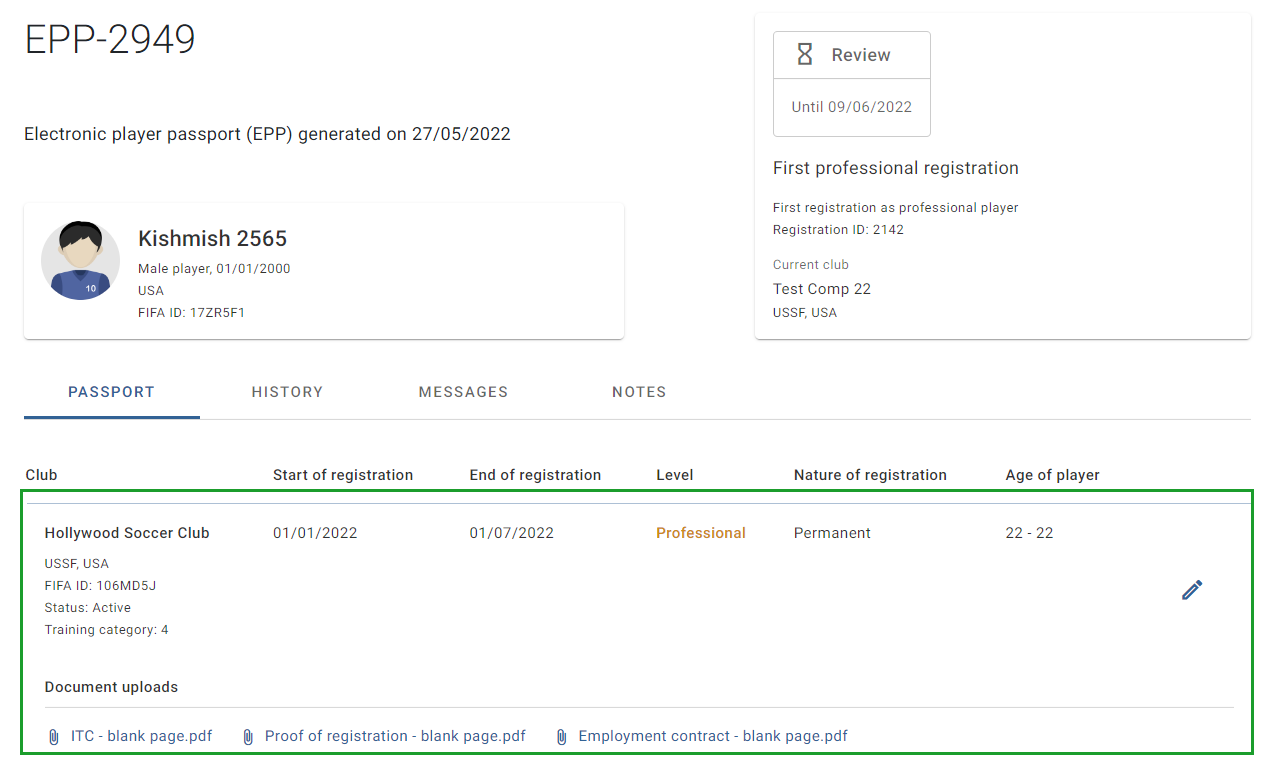
Once the request has been submitted, the amended registration information will appear as a highlighted line in the EPP. The EPP’s status will continue to show as “Review” until the EPP review process is complete.
The amended information is only visible to your Member Association and FIFA. The amended registration information will become visible to all other stakeholders in TMS once it is approved by FIFA during the EPP validation process (when the EPP’s status is shown as “Validation”).