Table of contents
Introduction
This instruction type applies to the transfer of players who will be registered as professionals with the new club, domestically or internationally.
The section “Entering permanent transfer instructions in TMS (ITMS and DTMS)” contains an overview of all the different transfer instruction types. Ensure that you select the correct instruction type before you enter the transfer.
The transfer agreement information must be entered as accurately as possible, and the mandatory documents must be uploaded by both clubs. For more information on the mandatory documents, see the section “Transfer documents in TMS: mandatory documents, upload rules and evidence”. The information provided by both clubs must match for the transfer to proceed to the next stage. For more information on this topic, see the section “Matching process and matching exception”.
Creating the instruction
To enter an instruction to release the player with a transfer agreement, navigate to the Transfers > Overview tab, click on “Release player” and select “Permanently” under either the International or Domestic categories.
“Players & Clubs” section
Player
The details of the player involved in the transfer must be disclosed. To do this, search for the player you wish to release by entering their name, nationality, date of birth and/or player ID. If the player is in the TMS database, their name appears in the drop-down list.
If the player is not in the TMS database, you can expand the search across Connect ID, which includes player records from the National Registration System (NRS) of all Member Associations. For more information on how to search for, create and edit players, see the section “Searching for players in TMS”.
If you create a new player, the former association must first confirm their identity details before the transfer can proceed. For more information on this topic, see the section “Player confirmation”.
Once you have selected the player, their details appear in the “Player” section.
New club
The counter club involved in the transfer agreement must be selected by typing its name in the relevant field. For domestic transfers, only clubs affiliated to your Member Association will be available to select. Ensure that the correct counter club is selected.
If you are sure that it cannot be found and is not listed in TMS, contact the relevant Member Association; the club will need to be trained and given access to TMS before completing the transfer.
Former club
As you are releasing the player, your club will automatically be selected as the player’s former club.
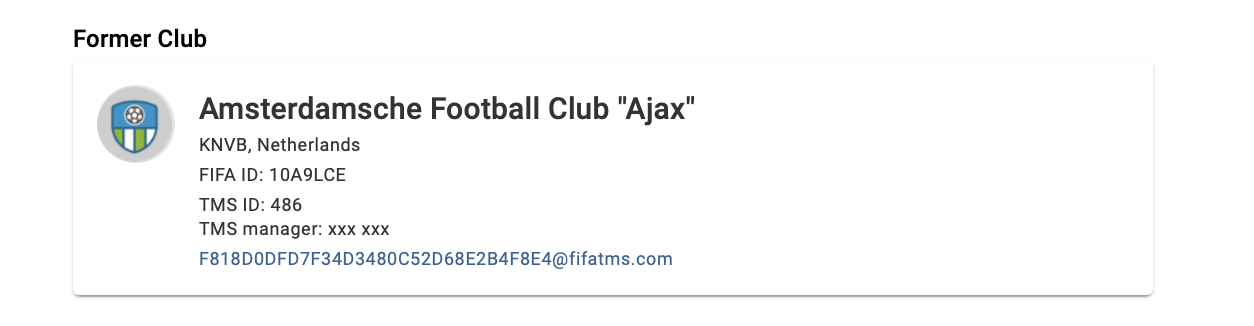
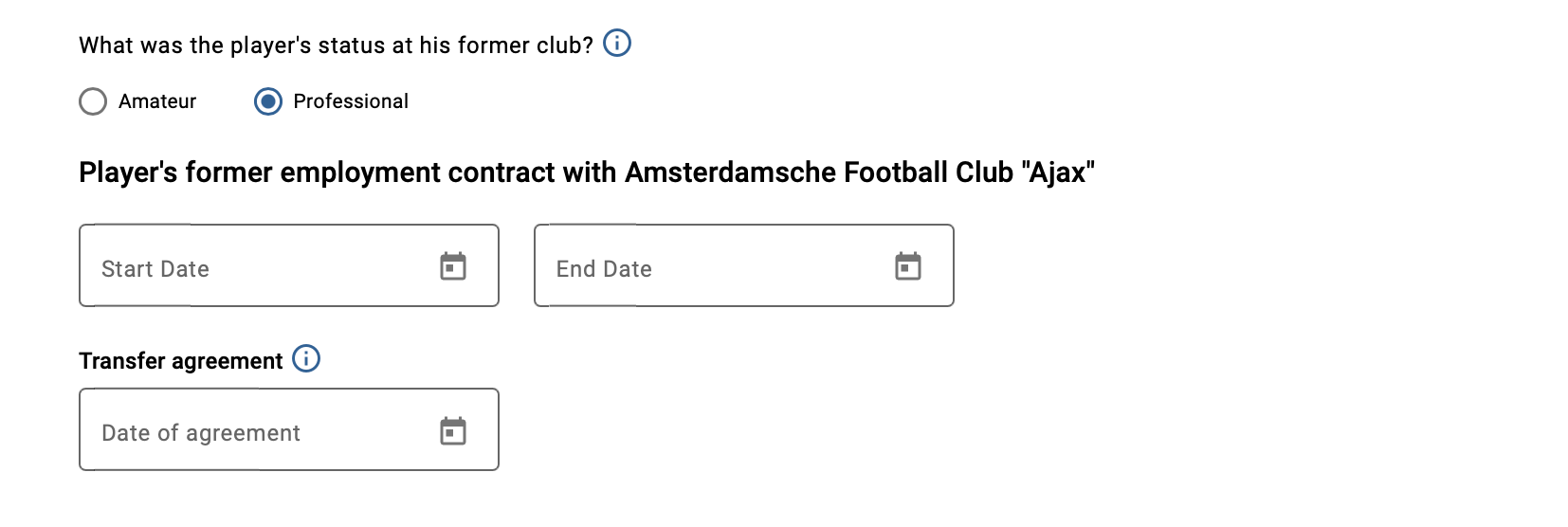
You must indicate the player’s status at their former club by selecting “Amateur” or “Professional”, as appropriate. If you select “Amateur”, no further information is needed.
If you select “Professional”, you must enter the player’s former employment contract dates.
“Football Agents” section
If your club has an agent representing it in relation to this transfer, this information must be entered in TMS by clicking “Yes”. You will then be required to declare the agent information within the transfer. For more information, see “Declaring agent information”.
“Payments & TPO” section
If the transfer includes any fixed transfer fee, conditional transfer fee and/or sell-on fee payments, select “Yes” to the payment question under the “Payments & TPO” tab. If it does not, select “No”.
Note: If the former club has waived their right to training rewards in exchange for another payment, you must select “Yes” to the payment question and declare the payment agreed.
If you click “Yes”, enter the payment details accordingly, i.e. the currency in which the payment will be made, the payment amount, details of instalments (if any), the payment recipient (if different from the former club), any optional remarks and your club’s banking details. For more information on how to declare the payments within a transfer instruction, see the section “Club-to-club payments within the transfer instruction”.
For additional information on declaring transfer compensation and related training rewards, see the clarifications communicated by the FIFA Clearing House on 30 January 2023.
Declaration on third-party influence and ownership
Prior to confirming the transfer, you must, on behalf of your club, either declare “Yes” or “No” to the declaration on third-party influence on clubs and third-party ownership of a player’s economic rights. For more information on this topic, see the section “Third-party agreement library”.
Failure to provide mandatory information or entering incorrect information in an international transfer is an offence subject to the Administrative Sanction Procedure (ASP).
Confirmation
Once you have entered all the necessary details in the instruction and have uploaded all the mandatory documents, you may either confirm the transfer or save it as a draft and return later. If you choose to save as draft, the status of the transfer will change to “Pending” until it is confirmed.
Certify that all the information is true and correct by clicking on the relevant box, and once you are certain that everything is in order, click on “Confirm transfer”.
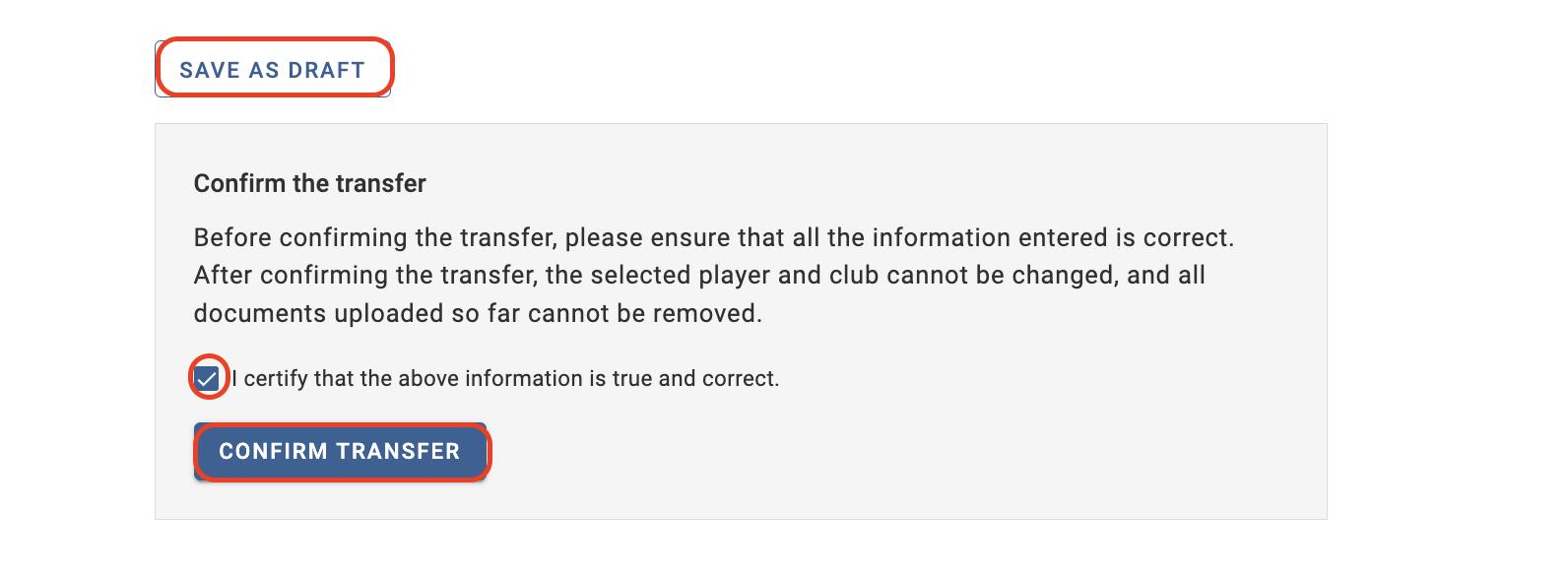
Once you have confirmed the instruction, the transfer status will change to “Awaiting counter instruction”.
If the counter club has already entered a matching instruction, the status of the transfer will be either “Awaiting confirmation of player”, “Awaiting ITC request” for international transfers, or “Awaiting transfer approval” for domestic transfers.
If the transfer remains in status “Awaiting counter instruction” or if the transfer changes status to “Matching exception”, contact the counter club to resolve the mismatch. For more information on this topic, see the section “Matching process and matching exception”.