A sell-on fee is a percentage of a future transfer fee agreed between the two clubs involved in a transfer. This means that if the new club transfers the player to a third club, the former club is entitled to a percentage of the new transfer fee.
Note: if there is a sell-on fee, it is mandatory to declare this in ITMS. In international transfers, failure to provide mandatory information or entering incorrect information in ITMS is an offence subject to the administrative sanction procedure (ASP).
For additional information related to the declaration of transfer compensation and the related training rewards, see the clarifications communicated by the FIFA Clearing House on 30 January 2023.
Table of contents
How can I declare a sell-on fee in the transfer instruction?
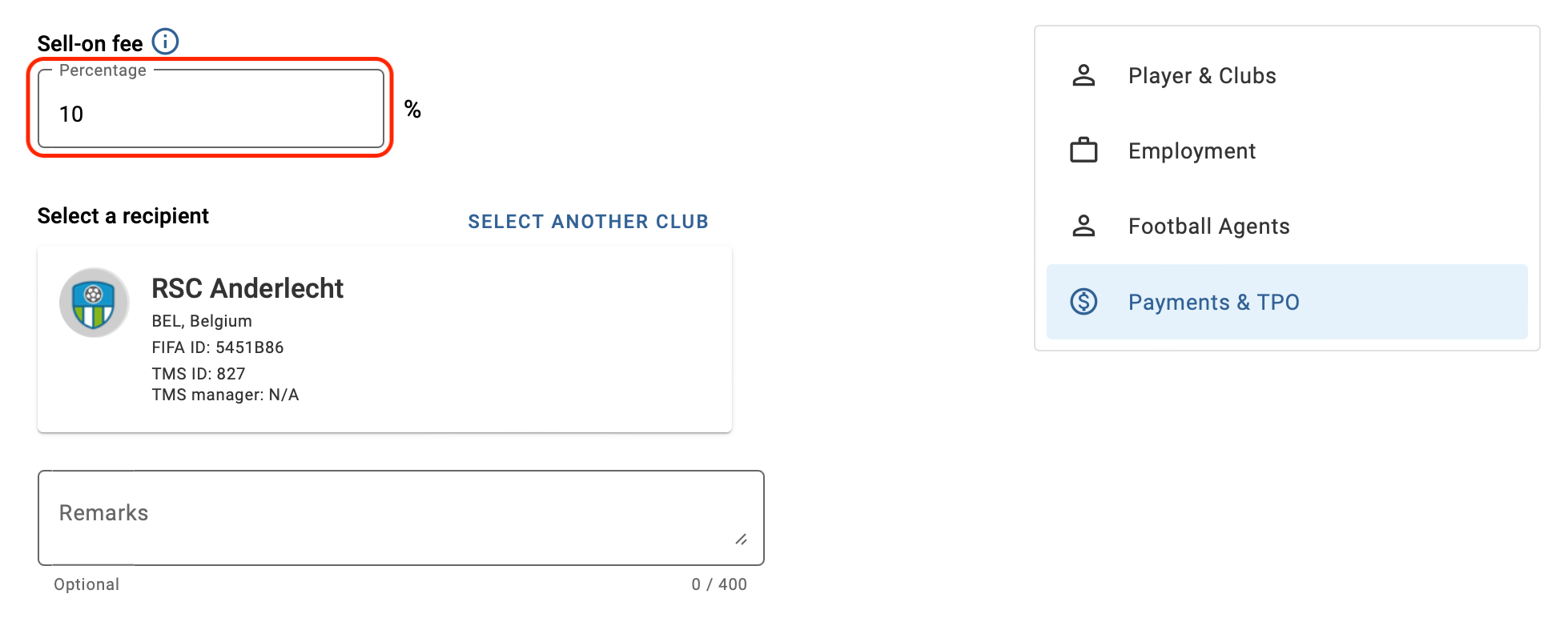
The sell-on fee is a mandatory matching field; the field cannot be blank and the information entered by both clubs must match. If there is no amount to declare, the value “0” must be entered in the relevant field.
Use the “Remarks” field if necessary to explain any additional information regarding the sell-on fee agreement.
Example: club A and club B agree in transfer 1 that when the player is transferred to club C (transfer 2), club A will be entitled to receive 10% of the new transfer fee agreed between club B and club C in transfer 2. Club A and club B must declare the percentage of the agreed sell-on fee in transfer 1.
How can I declare the payment of a sell-on fee once the new transfer takes place?
From the above example, when club B and club C agree the transfer fee in transfer 2, club B must declare the payment to club A of the sell-on fee in transfer 1.
Example: when the player is transferred from club B to club C in transfer 2, if the total transfer fee is USD 100,000, the amount of USD 10,000 (which is 10% of USD 100,000, as agreed in transfer 1) must be paid to club A. Club B must therefore reflect this payment in ITMS and upload the relevant proof of payment in transfer 1.
To do this, search for transfer 1 and click on “Club payments”. Under the “Sell-on fee” section, click on “Add payment”.

Enter the amount paid and the payment date. You must also upload the respective proof of payment. Click on “Add” to confirm your payment.
Note: The banking details of the new (“Payer”) and former (“Recipient”) clubs are automatically populated from the transfer instructions. If the banking details have changed in the process, they can still be updated.
For more information, see the section “Uploading a proof of payment for club-to-club payments”.
Note: Once all proofs of payment have been uploaded in a transfer with a declared sell-on fee, the status of the transfer will remain “Closed – Awaiting Payments”. In this case, you should request the forced closure of the transfer. For more information on this topic, see the section “Transfer forced closure”.